Camera Company
Company
Shop By Category
T&Cs
Shop Online
  • The maker's specifications on every page
  • Free tracked delivery across Singapore over $150
  • 14-day returns

1080p Autofocus Webcam | Webcam with microphone | USB computer camera

1080p Autofocus Webcam with Stereo Microphone and Privacy Cover

$130.99 $156.99 Save $26
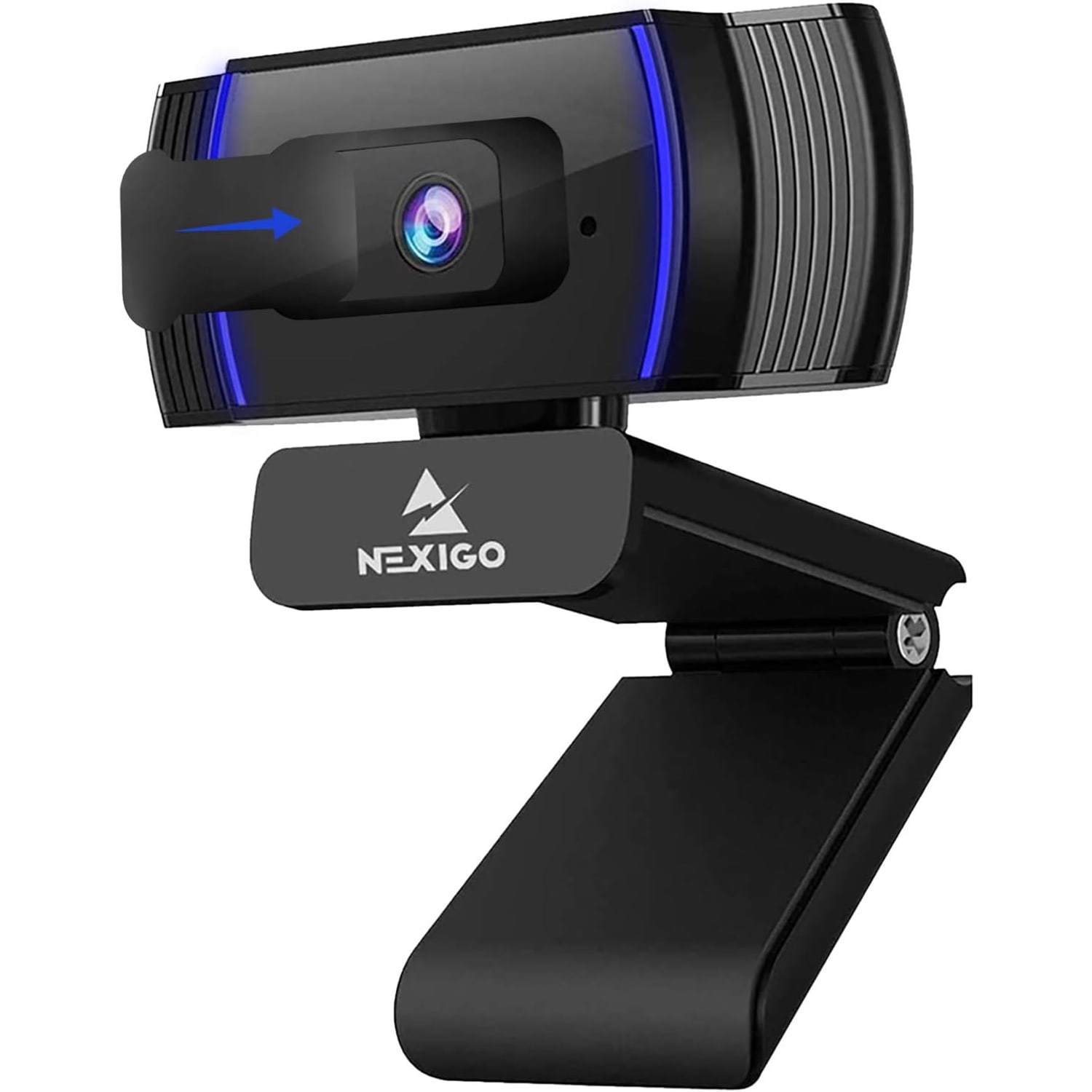
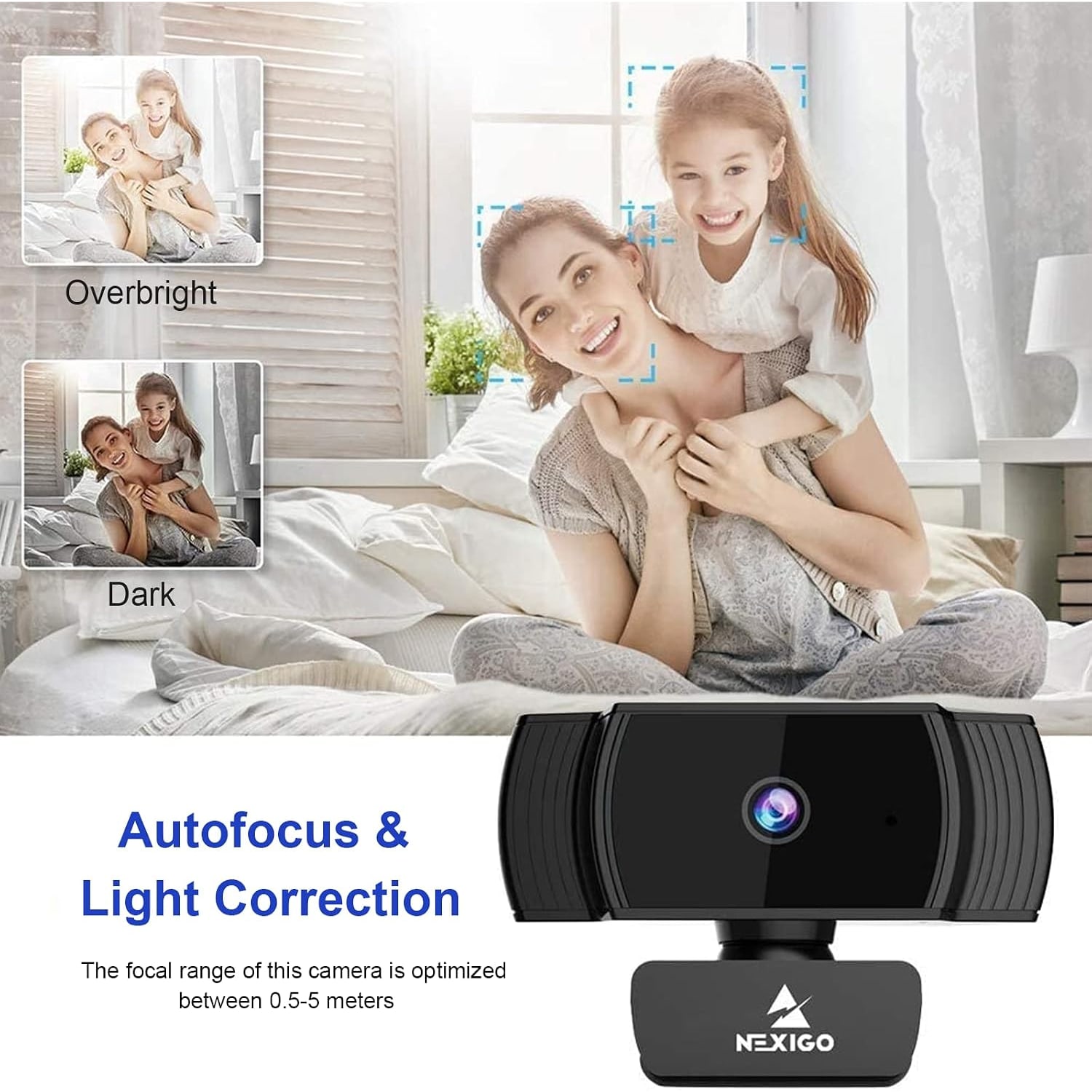
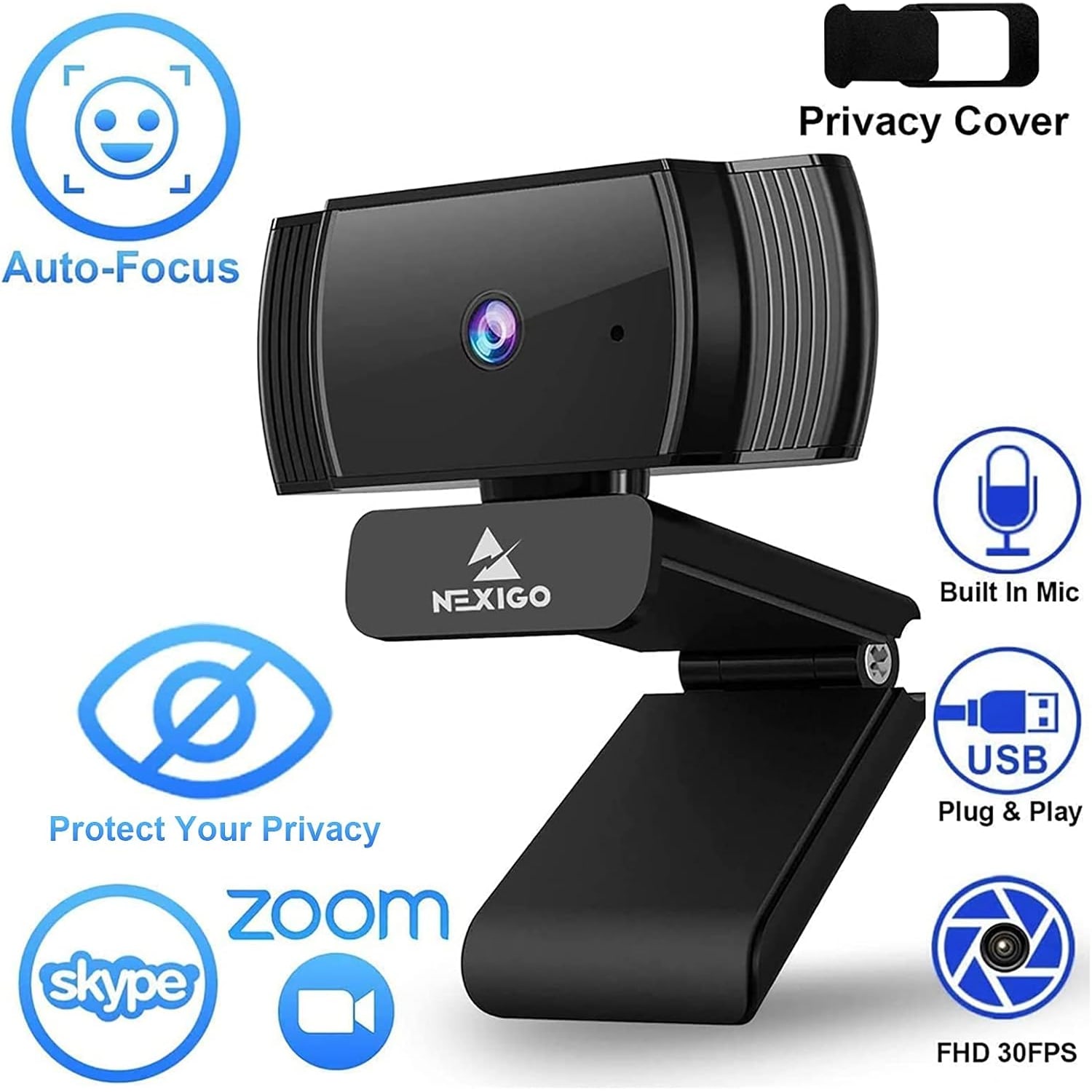
  • Autofocus Lens
  • Built-In Microphone
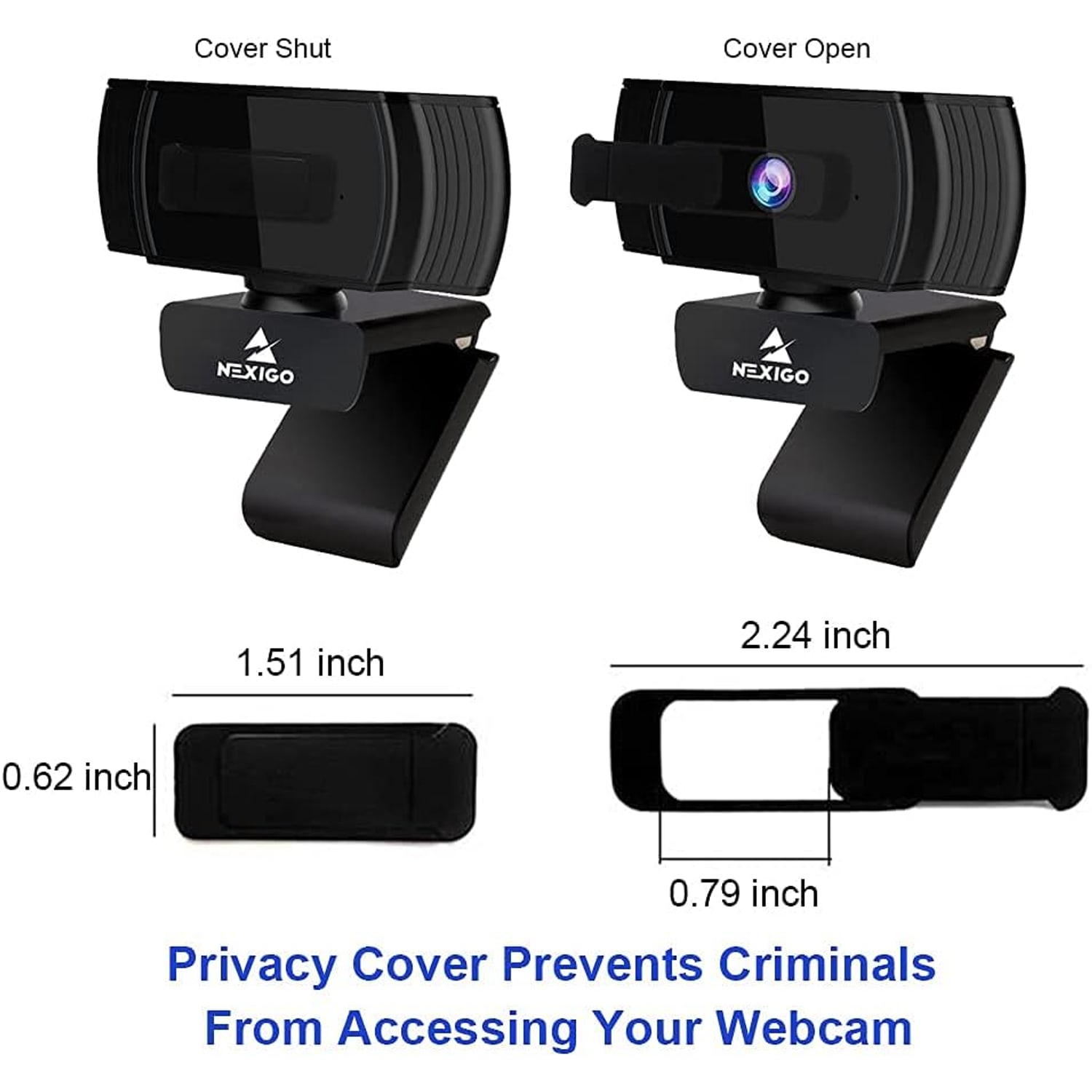
  • Sliding Privacy Cover
  • Plug And Play

Price: $130.99 $156.99

  • Free tracked delivery across Singapore on orders $150+, otherwise a flat $20
  • Pay by card or PayPal, handled by the payment provider
  • 14 days to change your mind, plus your statutory rights
Product specifications
Video Resolution1080p Full HD
Frame Rate30 fps
Still Image Resolution2 MP
Sensor TypeCMOS
Focus TypeAutofocus
Minimum Focus Distance7 cm
Lens TypeWide angle
Maximum Aperturef/2
Aspect Ratio16:9
White BalanceAutomatic
Exposure ControlAutomatic
Special FeaturesAutofocus, low light correction, software support, plug and play
MicrophoneBuilt-in with noise cancellation
Privacy CoverIncluded, built in
ConnectivityUSB
Video Capture FormatMP4
Supported Image FormatJPEG
Supported Audio FormatsMP3, WAV, AAC
Compatible DevicesComputers, laptops, smartphones
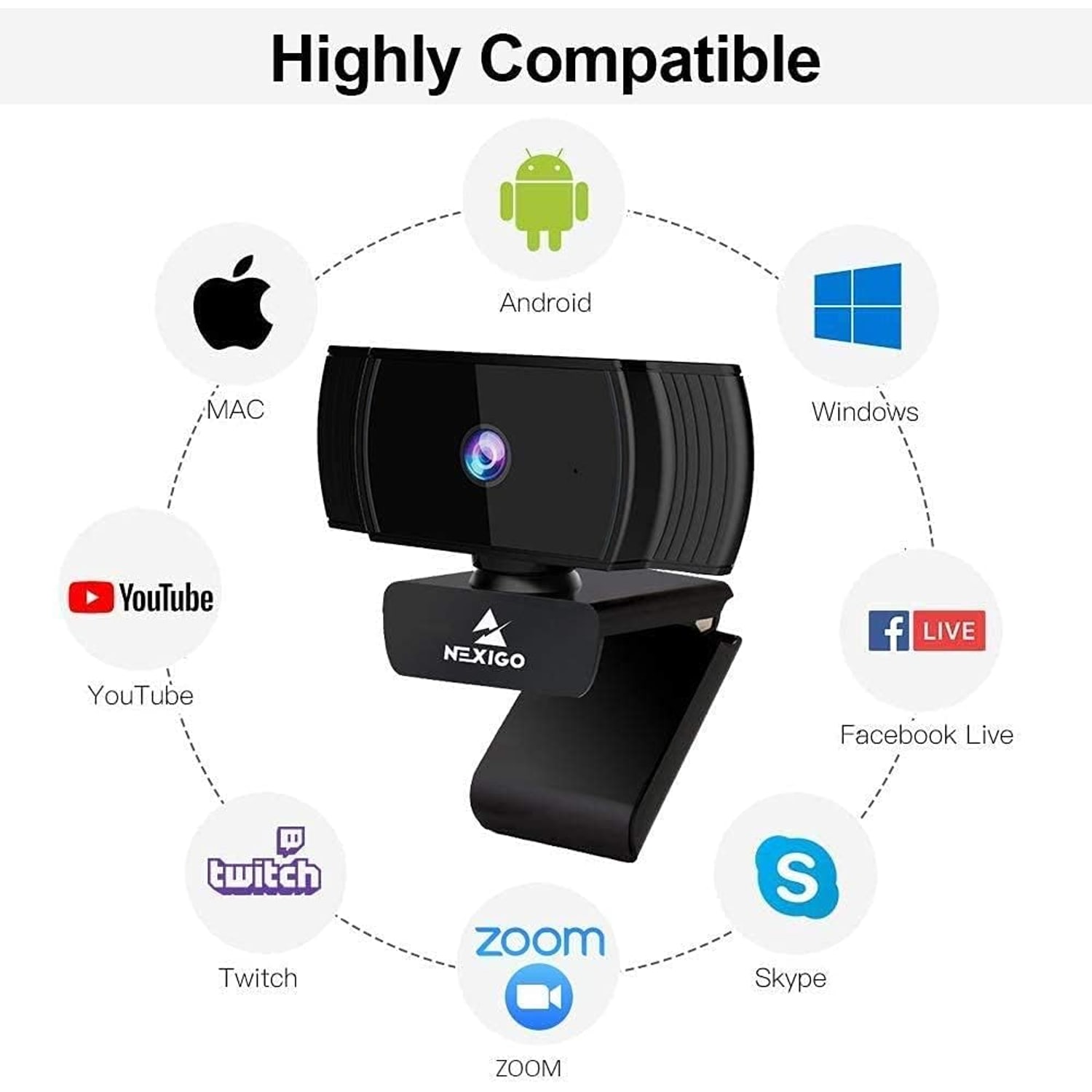
Operating SystemsWindows XP SP3/7/8/10, macOS 10.6 or above, Ubuntu 10.04 or above, Linux 2.6.24 or above, Chrome OS 29.01547 or above, Android 5.0 or above
Form FactorCompact, folding
ColourBlack
Image StabilisationNo
Water ResistanceNot water resistant
BatteriesNot required
Item Weight0.19 kg
Packed Dimensions (D x W x H)25.4 x 14.5 x 13 cm
BrandNexiGo
Model NumberA229AF/N930AF
Weight0.19 kg
Shipping & returns

Tracked delivery anywhere in Singapore. It is free on orders of $150 or more, and a flat $20 below that.

If it is not right for you, send it back within 14 days of delivery in resaleable condition and we refund the price you paid, including standard delivery. That is a voluntary policy we offer on top of your legal rights. You cover the cost of returning it unless the item is faulty.

If it arrives faulty, damaged or not as described, we put it right at no cost to you, return postage included, and your protection under the Consumer Protection (Fair Trading) Act 2003 is unaffected.

Shipping details · Refunds and returns

Autofocus LensKeeps your face sharp as you lean in, sit back or hold up a document.
Built-In MicrophoneNoise-cancelling mic picks up your voice without a separate headset.
Sliding Privacy CoverClose the lens in a second when the call is over.
Plug And PlayConnects over USB with no driver download on most systems.

Look sharp in every meeting with a 1080p autofocus webcam that keeps you clear from the first word to the last.

Full HD video at 30fps, a built-in noise-cancelling microphone, a sliding privacy cover and plug-and-play USB setup that works in about a minute.

This 1080p autofocus webcam records Full HD video at 30fps through a 2MP CMOS sensor, so your face stays clear instead of soft and pixelated.

The autofocus works from a 7cm starting distance and can be switched off if you prefer to lock the focal point yourself.

A built-in noise-cancelling microphone captures your voice so you can join a meeting without digging out a headset.

The sliding privacy cover closes over the lens when you are done, keeping the glass clean and the camera shut.

It is a plug-and-play USB computer camera with a 2m cable and a folding clip that grips a monitor, a laptop lid, a tripod or sits flat on a desk.

1080p Autofocus Webcam with Stereo Microphone and Privacy Cover

Most laptop cameras were never meant to carry a full working day. They sit behind a tiny lens, they wash you out when the window light changes, and they make everyone on the call squint at a soft, grainy square. This 1080p autofocus webcam swaps that for Full HD video at 30fps through a 2MP CMOS sensor, which is the single quickest way to look more present in a meeting without changing anything else about your desk.

1080p Autofocus Webcam with Stereo Microphone and Privacy Cover

The autofocus is the part you notice first. Fixed-focus webcams only look right when you sit in one exact spot, so leaning forward to read something or holding up a page turns you into a blur. This camera focuses from 7cm out and keeps adjusting as you move. If you would rather lock it, autofocus can be turned off and the focal point set manually, which suits anyone filming a fixed scene such as a whiteboard or a product on a desk.

1080p Autofocus Webcam with Stereo Microphone and Privacy Cover

Sound matters as much as picture, and the built-in microphone has noise cancellation to pull back some of the room behind you. That is useful in a flat where the aircon hums, a corridor door swings or traffic drifts in from the road. You can join a call straight from the webcam without hunting for a headset, which also keeps your desk tidier.

1080p Autofocus Webcam with Stereo Microphone and Privacy Cover

Privacy is handled physically rather than through software. A cover slides across the lens when the camera is idle, so the glass is blocked and protected from dust at the same time. In a humid climate that second benefit is quietly worth having, because a lens left open on a desk collects a film that softens every call.

1080p Autofocus Webcam with Stereo Microphone and Privacy Cover

Setup is plug and play over USB with no driver download needed on most systems, and the camera works with Windows, macOS, Linux, Ubuntu, Chrome OS and Android as listed in the specs. The 2m cable reaches across a desk or behind a monitor, the clip folds to grip a screen, a laptop lid or a tripod, and at 0.19kg it travels easily between the office and home.

Not sure yet? That is fine.

A camera has to suit the job you bought it for, and you cannot always judge that from a photograph. If it is not right for you, send it back within 14 days of delivery in resaleable condition and we refund the price you paid, including standard delivery. That is a voluntary policy we offer on top of your legal rights.

If it turns up faulty, damaged or not as described, that is on us. We pay the return postage, with your protection under the Consumer Protection (Fair Trading) Act 2003 unaffected. Read the full detail on our refunds and returns page, or ask us anything before you order.

Frequently Asked Questions

What exactly is this product?

It is a 1080p autofocus webcam that clips onto a monitor, a laptop lid or a tripod and connects to your computer over USB. It records Full HD video at 30fps and has a built-in microphone, so it handles both picture and sound on a call. A sliding cover closes over the lens when you are finished.

How is autofocus different from a fixed-focus webcam?

A fixed-focus camera only looks sharp at one set distance, so moving closer or further away softens the image. This camera adjusts continuously and focuses from about 7cm out, which keeps you clear whether you lean in or sit back. It is a noticeable difference if you hold up documents or shift position during long meetings.

Can I turn the autofocus off?

Yes. Autofocus can be switched off so you can set the focal point manually. That is handy when you are filming a fixed subject and do not want the lens hunting whenever something moves in the background.

What video resolution and frame rate does it record?

It captures 1080p Full HD at 30 frames per second through a 2MP CMOS sensor. Still images are 2MP and save as JPEG, while video is captured in MP4. The aspect ratio is 16:9.

Do I need to install drivers?

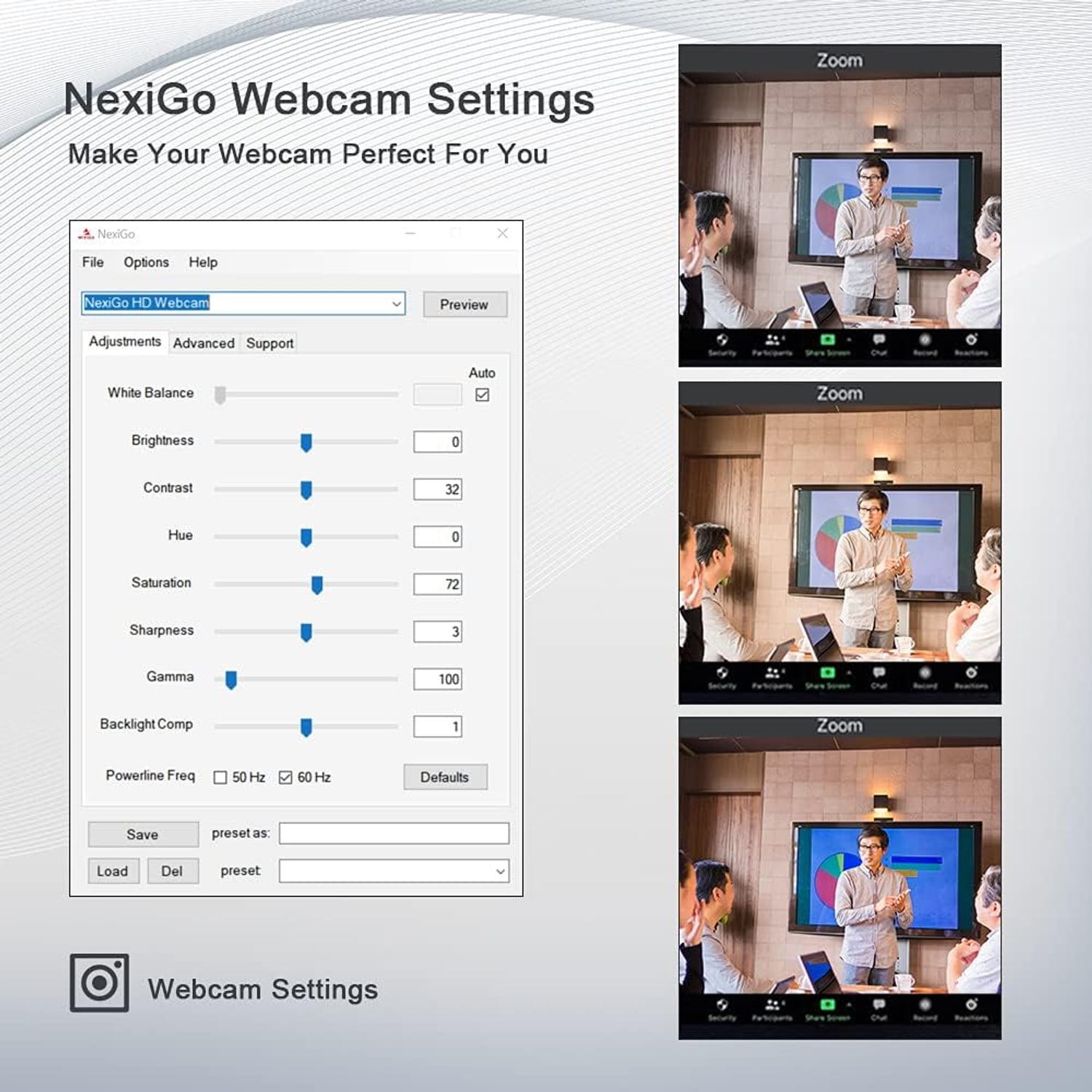
No, it is plug and play on most systems. You connect the USB cable, wait a few seconds for the computer to recognise it, then pick it as your camera in your meeting app. Optional NexiGo software is available separately if you want to adjust settings yourself.

Which operating systems does it work with?

The listed support covers Windows XP SP3, 7, 8 and 10, macOS 10.6 or above, Ubuntu 10.04 or above, Linux 2.6.24 or above, Chrome OS 29.01547 or above and Android 5.0 or above. That covers most laptops and desktops in regular use. Always check your device has a free USB port of the right type.

Will it work with Zoom, Teams, Meet and Skype?

Yes. The webcam presents itself to your computer as a standard USB camera and microphone, so any app that lets you choose a camera will list it. You select it in the video settings of the app before or during a call.

Is the microphone good enough to skip a headset?

For most meetings, yes. The built-in microphone has noise cancellation that reduces steady background sound such as fans or aircon. If you work in a genuinely loud room or need broadcast-grade audio, a dedicated mic will still sound better.

How long is the cable?

The USB cord is 2m, which is long enough to reach from a monitor down to a desktop tower or across a desk to a laptop. If your computer sits on the floor, measure the run first. Avoid stretching the cable tight, as it puts strain on the connector.

How does the privacy cover work?

It is a small physical shutter built into the camera body that slides across the lens. Closing it blocks the view completely, which some people prefer to relying on software indicators. It also keeps dust off the glass between calls.

Does it have a light to show when it is recording?

The listing does not specify an indicator light, so that detail is not confirmed by the maker. The physical privacy cover is the reliable way to confirm the lens is blocked. Your meeting software will also show when the camera feed is live.

Will it fit on a thin monitor or a laptop lid?

The clip folds to grip screens of different thicknesses, including slim monitors and laptop lids. You can also fold it flat and stand the camera on a desk or shelf. There is tripod compatibility if you prefer a separate stand.

Does it come with a tripod?

No tripod is listed as included. The camera is designed to clip onto a screen or sit on a flat surface, and it can be mounted on a tripod you already own. Check the thread on your tripod matches before buying one.

How wide is the field of view?

The lens is described as wide angle, and the viewing angle figure listed in the product details is 47.5 degrees. In practice that frames one person comfortably with some desk and background visible. It is suited to a single speaker rather than a whole meeting room.

How does it perform in a dim room?

Low light correction is one of the listed features, which lifts the image when the room is darker than ideal. It still helps a lot to face a window or a lamp rather than having the light behind you. Any webcam at this sensor size will look best with some light on your face.

Does it have image stabilisation?

No. Image stabilisation is listed as not supported. Because the camera clips to a screen or sits on a desk rather than being handheld, stabilisation is rarely needed for this kind of use.

Can I use it for streaming or recording video?

Yes. It outputs a standard 1080p 30fps feed that streaming and recording software can pick up, and video captures as MP4. Many people use a camera like this as their first step up from a laptop lens before investing in anything bigger.

Is it suitable for online classes?

It suits online teaching and study well. The autofocus means you can hold a book or worksheet toward the camera and have it sharpen rather than blur, and the built-in microphone keeps the setup to a single cable. Many people look for the best webcam for online classes for exactly that reason.

Can I connect it to a phone or tablet?

Compatible devices listed include computers, laptops and smartphones, with Android 5.0 or above noted in the operating system list. You would need the correct USB adapter for your phone and an app that accepts an external camera. Support varies by handset, so test before relying on it.

Does it need batteries or a power adapter?

No batteries are required and none are included. The camera draws power from the USB connection to your computer, so there is nothing to charge and no separate plug to find.

How heavy is it?

The unit weighs 0.19kg. That is light enough to carry between home and the office in a laptop bag without noticing it. It also means the clip holds steady on most screens without tipping them.

How should I clean the lens?

Use a dry microfibre cloth with a light touch. Skip solvents, alcohol wipes and anything abrasive, as they can mark the lens coating and casing. Keeping the privacy cover closed between uses means you will rarely need to clean it at all.

Is it water resistant?

No, it is listed as not water resistant. It is designed for indoor desk use only. Keep it away from drinks, open windows during rain and damp surfaces.

Can two people fit in the frame?

Two people sitting close together can fit, but the framing is really built around a single speaker at a desk. If you need to cover a group around a table, a camera with a wider field of view will suit better. For one person at a monitor, the framing is comfortable.

Will it work with a USB hub or docking station?

Usually yes, though a powered hub gives the most reliable result. Cameras can be sensitive to hubs that share limited power across many devices. If the feed drops out, plug directly into the computer to rule the hub out.

Is this a good upgrade from a built-in laptop camera?

For most people it is a clear step up. Built-in lenses are small and fixed, while this gives you 1080p, autofocus and a microphone with noise cancellation. People shopping for the best laptop webcam upgrade tend to notice the difference on the very first call.

What is included in the box?

You receive the webcam with its attached USB cable and the built-in privacy cover and folding clip. No tripod, batteries or power adapter are listed as included. Optional desktop software is a separate download rather than a physical item.

How long does delivery take?

Most orders arrive within 7 to 12 working days of the order date. Our products are sent from overseas warehouses, so allow for that if you need it by a set date. Delivery is to Singapore addresses only, free on orders of $150 or more and a flat $20 under that, and you get tracking by email once the parcel is on its way.

Does it make a sensible gift?

It does, especially for someone who has started working or studying from home and is still using a laptop lens. It is compact, needs no setup beyond plugging in, and suits almost any computer. Presentation is simple and tidy in its retail packaging.

What if it is not right for me?

You can return it within 14 days of delivery in resaleable condition with the original packaging. Get in touch first so we can arrange the return and point you toward something that fits better, whether that is a wider lens or a different mounting style. If anything arrives damaged or faulty, tell us straight away with a photo and we will sort it out.

How To Choose A 1080p Autofocus Webcam For Work, Study And Streaming

6 min read Camera Company

The problem with the camera you already have

Open any laptop and there is a camera built into the lid. It works. That is about the strongest thing most people can say about it. The lens is tiny, it is fixed at one focus distance, and the sensor behind it struggles the moment the light in the room changes. You end up looking soft, slightly grey, and oddly far away, while the person on the other end leans in to work out your expression.

That matters more than it used to. Interviews happen over video. Client calls, tutorials, team catch-ups and family calls all run through the same little square. If you spend hours a week on camera, improving the camera is one of the cheapest changes you can make to how you come across.

A 1080p autofocus webcam fixes the two things built-in cameras get wrong most often. It gives you four times the detail of a standard 720p feed, and it keeps you in focus when you move. Everything else is detail.

What autofocus actually changes

Most budget webcams use fixed focus. The lens is set at the factory to be sharp at roughly an arm's length, and anything closer or further drifts out. In normal use that is fine until you lean forward to read something, push your chair back, or hold up a page to show a colleague. Then the picture goes soft exactly when you need it sharp.

Autofocus lenses adjust continuously. This one works from a starting distance of about 7cm, which is close enough to show a label, a printed page or a small object to the camera and have it snap sharp. If you present anything visual, that is the feature you will use daily.

There is a flip side. Autofocus can hunt if something keeps moving behind you, like a fan or a doorway. This camera lets you switch autofocus off and set the focal point manually, which solves that completely for fixed setups. Anyone filming a whiteboard, a workbench or a fixed product shot should take advantage of it.

Picture quality beyond the resolution number

Resolution gets printed on every box, but it is only part of the story. This camera pairs 1080p with a 2MP CMOS sensor, a wide-angle lens at f/2, automatic white balance and automatic exposure. In plain terms, it works out brightness and colour for you and gets it right most of the time.

Low light correction helps when the room is dim, and in a flat with the blinds half closed, that is often the case. Still, no small webcam beats good light. The simplest improvement anyone can make is to put a light source in front of their face rather than behind it. A desk lamp bounced off a pale wall is enough. If a bright window sits behind you, the camera will expose for the window and turn you into a silhouette, and no amount of correction fully rescues that.

Frame rate is 30fps, which is the standard for video calls and perfectly smooth for conversation. Fast motion, such as gaming footage, benefits from higher rates, but for talking heads 30fps looks natural.

Sound, and why it is half the battle

People forgive a mediocre picture. They do not forgive audio they have to strain through. The built-in microphone here has noise cancellation, which pulls back steady background sound such as aircon, a ceiling fan or the hum from a corridor. That is a real benefit in a small flat where you cannot control the room.

For most meetings this is enough, and the convenience of one cable instead of a headset is genuine. If you record voiceovers, podcast, or stream for an audience, a separate microphone will still sound better, and you can mix and match. Your computer lets you choose the camera and the microphone independently, so you can take video from the webcam and audio from something else.

Mounting and where it will actually live

The clip folds, which sounds minor until you try to fit a rigid webcam to a slim modern monitor. This one grips a monitor bezel, a laptop lid or a flat surface, and it also mounts on a tripod if you prefer the camera off to one side or lower down.

Height matters. The most flattering position is roughly at eye level or very slightly above, with the lens looking straight at you rather than up from the desk. If your laptop sits low, a stand or even a stack of books under it does more for your appearance than any setting in the software.

The cable is 2m. That reaches from a monitor to a desktop tower under the desk in most setups, but measure first if your computer sits on the floor and the desk is deep. Pulling a cable tight stresses the connector over time.

At 0.19kg the whole thing is light, so it travels easily. People who split time between an office desk and a home desk often just move the camera rather than buying two.

Privacy, handled with a sliding cover

Software indicators are useful, but a physical cover is simpler to trust. The shutter slides across the lens and blocks it completely. Close it at the end of the day and the question of whether the camera is on stops being a question.

There is a practical bonus in a humid climate. A lens left open on a desk collects dust and a fine film that gradually softens every call. Keeping the cover closed between uses means the glass stays clean, and you will clean it far less often.

Worth noting separately: recording other people is covered by Singapore law, including the PDPA. If you plan to record meetings or classes, tell participants and get their agreement first.

Who this suits, and who should look elsewhere

This camera makes sense if you are one person at a desk who wants to look clear and sound clear. Remote workers, students in online classes, tutors, job seekers, people starting out in streaming, and anyone who got tired of their laptop lens will all get what they came for. The best plug and play webcam for most households is simply the one that works the minute it is connected, and that is the design brief here.

It is less suited to a few cases. If you need to frame several people around a meeting table, you want something with a wider field of view. If you shoot fast action or want 60fps, this runs at 30fps. If you need weather protection, note that it is not water resistant and is strictly an indoor camera. There is no image stabilisation either, though for a camera fixed to a monitor that rarely comes up.

Setup and care

Setup is short. Clip it on, plug the USB cable in, wait a few seconds, then open your meeting app and pick the camera in the video settings. On most systems no driver download is needed. Optional desktop software is available if you want finer control over the image while using Zoom, Teams or similar apps.

Care is just as short. Wipe the lens with a dry microfibre cloth and nothing else. Avoid solvents and alcohol wipes, which can mark coatings. Unplug by the connector rather than tugging the cord. Fold the clip flat for storage and keep it somewhere dry and out of direct sun. There are no batteries to replace and nothing to charge.

The short version

If your current camera makes you look like a weather report from 2004, a 1080p autofocus webcam is an easy fix. You get Full HD at 30fps, a lens that keeps you sharp as you move, a built-in noise-cancelling microphone so you can skip the headset, and a cover that closes when you are done.

Light your face from the front, put the camera near eye level, and plug it in. That is the whole setup. For one person on a desk, it covers everything that matters and leaves the complicated gear to people who actually need it.

Browse the shop

Not sure if this one fits your desk?

Tell us what computer and screen you use and we will confirm whether this webcam clips on cleanly before you order.

Ask us a question

Page summary

The NexiGo A229AF/N930AF is a 1080p autofocus webcam that records Full HD video at 30fps using a 2MP CMOS sensor, with 16:9 aspect ratio, automatic white balance and automatic exposure. The wide-angle lens has a maximum aperture of f/2 and focuses from 7cm, and autofocus can be disabled for manual focal point control. It includes a built-in noise-cancelling microphone, a sliding privacy cover, low light correction and optional desktop software. Connection is plug-and-play USB with a 2m cable, and listed operating system support covers Windows XP SP3 and later, macOS 10.6 and later, Ubuntu, Linux, Chrome OS and Android 5.0 and later. The unit weighs 0.19kg, is black, has no image stabilisation and is not water resistant. Colour finish beyond black, material and country of origin are not specified by the maker.