
Camera Company
Company
Shop By Category
T&Cs
Shop Online
  • The maker's specifications on every page
  • Free tracked delivery across Singapore over $150
  • 14-day returns

4K Webcam with AI Framing | Autofocus 4K web camera | Webcam for streaming and meetings

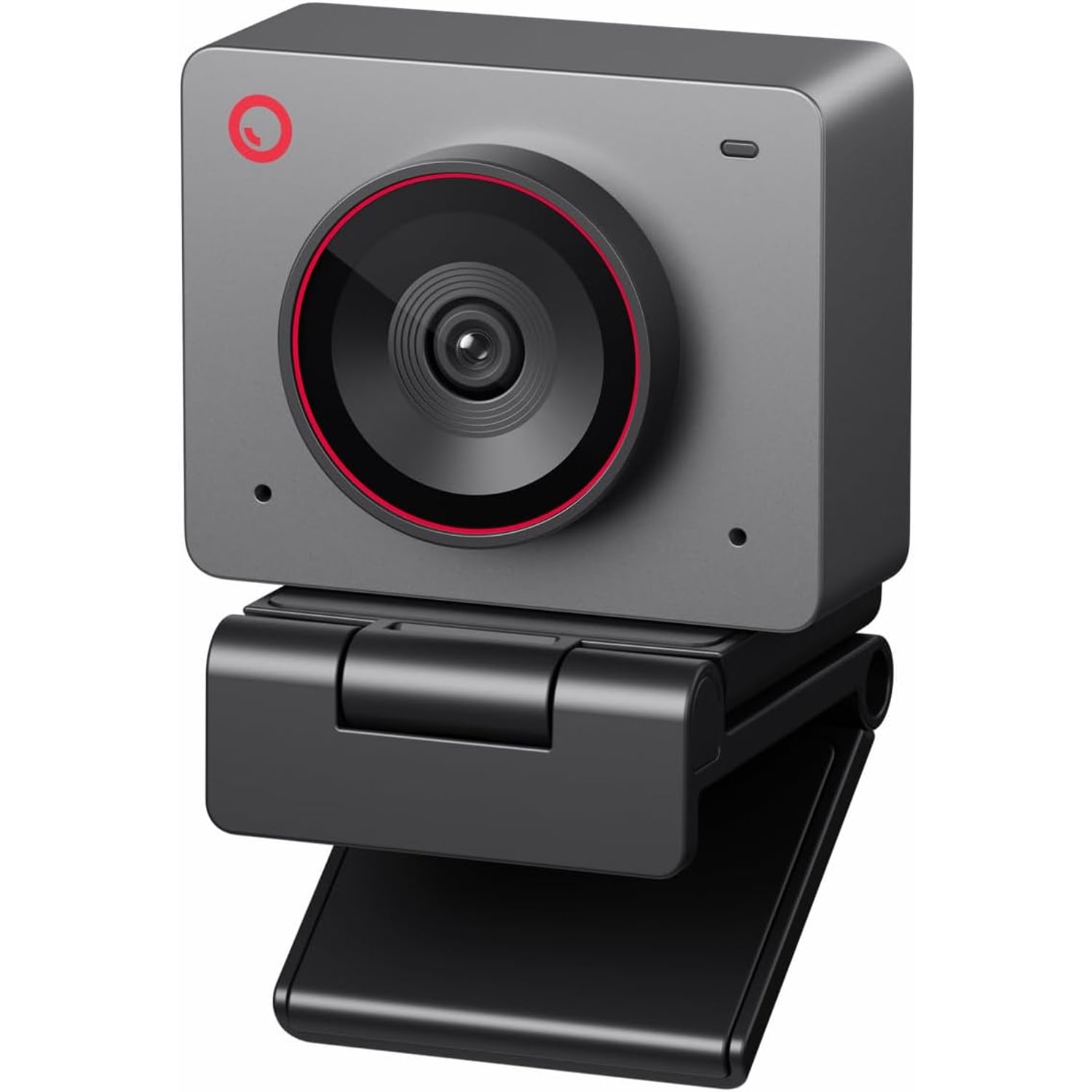
4K Webcam with AI Framing, Autofocus and Dual Microphones

$373.99 $448.99 Save $75
  • 4K Video
  • AI Framing
  • Gesture Control
  • Dual Microphones

Price: $373.99 $448.99

  • Free tracked delivery across Singapore on orders $150+, otherwise a flat $20
  • Pay by card or PayPal, handled by the payment provider
  • 14 days to change your mind, plus your statutory rights
Product specifications
Video Resolution4K UHD
Frame RateUp to 60 fps
Sensor1/2 inch CMOS
Sensor Resolution (As Listed)48 MP
Maximum Aperturef/1.8
Focus TypeAutofocus
FramingAI framing, single person or group
Gesture ControlYes, AI framing on or off and zoom
Zoom4x digital
Image ModesHDR low-light correction, beauty mode
Aspect Ratio16:9
White BalanceAutomatic
Exposure ControlAutomatic
MicrophoneDual omnidirectional with noise cancelling
ConnectivityUSB-C
SetupPlug and play
System RequirementsWindows 10 or later, macOS 11 or later
Recommended PC7th Gen Intel Core i5 or later, 8 GB RAM
Compatible DevicesPersonal computer, laptop
Video Capture FormatMP4
Supported Image FormatMJPEG
Supported Audio FormatsAAC, MP3, PCM
Water ResistanceNot water resistant
BatteriesNot required
ColourSpace Grey
Item Weight40.5 g
In The BoxWebcam, USB cable
BrandOBSBOT
Model NumberMEET 2
Weight40.5 g
Shipping & returns

Tracked delivery anywhere in Singapore. It is free on orders of $150 or more, and a flat $20 below that.

If it is not right for you, send it back within 14 days of delivery in resaleable condition and we refund the price you paid, including standard delivery. That is a voluntary policy we offer on top of your legal rights. You cover the cost of returning it unless the item is faulty.

If it arrives faulty, damaged or not as described, we put it right at no cost to you, return postage included, and your protection under the Consumer Protection (Fair Trading) Act 2003 is unaffected.

Shipping details · Refunds and returns

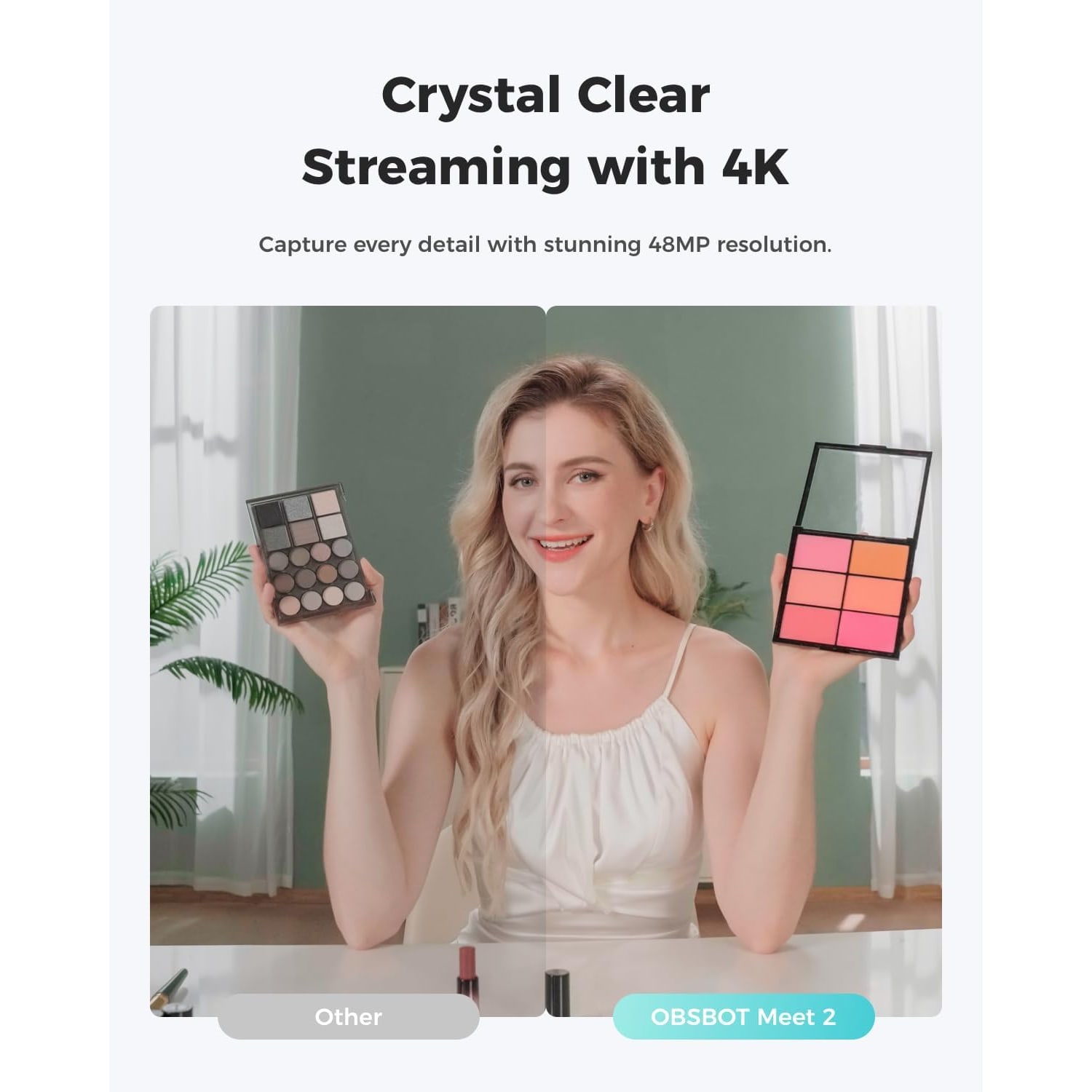
4K VideoA 1/2 inch CMOS sensor and f/1.8 lens record in 4K with a 16:9 picture.
AI FramingAdjusts composition and focus for one person or a group.
Gesture ControlSwitch AI framing on or off and control zoom with hand gestures.
Dual MicrophonesTwo omnidirectional noise-cancelling mics pick up the room.

A pocket-sized 4K webcam with AI framing that keeps you centred, sharp and easy to hear.

4K video from a 1/2 inch CMOS sensor with an f/1.8 lens, AI framing and autofocus, gesture control, 4x digital zoom and dual noise-cancelling microphones in a body that weighs 40.5 g.

This 4K webcam with AI framing records through a 1/2 inch CMOS sensor and an f/1.8 lens, with autofocus and a 16:9 picture.

AI framing adjusts the composition and focus of the shot whether you are alone or sitting with a group.

Hand gestures switch AI framing on or off and control the 4x digital zoom, so you do not need to reach for the mouse mid-call.

Dual omnidirectional noise-cancelling microphones adjust their noise reduction level to suit the scene.

It connects with a single USB-C cable, is ready as soon as it is plugged in, and weighs 40.5 g.

4K Webcam with AI Framing, Autofocus and Dual Microphones

A webcam usually asks you to adjust yourself to it. You shuffle the chair, tilt the screen and hope you stay in the middle. This 4K webcam with AI framing works the other way round. Its software watches the scene and adjusts the composition and the focus of each frame, whether there is one person at the desk or several people around it.

4K Webcam with AI Framing, Autofocus and Dual Microphones

The picture starts with a 1/2 inch CMOS sensor, which the maker says is larger than before and gathers more light for a clearer, brighter image. The lens opens to f/1.8, and the product title lists HDR low-light correction and a beauty mode. Video is 4K with a 16:9 shape, and the camera can run at up to 60 frames per second.

4K Webcam with AI Framing, Autofocus and Dual Microphones

You can control it without touching anything. Face the camera and show an open palm to switch AI framing on or off. A pointing-up gesture controls the zoom, which is digital and goes to 4x. For a presenter standing at a board or a cook at the counter, that saves a walk back to the keyboard.

4K Webcam with AI Framing, Autofocus and Dual Microphones

Sound comes from dual omnidirectional microphones with noise cancelling. The maker says the noise reduction level adjusts to the scene. That helps in a flat with an air conditioner running or a fan turning overhead.

4K Webcam with AI Framing, Autofocus and Dual Microphones

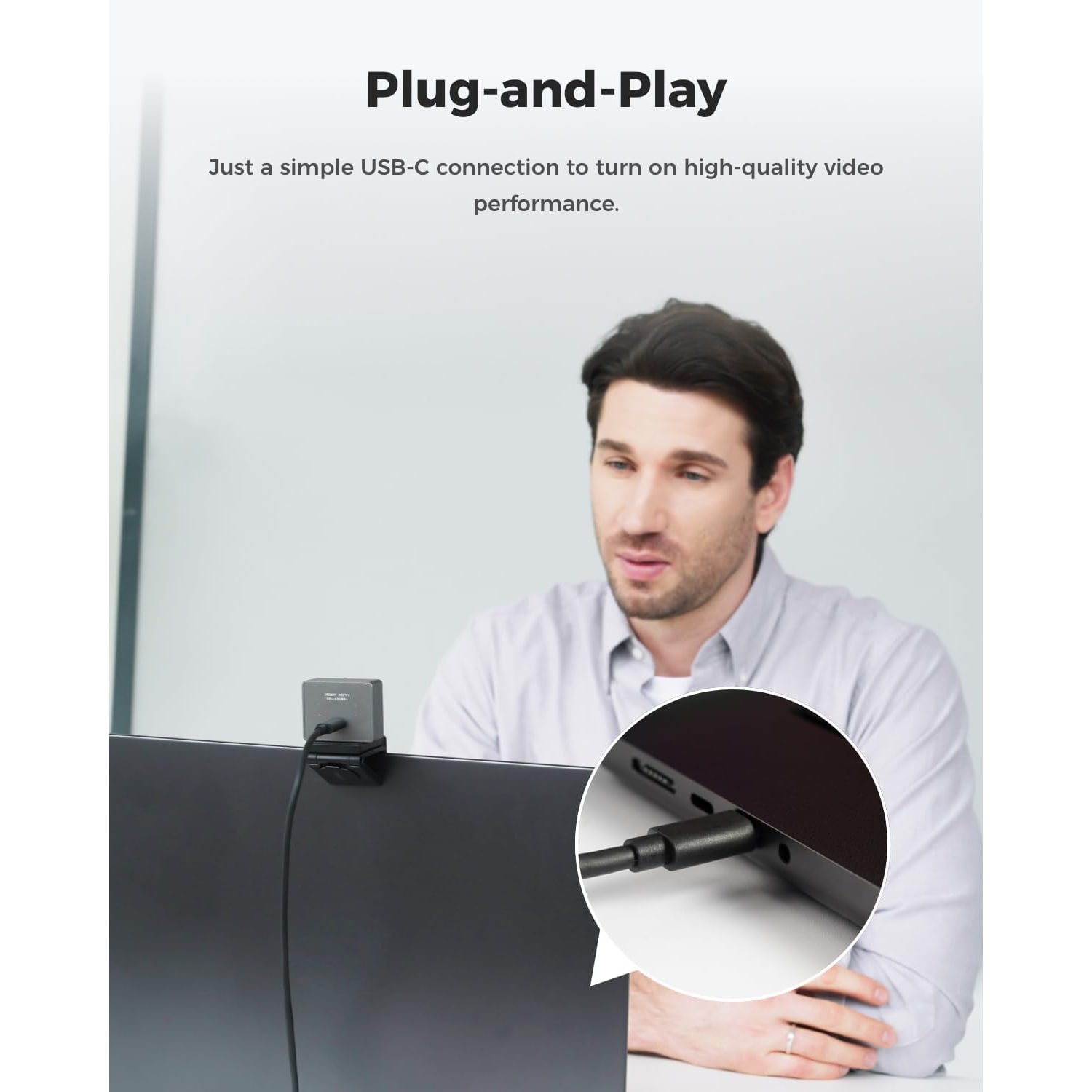
It connects with a single USB-C cable and is ready as soon as it is plugged in, with optional desktop software from the maker for finer settings. At 40.5 g it is light enough to live in a laptop sleeve. The body is metal and gets rid of heat through its shell, so it feels warm after a long session. The maker says this is normal and recommends not touching it after prolonged use.

Not sure yet? That is fine.

A camera has to suit the job you bought it for, and you cannot always judge that from a photograph. If it is not right for you, send it back within 14 days of delivery in resaleable condition and we refund the price you paid, including standard delivery. That is a voluntary policy we offer on top of your legal rights.

If it turns up faulty, damaged or not as described, that is on us. We pay the return postage, with your protection under the Consumer Protection (Fair Trading) Act 2003 unaffected. Read the full detail on our refunds and returns page, or ask us anything before you order.

Frequently Asked Questions

What kind of webcam is this?

It is a very small 4K webcam for a computer or laptop, with software that frames and focuses the shot for you. It has two microphones built in and connects over USB-C. The maker lists video calls, streaming, meetings and gaming as its uses.

What does AI framing do?

AI framing looks at who is in the picture and adjusts the composition and focus of each frame. If you lean to one side or slide your chair back, the shot is recomposed around you. The maker does not list a motorised mount, so expect the reframing to happen within the lens's view.

Does AI framing work when two or three people share the camera?

Yes. The maker says it adjusts the composition and focus whether you are alone or with a group of people. That suits a couple calling family, or a few colleagues around one laptop in a small meeting room.

How do the hand gestures work?

Face the camera and hold up an open palm to switch AI framing on or off. A pointing-up gesture controls the zoom. Keep your hand clear of your face so the camera can read the gesture.

Is it really 4K, and what sensor does it use?

Video resolution is 4K UHD from a 1/2 inch CMOS sensor. The maker's details list the sensor at 48 MP. The picture is 16:9.

Can it record at 60 frames per second?

The camera is listed at up to 60 frames per second. The maker does not state which resolutions that rate applies to. If you need 4K and 60 frames together, check the camera settings in your software once it is connected.

Will people on my call see me in 4K?

Usually not. Meeting apps commonly send 1080p or less to save bandwidth, even from a 4K camera. The 4K sensor still helps, because framing and digital zoom have more pixels to crop from, and recordings made on your own computer can use the full resolution.

How does it handle a dim room?

The lens has a maximum aperture of f/1.8, and the maker says the larger 1/2 inch sensor captures more light for a clearer, brighter image. The product title also lists HDR low-light correction. A lamp in front of you still makes the biggest difference.

What is beauty mode?

Beauty mode is named in the product title. The maker does not describe what it changes or how strong the effect is. Expect to find it in the maker's optional desktop software, and leave it off if you prefer an untouched picture.

Does it zoom?

It has 4x digital zoom, which you can control with a gesture. Digital zoom crops the picture, so a 4K sensor gives it more detail to work with than a 1080p camera would. There is no optical zoom listed.

Are the microphones good enough for meetings?

It has dual omnidirectional microphones with noise cancelling, and the maker says the noise reduction level adjusts to the scene. That covers ordinary calls from a quiet or moderately noisy room. The maker does not state a pickup distance.

How does it connect to my computer?

With a single USB-C connection. The maker says it turns on and is ready to use as soon as it is plugged in. Power comes from the computer's USB port.

My desktop only has USB-A ports. Is an adapter included?

The box contents are listed only as a USB cable, and the maker does not state whether a USB-A adapter is supplied. The camera itself uses a USB-C connection. Plan on a USB-C port, or have your own adapter ready.

What does my computer need to run it?

The maker states Windows 10 or later, or macOS 11 or later. The recommended PC is a 7th Gen Intel Core i5 processor or later with 8 GB of RAM. Older or slower machines may struggle with 4K video.

Does it work with phones or tablets?

The compatible devices listed are personal computers and laptops. The maker does not list phones or tablets, so we would not buy it for that purpose.

Do I have to install software?

No. It works as a plug and play camera in your meeting or streaming app. The maker also offers optional desktop software for people who want deeper control over the features.

Why does the camera feel warm?

The body is metal and gets rid of heat through its shell. The maker says warmth during use is normal and recommends not touching the webcam after prolonged use. Let it cool for a few minutes before packing it away.

What does it weigh, and how small is it?

It weighs 40.5 g, and the maker compares its size to a set of earbuds. The maker does not state measurements we can rely on, so we do not quote any. It is described as ultra compact.

How does it attach to a monitor or laptop?

The maker does not state the mount type or whether there is a tripod thread. If the way it sits on your screen matters, contact us before you order and we will check what we can.

Does it have a privacy cover?

The maker does not state that a privacy cover is included. If you want the lens physically blocked between calls, unplug the cable or point the camera away.

Is the picture stabilised?

The maker's details are not clear on this point, so do not count on it. A webcam fixed to a screen rarely needs stabilisation anyway.

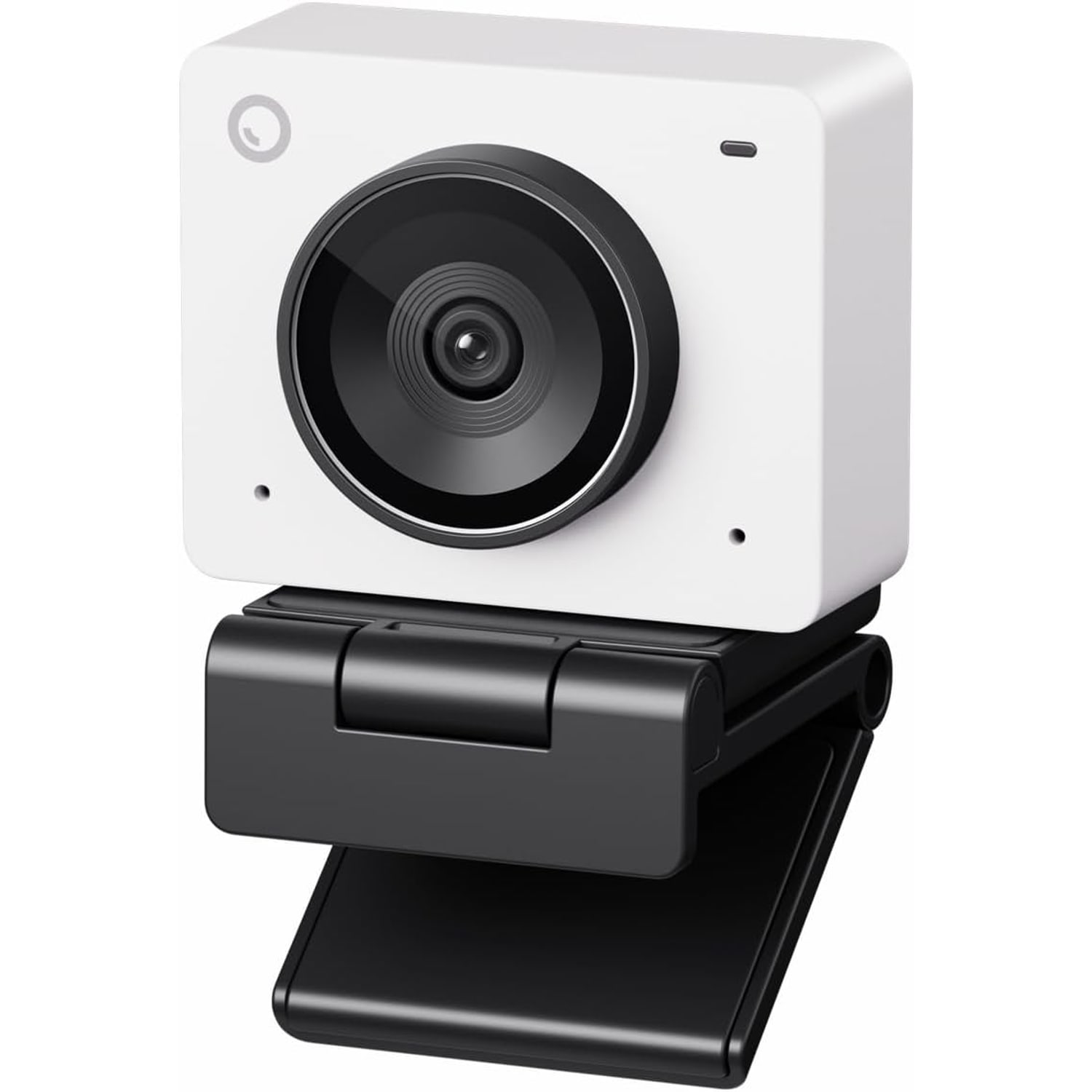
Which colour is the one sold here?

This one is Space Grey. The maker offers the model in other colours, but the camera sold here is the Space Grey version.

Does it need batteries or a power adapter?

No. It runs from the USB connection to your computer. No batteries are included or needed.

Can it cope with splashes or damp?

No, it is listed as not water resistant. Use it indoors and keep it away from drinks, wet hands and rain blowing through an open window.

Is it a sensible webcam for streaming and meetings on the same desk?

Yes, that mix is what it is built for. In meetings, AI framing and the microphones do the work. For streaming, you get 4K, up to 60 frames per second and gesture control of the zoom.

Is it easy to carry between home and the office?

At 40.5 g it adds almost nothing to a laptop bag. Put it in a small pouch so the lens does not rub against keys or chargers. Let it cool before you pack it after a long call.

How do I clean it?

Use a dry microfibre cloth on the lens and body. Do not use alcohol wipes or solvents. In humid weather a light wipe every week or two keeps haze off the glass.

What is in the box?

The maker lists the webcam and a USB cable. No tripod, case, power adapter or batteries are listed. The cable length is not stated.

How long does delivery take, and is there a warranty?

We deliver to addresses across Singapore with a tracked courier. Most orders arrive within 7 to 12 working days of the order date, because our cameras and accessories are sent from overseas warehouses. Delivery is free on orders of $150 or more and a flat $20 under that.

What if it does not suit my computer?

You can return it within 14 days of delivery in resaleable condition. Contact us first with your order number. If the problem is the port or the system requirements, we can suggest a camera that matches your machine.

How To Choose A 4K Webcam With AI Framing For Meetings And Streaming

6 min read Camera Company

Why put 4K in a webcam at all

A fair question, because most video calls never show 4K. Meeting apps commonly send 1080p or less, whatever camera you plug in. So why pay for more pixels?

The answer is cropping. A 4K frame holds four times as many pixels as a 1080p frame. When the camera zooms digitally or reframes the shot around you, it throws pixels away. Start with 1080p and the cropped picture soon turns soft. Start with 4K and you can crop in a long way and still send a clean image to the call.

That is the idea behind this model. It pairs a 4K sensor with software that does the framing for you, in a body that weighs 40.5 g. This guide explains what it does, what the maker leaves unsaid, and who should buy something else.

The sensor and the lens

The camera uses a 1/2 inch CMOS sensor. In webcam terms that is on the large side. The maker says the bigger sensor expands the light-sensitive area and captures more light, giving clearer and brighter images. The lens opens to f/1.8, which lets a good amount of light through.

Why does that matter in practice? Many home desks in Singapore sit away from the window, under a single ceiling light, and plenty of calls happen after dark. A sensor that gathers more light needs less software brightening, and that means less grain. The product title also lists HDR low-light correction, which is meant to help when part of the scene is much brighter than the rest, such as a window behind your shoulder.

Focus is automatic, and so are white balance and exposure. The camera is listed at up to 60 frames per second. The maker does not state which resolutions run at that rate, so check the options in your recording software before you plan a 4K stream at 60 frames.

What AI framing changes

With an ordinary webcam, the frame is fixed. If you lean left to read a second screen, you slide half out of the picture. If a colleague pulls up a chair, one of you is cut off at the ear.

AI framing looks at the people in view and adjusts the composition and the focus of each frame. The maker says it works whether you are alone or with a group. The maker does not list a motorised mount, so expect the reframing to happen inside the lens's view. That is exactly where the 4K sensor's spare pixels are used.

This is useful in a few everyday cases. One is the shared laptop in a small meeting room, where three people need to fit. Another is the family call with grandparents overseas, when children wander in and out of shot. A third is teaching or presenting, where you move between the chair and a board.

If you would prefer a fixed frame, you can switch AI framing off.

Gesture control

You switch AI framing on and off by facing the camera and holding up an open palm. A pointing-up gesture controls the zoom, which is digital and reaches 4x.

Gestures sound like a novelty until you are standing a few steps from the desk with a marker in your hand. Then being able to zoom without walking back to the mouse is a real convenience. Keep the gesture clear and to one side of your face so the camera can read it.

Sound

The camera has dual omnidirectional microphones with noise cancelling. Omnidirectional means they pick up sound from all around, which suits group calls because nobody has to lean in. The maker says the noise reduction level adjusts according to the scene.

In a flat, the usual background is the air conditioner, a standing fan and whatever is going on in the corridor. Built-in noise cancelling takes the edge off steady sounds like those. For podcasts or paid voice work, a dedicated microphone is still the better tool, and your computer lets you choose it separately from the camera.

Connection and computer requirements

Setup is a single USB-C connection. The maker says the camera turns on and is ready as soon as it is plugged in. Optional desktop software from the maker gives finer control for people who want it. Power comes from the computer's USB port, so there are no batteries and no power adapter.

Two checks are worth making before you order. First, ports. The box is listed as containing a USB cable, and the maker does not state whether a USB-A adapter comes with it. If your desktop tower has only the older rectangular sockets, have an adapter ready.

Second, the computer itself. The maker states Windows 10 or later or macOS 11 or later, and recommends a 7th Gen Intel Core i5 processor or later with 8 GB of RAM. Handling 4K video is real work for a computer. An older office laptop may run warm and drop frames. The compatible devices listed are personal computers and laptops, with no mention of phones or tablets.

A small body that runs warm

The camera weighs 40.5 g, and the maker compares its size to a set of earbuds. For people who split the week between home and a hot desk, that is the appeal. It goes in the laptop sleeve and you forget it is there.

A small metal body has one side effect. It uses the shell to get rid of heat, so it feels warm during use. The maker says this is normal and recommends not touching the webcam after prolonged use. In a warm room without air conditioning it will feel warmer still. Give it a few minutes to cool before it goes back in the bag.

What the maker does not tell you

Here are the gaps, so you can decide with clear eyes. The maker does not state how the camera mounts or whether there is a tripod thread. It does not state a field of view in degrees. It does not mention a privacy cover. The cable length and the warranty term are not given either, and the published size figures are not reliable enough to quote.

None of that makes it a poor camera. It does mean you should ask us before ordering if one of those points decides the purchase for you. If you want the lens blocked between calls, unplug it. Recording other people is covered by Singapore law, including the PDPA.

Who it suits, and who should skip it

It suits hybrid workers who carry their setup, small teams sharing one screen, tutors and presenters who move about, and streamers who want a sharp facecam without a large camera on the desk. As an autofocus 4K web camera it also works well for anyone who records video on their own computer, where the full resolution is kept.

Skip it if your computer is below the stated requirements, or if you only ever sit still on calls in good light. A simpler 1080p camera will look much the same in that case and cost less. Skip it too if you need a camera for a phone or tablet.

Getting a good picture on day one

A few minutes of setup pays off. Place the camera at eye level, or a little above, so it looks straight at you and not up from the desk. Put your main light in front of you. A window you face is ideal in the daytime, and a desk lamp bounced off a pale wall does the job at night.

Next, open your meeting app and choose the camera in the video settings. Do the same for the microphone, since the app may still be set to the laptop's own. Make a short test recording and listen back. If you plan to stream or record, set the resolution and frame rate in that software too, as the default is often lower than the camera can deliver.

Then try the gestures a few times while nobody is watching. Learn how far from the lens they still register in your room, so you are not waving at the screen in the middle of a client call.

Care

The camera is not water resistant. Keep it indoors and clear of drinks. Wipe the lens with a dry microfibre cloth, and avoid alcohol wipes and solvents. Humid air leaves a slow film on glass, so a light wipe every week or two keeps the picture clear. Carry it in a soft pouch and unplug it by the connector.

The short version

This is a 40.5 g webcam for streaming and meetings that records in 4K through a 1/2 inch sensor and an f/1.8 lens. AI framing keeps one person or a group composed and in focus, gestures handle framing and the 4x digital zoom, and two noise-cancelling microphones cover the sound.

Check that you have a USB-C port and a computer that meets the maker's requirements. Ask us about mounting if that matters to you. Most orders arrive in 7 to 12 working days by tracked courier, and returns are accepted within 14 days of delivery in resaleable condition.

Browse the shop

Will it run on your computer?

Send us your computer model and operating system and we will check them against the maker's stated requirements before you order.

Ask us a question

Page summary

A compact USB-C webcam, model MEET 2, that records 4K UHD video with a 16:9 aspect ratio at up to 60 frames per second. It uses a 1/2 inch CMOS sensor and a lens with an f/1.8 maximum aperture, with autofocus, automatic white balance and automatic exposure. AI framing adjusts composition and focus for one person or a group, and hand gestures switch AI framing on or off and control the 4x digital zoom. The title lists HDR low-light correction and a beauty mode. It has dual omnidirectional noise-cancelling microphones. It is plug and play over a single USB-C connection, with optional desktop software. Stated requirements are Windows 10 or later or macOS 11 or later, with a 7th Gen Intel Core i5 and 8 GB RAM recommended. It weighs 40.5 g, is Space Grey and is not water resistant. The metal body gets warm in use. The maker does not state the mount type, field of view, cable length or warranty.