
The complete guide
Choosing a 2K Mini Dash Cam, A Practical Buyer's Guide
The problem a dash cam quietly solves
Traffic in Singapore is dense, orderly and fast all at once. Most days nothing happens. Then one morning a lorry drifts out of its lane on the expressway, or a car reverses into your bumper in a multi-storey car park and the driver remembers things differently to you. Without footage, that conversation becomes one person's word against another's, and insurance claims drag on for weeks.
A dash cam does not stop any of that from happening. What it does is remove the argument. A clear 1440p clip showing the lane markings, the other vehicle's position and its number plate settles the question in about ten seconds. That is the whole value proposition, and it is why a camera that costs less than a single excess payment makes sense for most drivers.
What 2K buys you over 1080p
Resolution is the specification people compare first, and for once the comparison is meaningful. A 1080p sensor spreads roughly two million pixels across the frame. At 1440p you get around 3.7 million. When you freeze a frame and zoom in on a number plate three car lengths ahead, that extra detail is the difference between four readable characters and a grey rectangle.
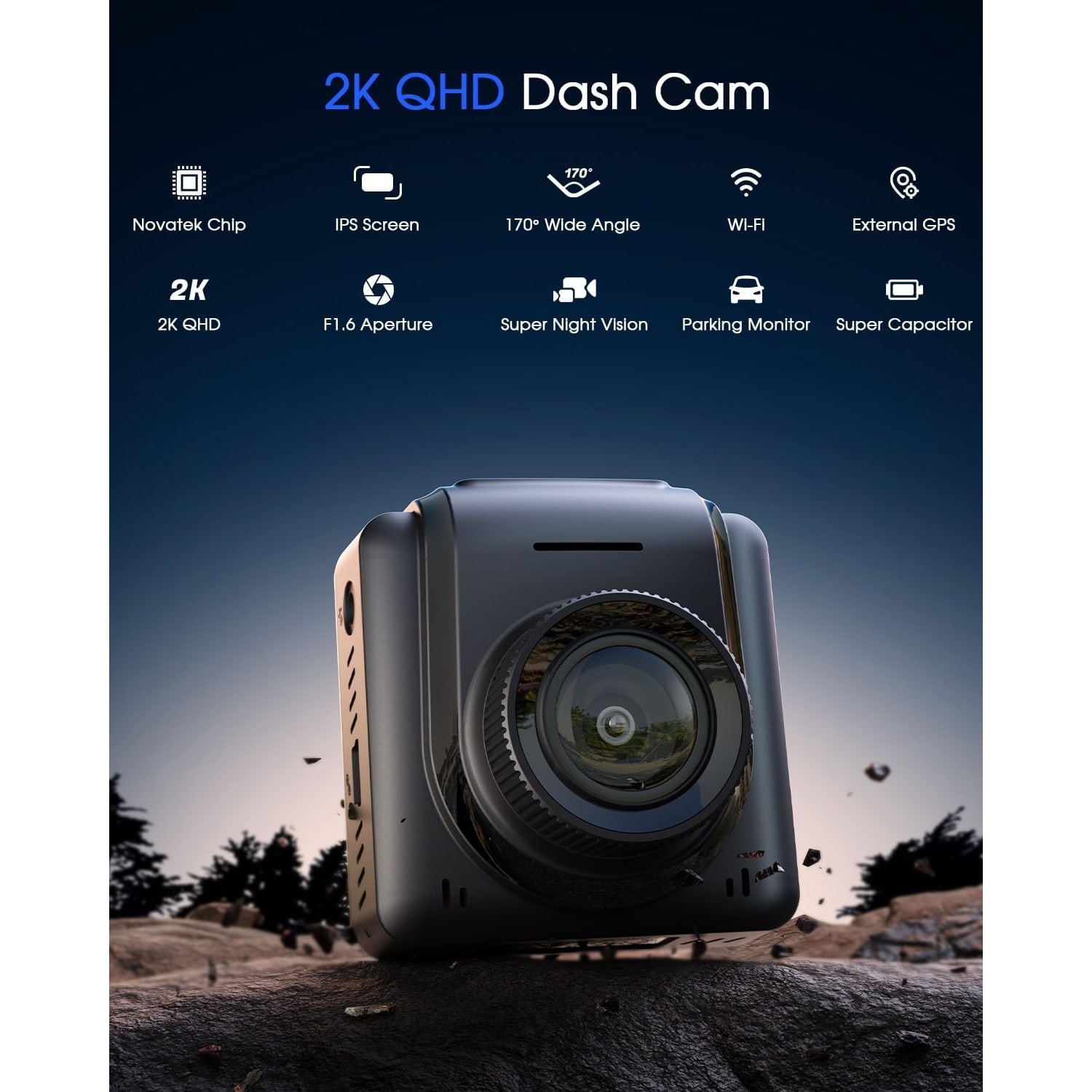
It matters more in a wide-angle camera than a narrow one. This camera covers 170 degrees, which is excellent for catching what happens at the edges of your view, but a wide lens also spreads the available pixels over more scene. 2K compensates. If you have been looking at the best 2k dash cam options and wondering whether the step up from Full HD is worth it, this is the reason it is.
Frame rate here is 30fps, which is the standard for this class. Higher frame rates sound appealing but they eat card space fast and the gain in a crash reconstruction is small compared to the gain from resolution.
Night and rain, where cheap cameras fall apart
Daytime footage is easy. Any camera looks fine at noon. The honest test of a dash cam is a wet evening on a poorly lit road, or the moment you drive out of a basement car park into direct glare.
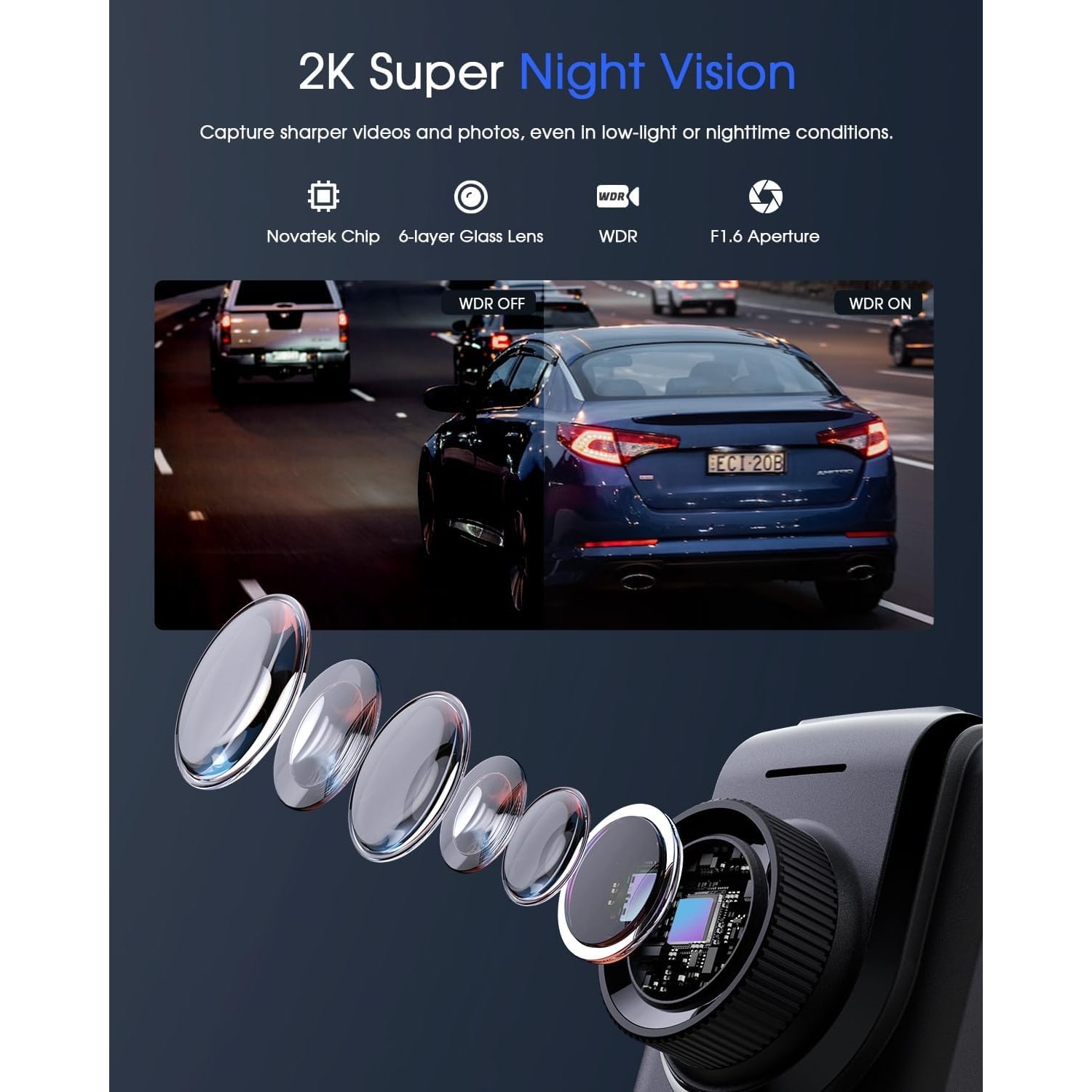
Two things help here. The first is aperture. This camera uses an f/1.6 lens, which is wide. A wide aperture lets more light onto the sensor, so the camera can keep the shutter speed quick. Quick shutter means moving objects stay sharp instead of smearing into light trails. A lot of budget cameras use f/2.0 or narrower and you can see the difference immediately after dark.
The second is WDR, wide dynamic range. It handles scenes that contain both very bright and very dark areas by blending exposures so neither end is lost. Oncoming headlights are the classic case. Without WDR the headlights blow out into a white blob that swallows the car behind them. With it, you can often still see the vehicle shape and sometimes the plate.
The lens itself uses six glass elements rather than plastic, which resists scratching and copes better with the heat that builds up behind a windscreen in the afternoon.
Why small matters more than you think
There is a practical argument for a compact car camera that has nothing to do with looks. Anything large enough to intrude into your sightline is a distraction, and depending on where it sits it can interfere with the swept area of your wipers or block part of the view at a junction.
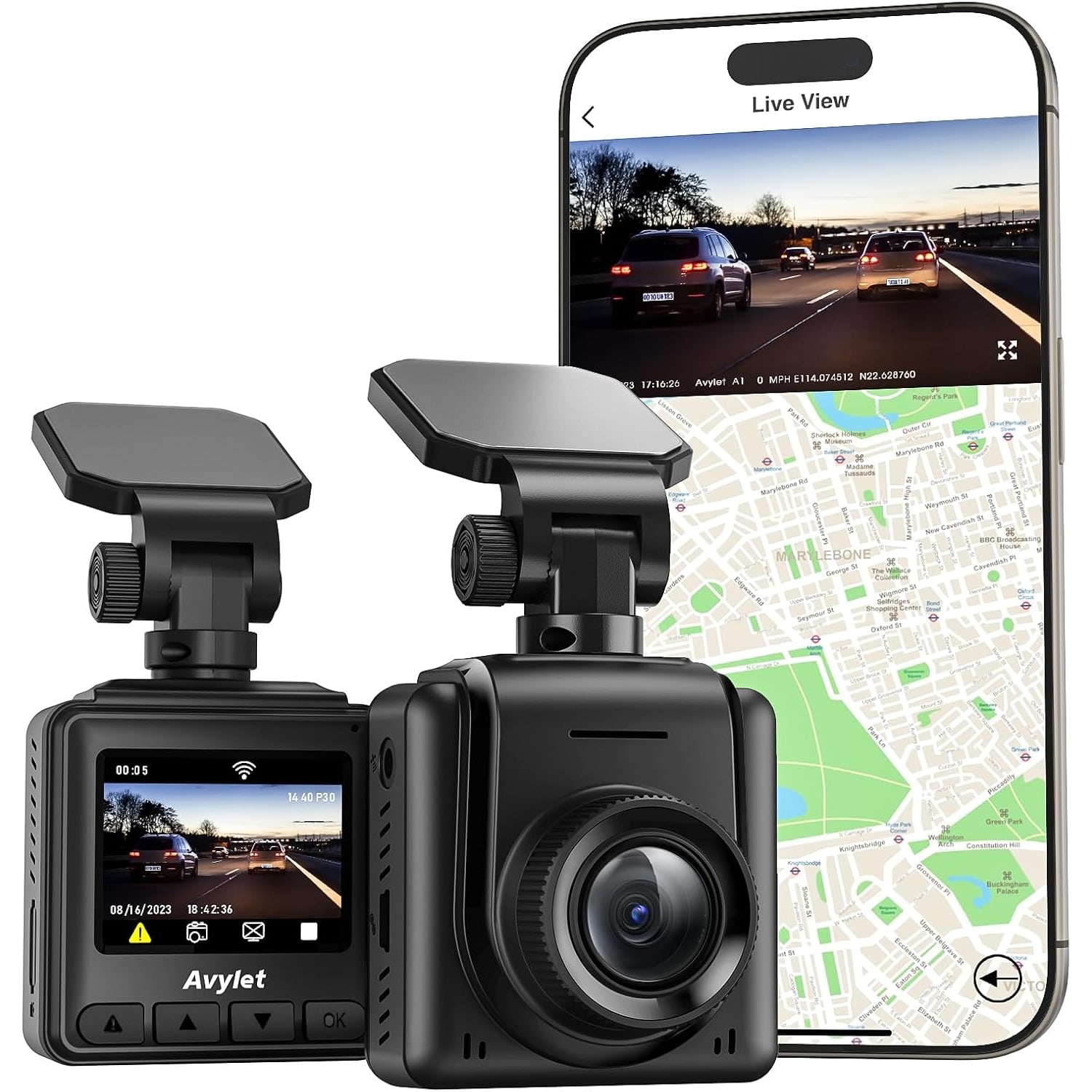
At 50 x 35 x 46 mm and 0.04 kg, this one disappears behind the rear-view mirror in most cars. You fit it once, route the cable up into the headlining and down the A-pillar using the supplied clips, and then forget it is there. That is exactly what you want. A dash cam you notice every time you get in is a dash cam you eventually take down.
The 1.5 inch IPS screen on the back is there for setup and for a quick check that recording is running. It is not meant for watching footage. That is what the app is for.
Living with the app
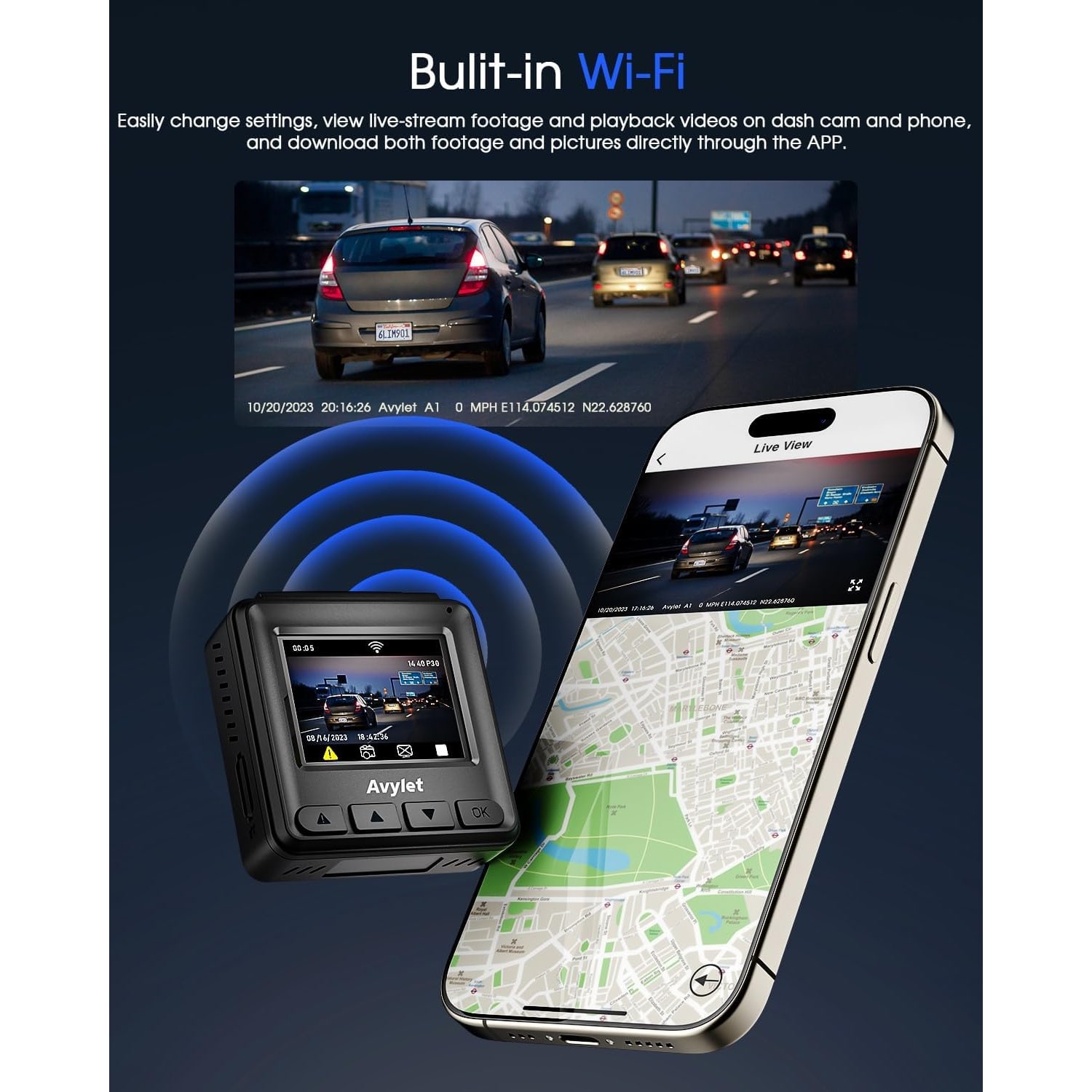
Built-in Wi-Fi is the feature that changes how you actually use a dash cam day to day. Older cameras meant pulling the card out, finding an adapter and plugging it into a laptop. By the time you had done that twice, you stopped bothering.
Here the camera broadcasts its own network. You connect from the Avylet app, and from there you can watch a live view, scroll back through saved clips, download the ones you want and change settings with a proper touchscreen keyboard instead of three tiny buttons. Firmware updates arrive over the air through the same app, so the camera gets better over time without you doing anything clever.
Two things to know. Only one phone can be connected at a time, so disconnect before handing over to someone else. And while the app is connected, the camera cannot run alongside CarPlay on the same phone. If live view refuses to load, the fix is almost always the same, switch off mobile data once you have joined the camera's Wi-Fi. Phones tend to prefer the mobile network and route around the camera entirely.
Parking mode and the power question
This camera has no internal battery. That is a deliberate choice, not a compromise. Lithium cells degrade quickly when they are repeatedly heated, and the inside of a car parked in the open here regularly passes 50 degrees. A super capacitor holds a small charge, enough to close and save the file in progress when power cuts, and it shrugs off heat in a way batteries do not.
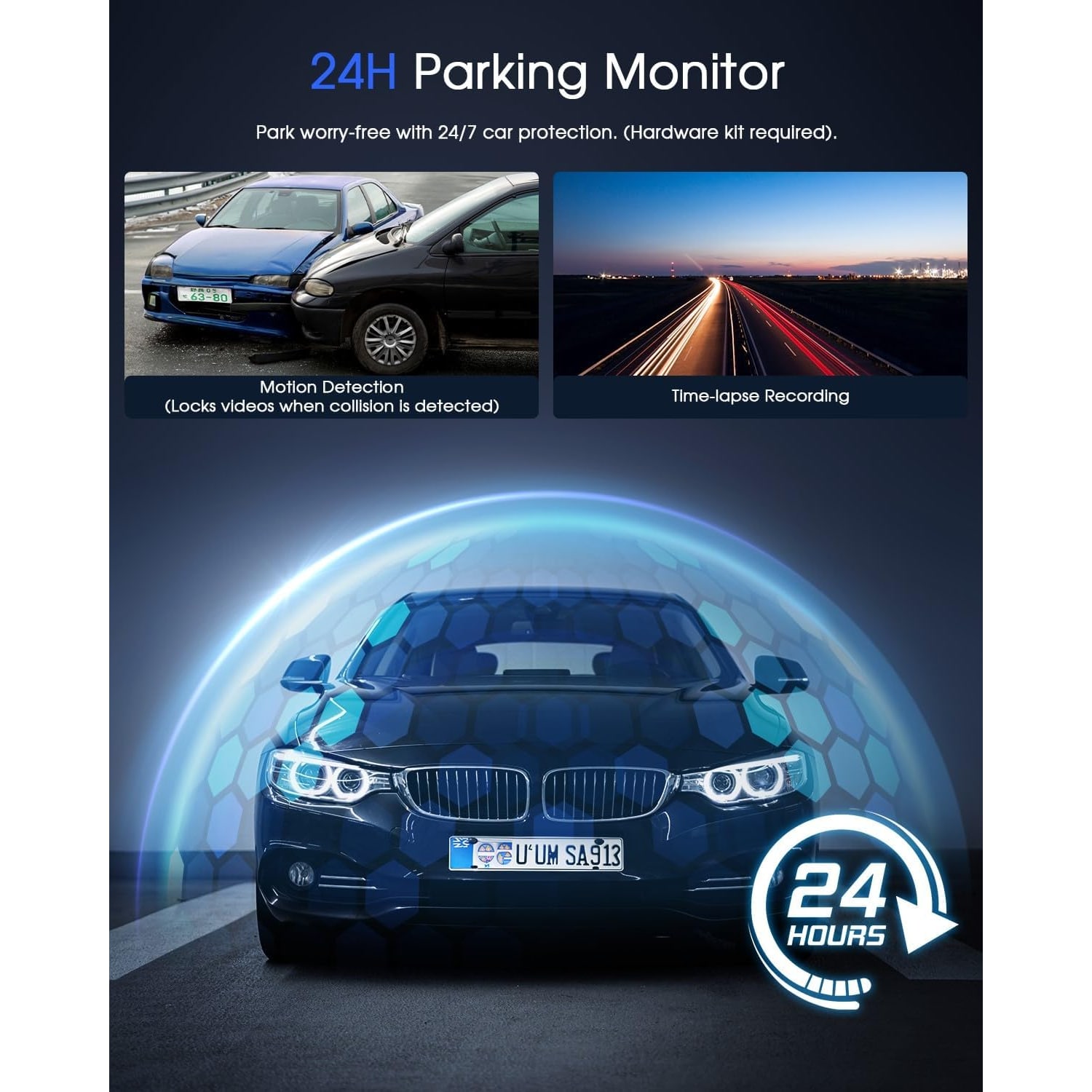
The consequence is that the camera only records while it is being fed power. For normal driving that is handled by the supplied car charger into the cigarette lighter socket. For 24 hour parking surveillance you need a hardwire kit wired into the fuse box so the camera stays live with the engine off. That kit is sold separately. If parking coverage is the main reason you are buying, budget for it and ideally have a workshop fit it.
Cards, and why people blame the camera
If you search for the best loop recording dash cam you will find plenty of reviews complaining that a camera "stopped recording". Nine times out of ten the card is the culprit. Loop recording rewrites the same memory thousands of times, and an ordinary microSD card designed for holiday photos is not built for that.
Buy a card rated for continuous video or surveillance use, stay within the 128 GB maximum this camera supports, and format it in the camera rather than on a computer. Then format it again every few weeks. It takes thirty seconds and prevents the most common failure there is.
Who this suits
It is a good fit for city drivers who want solid evidence without a complicated install, for anyone who drives for a living and racks up long hours, and for new drivers whose insurance premiums make any dispute expensive. It also suits people who simply want the best discreet dash cam they can get, something that records faithfully and never draws attention to itself.
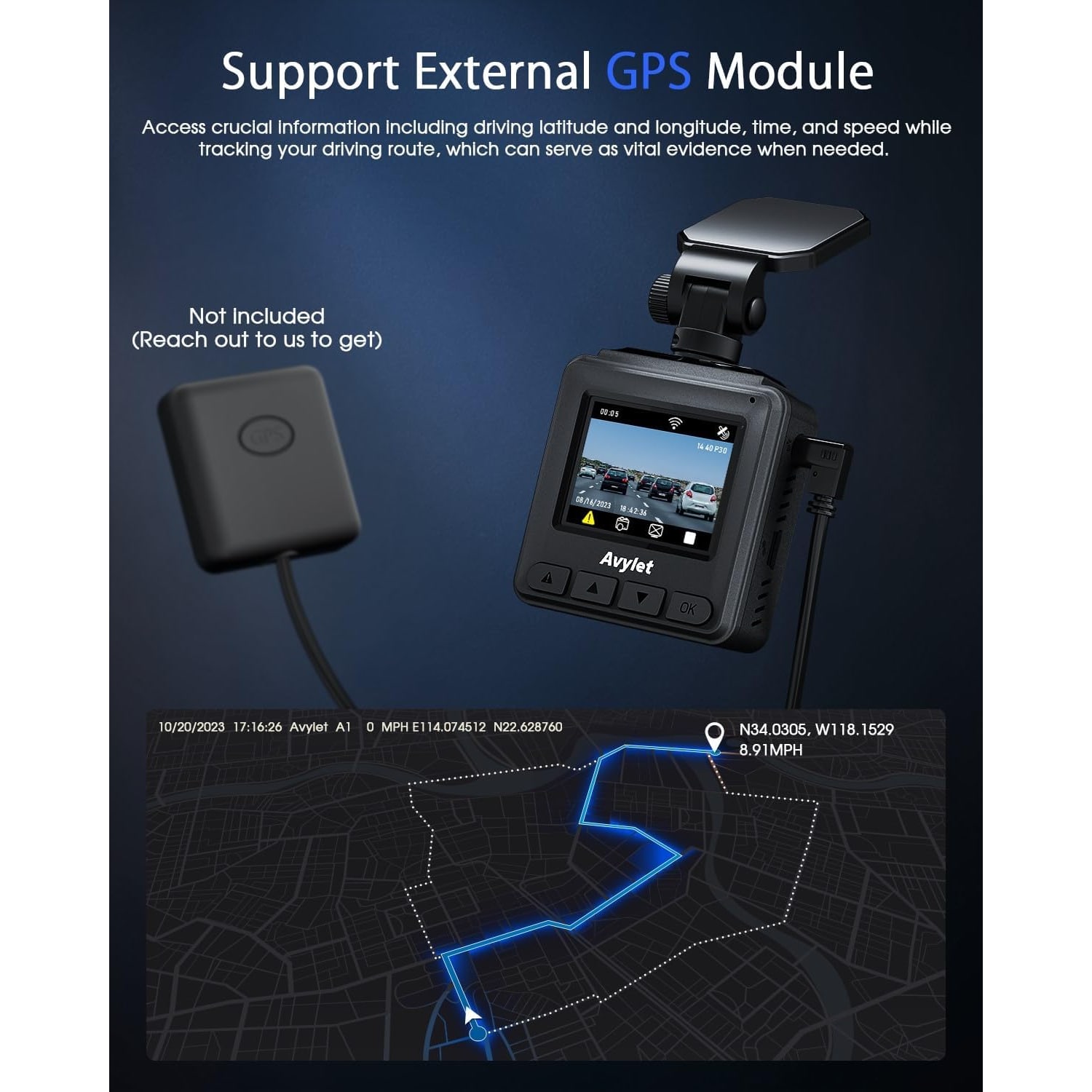
It is less of a fit if you need rear coverage as well, since this is a front-only unit, or if you want GPS logging built in. GPS is available as an optional external module but it is not in the box.
Care and the small habits
Keep the lens clean with a dry microfibre cloth, and clean the inside of the windscreen in front of it too. A haze on the glass softens every frame. Clean the mounting area thoroughly before you fit the adhesive mount, and press it firmly for several seconds so it bonds properly. The electrostatic sticker is worth using first if you think you might reposition the camera later.
Avoid solvents, avoid abrasive cleaners, and if the car is going to sit unused in direct sun for days, take the camera down and bring it inside.
On recording other people, be aware that this is covered by Singapore law, including the PDPA. The camera faces forward at the road rather than into the cabin, but it is worth knowing where you stand if you ever share footage publicly.
The short version
A 2K mini dash cam with WiFi gives you readable footage in a body you will stop noticing within a week. The f/1.6 lens and WDR handle the night and rain driving where cheaper cameras give up. The app makes getting footage off the camera a thirty second job rather than a chore. Add a proper high-endurance microSD card, add a hardwire kit if you want parking coverage, and you have a setup that just runs in the background until the day you need it.