
The complete guide
Dual Lens Endoscopes Explained: A Buyer's Guide For Phone Inspection Cameras
Problems are often on the wall, not in the middle
Push a camera down a pipe and it shows you what is ahead. That works well when the trouble is a lump of grease or a toy car sitting in the bore. It works less well when the trouble is off to one side. A cracked joint, a patch of rust, a hose that has come off its spigot. These sit on the wall, and a forward-facing lens slides right past them.
The old fix is a small clip-on mirror. It does the job, but you have to pull the probe out, fit the mirror, push back in and find the same spot again. A second lens in the probe is a tidier answer, and that is the idea behind a dual lens endoscope.
Before going further, a plain note on what these tools are. An endoscope of this kind is for pipes, drains, engines, trunking and wall cavities. It is not a medical device, and it must never be used on people or animals.
What dual lens means here
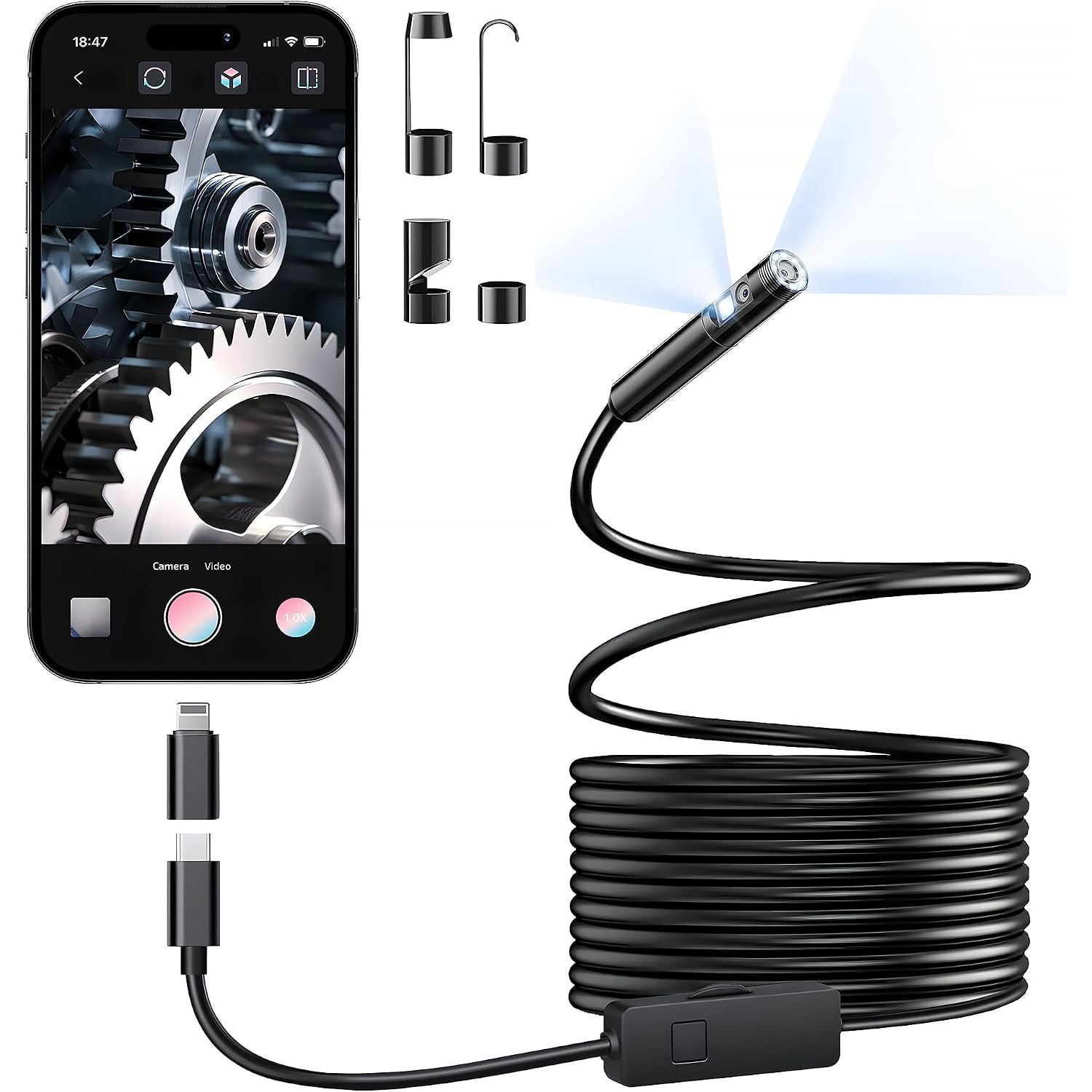
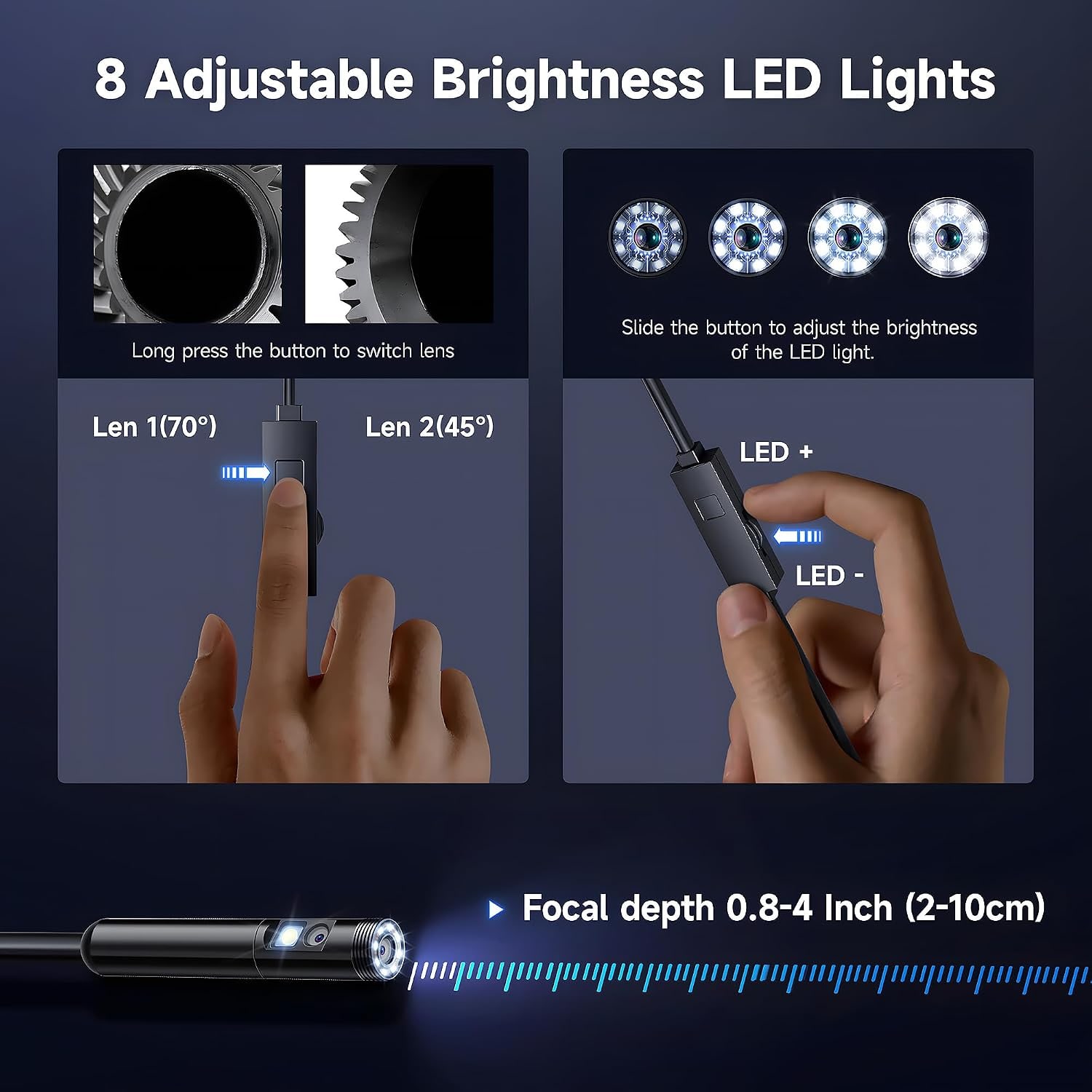
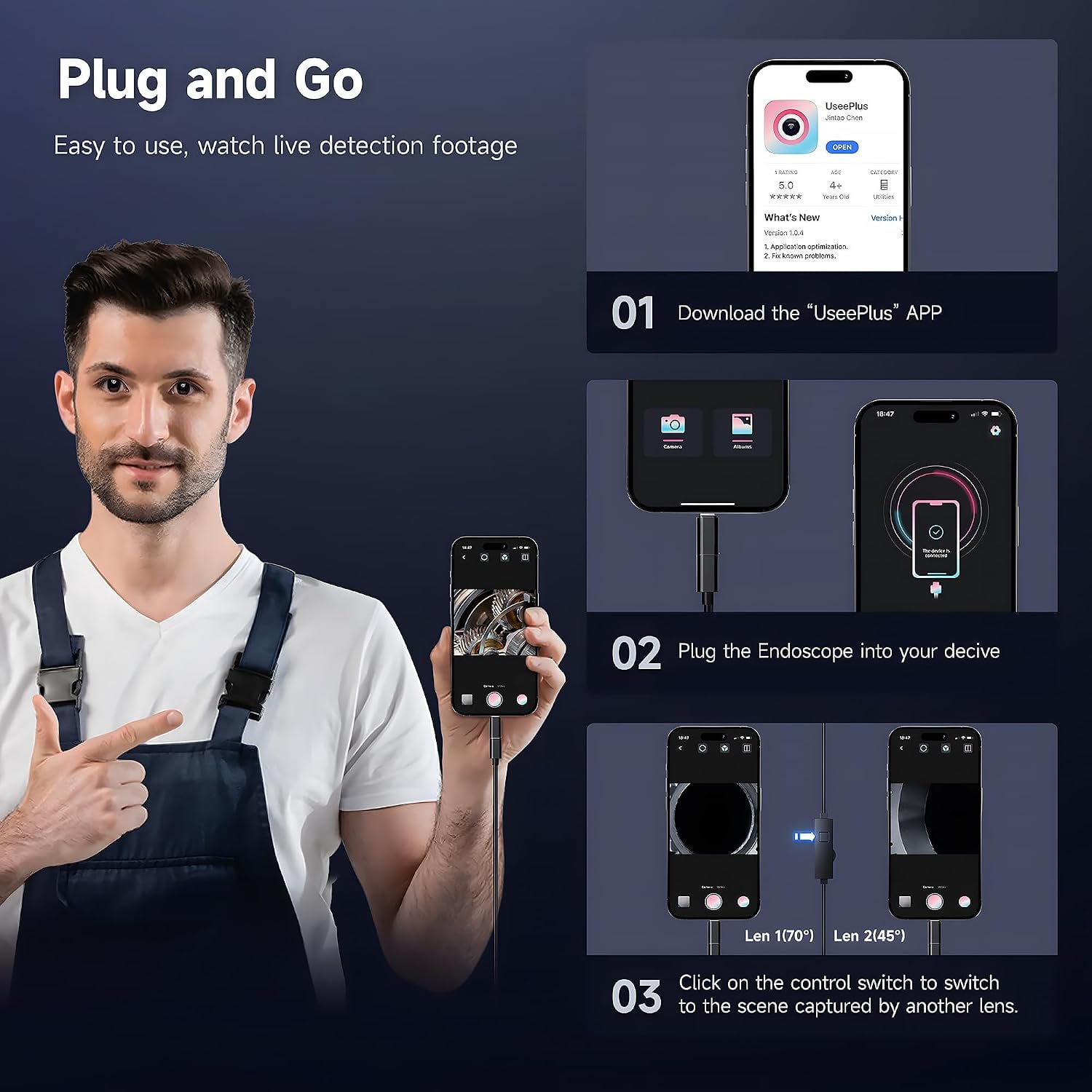
This model has two 2MP cameras built into one 8mm probe. On dual lens probes in general, one lens faces forward and the other faces out of the side of the head, so you can change from looking along a pipe to looking at its wall.
The maker of this camera calls it dual lens and stops there. It does not describe where each lens points or how you switch between them. The user manual in the box covers the controls. A mirror is included as well, which gives you one more angle if you need it.
Two lenses in an 8mm head is a fair trade. You keep a probe size that fits most household openings, and you gain a second view.
Cable to phone, not WiFi
Inspection cameras that use a phone come in two kinds. Some broadcast a WiFi signal that your phone joins. Others, like this one, plug straight into the phone by cable.
A cabled link has real advantages. There is no pairing, no password and no wireless signal to drop out when the probe is deep inside a metal pipe. The maker also lists no battery in the camera, which points to it taking power through the USB connection, so there is nothing separate to charge before a job.
The cost is that your phone is tethered to the cable for the whole job. Rest it somewhere stable and dry. And charge the phone beforehand, because the port is busy while the camera is plugged in.
Check your port before you order
This is the step that decides whether the camera works for you, so do not skip it.
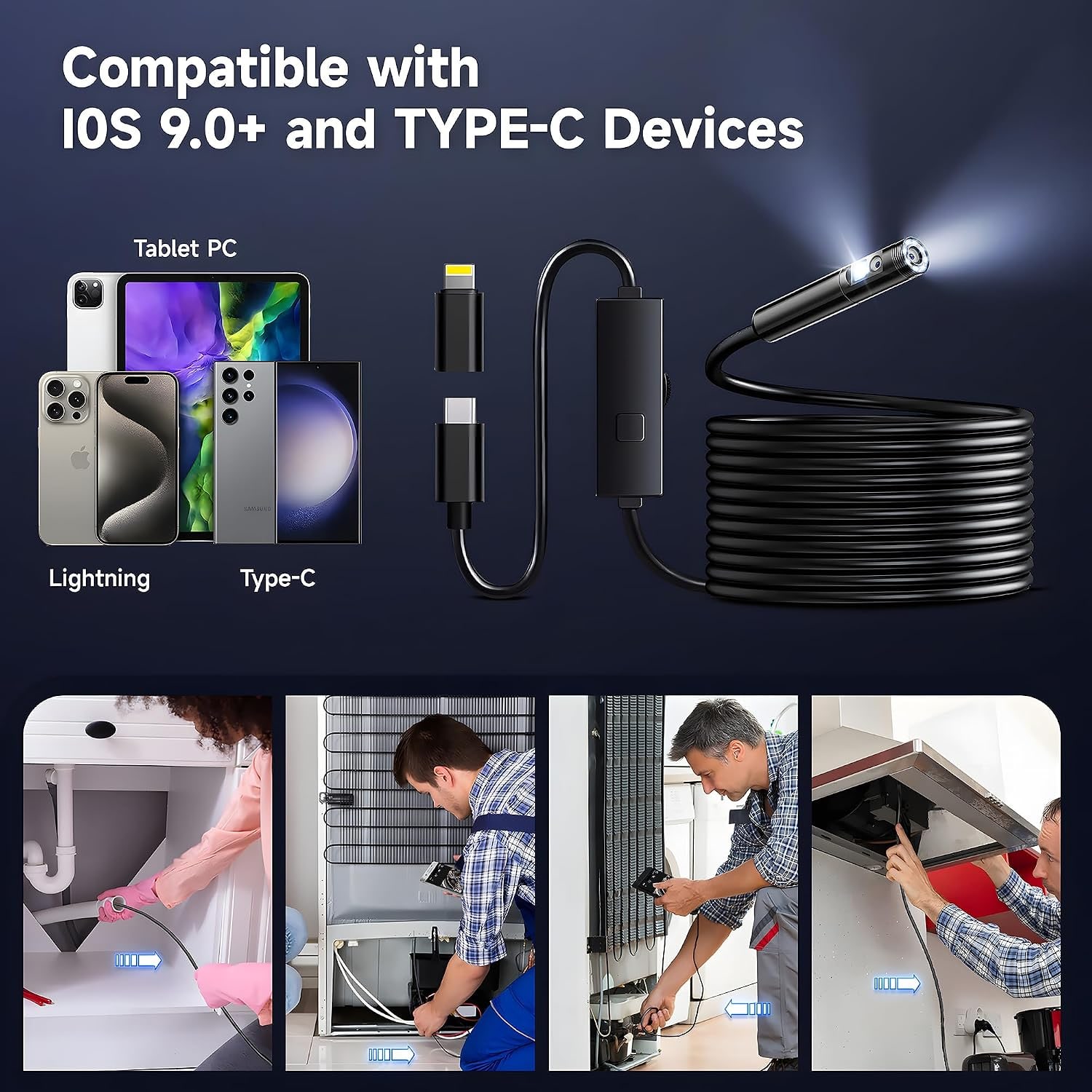
The maker lists three kinds of compatible device: Android phones with a Type C port, iPhone and iPad. For Android the connector is clear. It is Type C, and older micro USB phones are not on the list.
For iPhone and iPad, the maker names the devices but does not state the connector type. Apple has used more than one port over the years. Look at the port on your own device, and if you are unsure, send us the model before you buy. It is a two-minute check that avoids a return.
The maker does not name an app in its description either. Run through the manual's setup steps at home first. Finding out how the viewer works while you are crouched beside a floor trap is no fun.
What 1920p means
The maker advertises 1920p, and explains it as a picture of 1920 x 1440 pixels for both photos and video. That is a taller frame than the usual 1920 x 1080.
The maker's specification table also lists video capture at 1080p. The two figures do not match, and the maker does not say why. We would treat 1920 x 1440 as the maker's headline claim and judge the camera on what you see at close range, not on the label. Files are saved as JPEG stills and MP4 video.
Resolution is not the whole story with these cameras. Focus is fixed, so sharpness depends on distance. If the picture looks soft, the target is too close or too far. Move the probe a centimetre or two and watch it come into focus.
Probe, cable and light
The probe is 8mm across. Measure the tightest point on the route you plan to inspect, and leave some slack for the cable to bend behind the head.
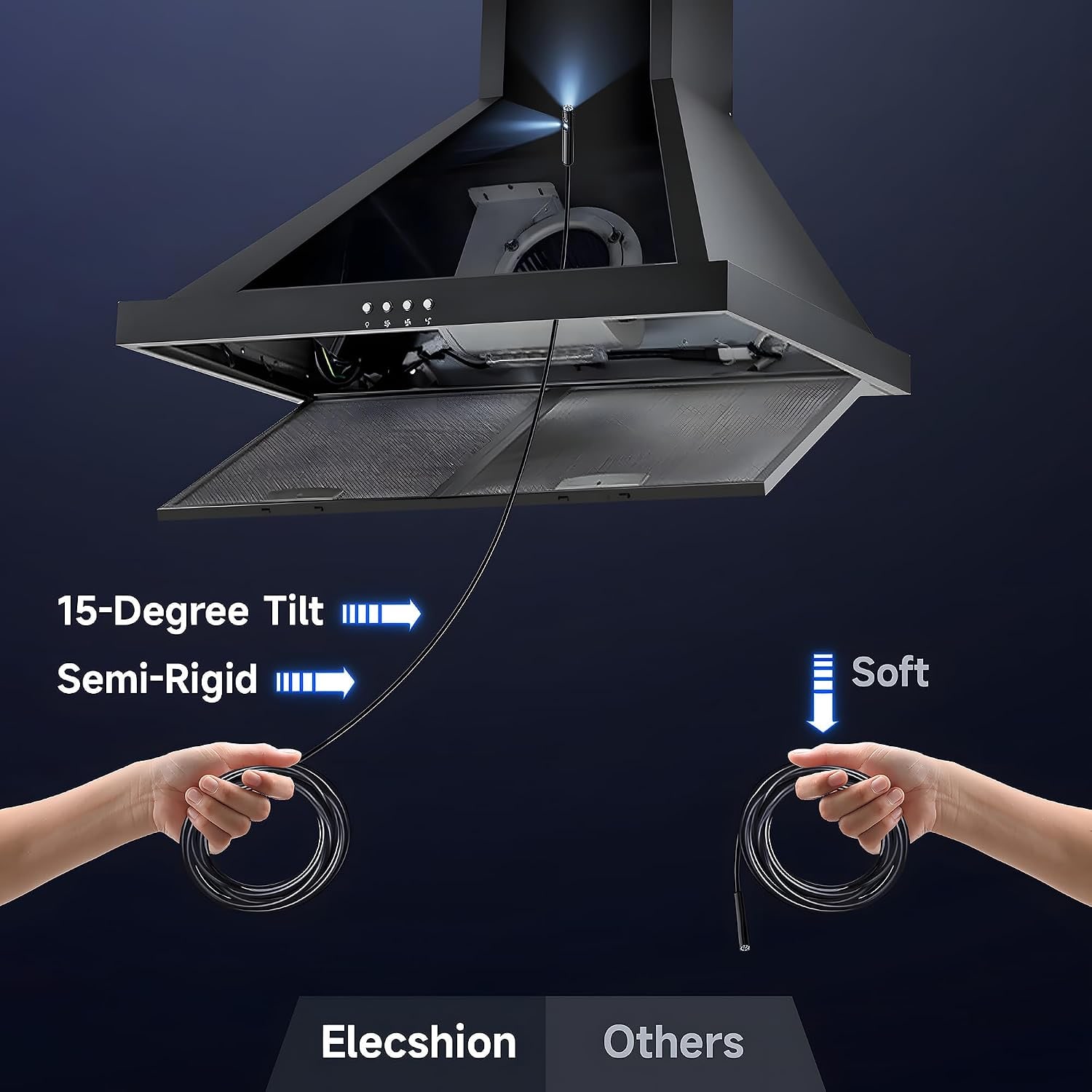
The cable is 5m long and semi-rigid. You can bend it into a curve and it stays bent, which gives you some steering. Five metres lets you follow a drain line well past the trap, or reach across a ceiling void from one access panel. For a quick look into an engine bay you will only use the first metre and leave the rest coiled.
The light at the tip has adjustable brightness. The maker does not state how many LEDs there are. What matters in use is being able to turn it down. Wet walls and polished metal bounce light straight back into the lens, and a dimmer setting brings the detail back.
Water yes, heat no
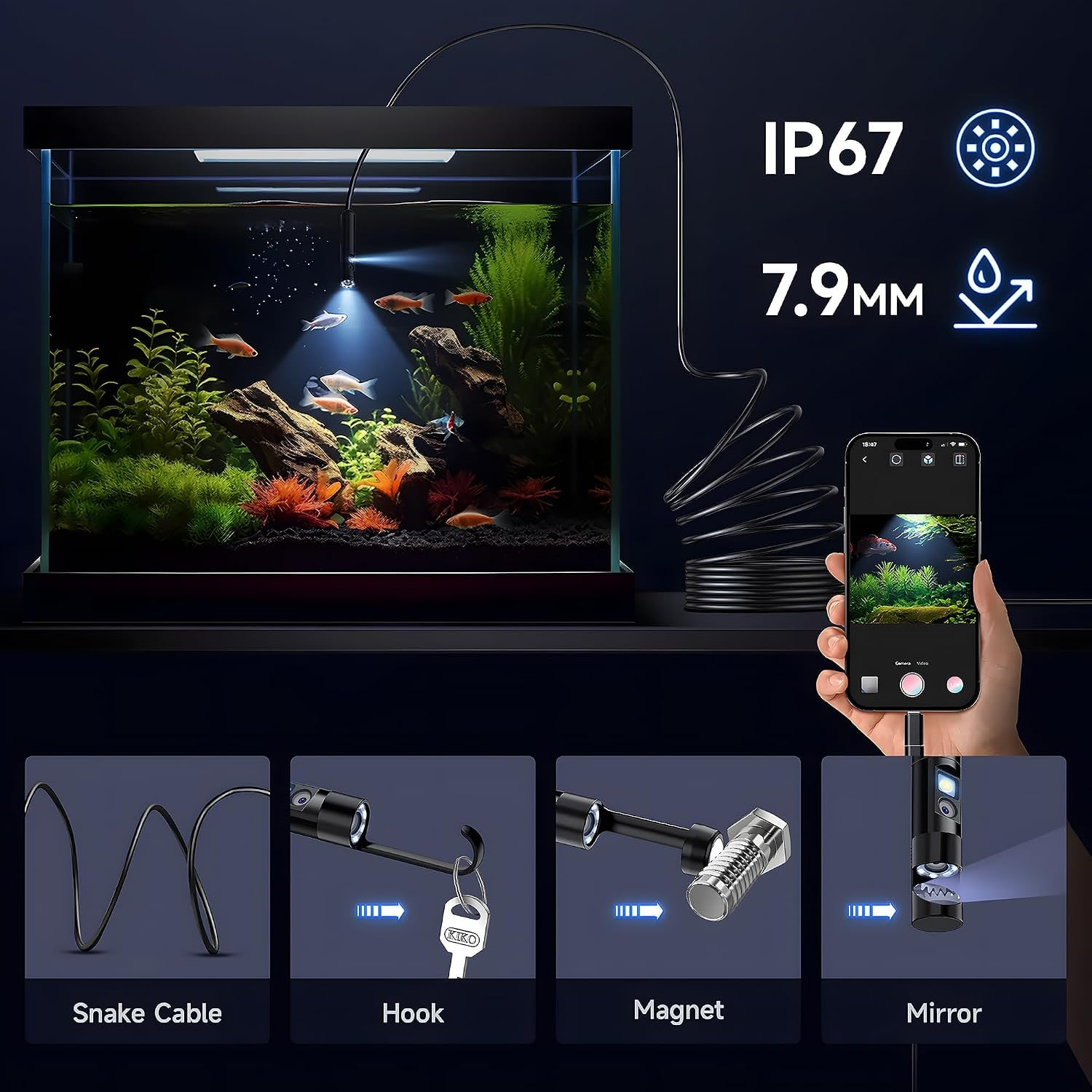
The probe is rated IP67, and the maker says it can run under water at up to 1m for one hour. That is enough for standing water in a drain, a sump or a water tank. Stay inside those limits.
The rating is for the probe. The plug that goes into your phone is not described as waterproof, and your phone has its own limits. Keep that end dry.
Heat is where this camera needs care. The maker states that the probe is not heat resistant and says to make sure an engine has cooled completely before you inspect it. Treat exhaust parts and hot water pipes the same way.
The maker also warns against heavy knocks, pulling the cable by force, and dragging the probe across sharp edges, because scratches can damage its waterproof layer. If the probe snags, do not yank it. Twist a little and ease it back.
Running your first inspection
Do a dry run on the kitchen table before the real thing. Plug the camera into your phone, get the picture up, and practise changing views and adjusting the brightness. Take one test photo and one short clip, then find them again on your phone. Now you know the whole chain works.
For the job itself, give the cable a gentle bend near the tip and feed it in a hand's length at a time. Watch the screen, not the cable. When you reach something of interest, stop and hold still for a second so the picture steadies, then take the photo. Photos taken while the probe is moving nearly always come out blurred.
Keep track of depth as you go. Count the hand-over-hand lengths, or pinch the cable where it enters the opening before you pull it out. Knowing that a blockage is about two metres in tells a plumber where to open up, and it tells you whether a hand auger will reach.
Where it earns its keep
Around a flat or condominium, the regular jobs are sink and floor trap blockages, aircon drain lines and trunking, and the dead space behind built-in cabinets where damp or mould can start unnoticed. The maker lists home inspection for mould and wiring among its uses. The camera only shows you what is there, so anything involving wiring still needs the power off and, usually, an electrician.
In the car park, it is useful around a cold engine, under seats and inside door cavities. The magnet and hook are for the nut, bolt or earring that fell where fingers cannot follow.
Who should choose something else
Pick a different camera if your phone is not on the maker's list. Pick one with its own screen if you would rather not involve your phone at all. If the openings you face are narrower than 8mm, you need a slimmer probe. And if you only ever look under one sink, a shorter cable will be easier to store.
Care
Rinse or wipe the probe and cable after a dirty job, then dry them fully. In our humidity that means leaving the cable out for a while before it goes into a drawer. Coil it loosely. Keep the phone plug clean and dry, since grit in a connector causes more faults than anything else.
The short version
Two lenses in an 8mm probe, 5m of semi-rigid cable, adjustable light, an IP67 probe and a direct USB link to Android Type C phones, iPhone and iPad. The maker quotes a 1920 x 1440 picture.
Check your phone's port first and keep the probe away from heat. Do those two things and this is a handy way to see the walls of a pipe as well as what lies ahead.