Camera Company
Company
Shop By Category
T&Cs
Shop Online
  • The maker's specifications on every page
  • Free tracked delivery across Singapore over $150
  • 14-day returns

4K PTZ Webcam | AI tracking webcam | Streaming camera for PC

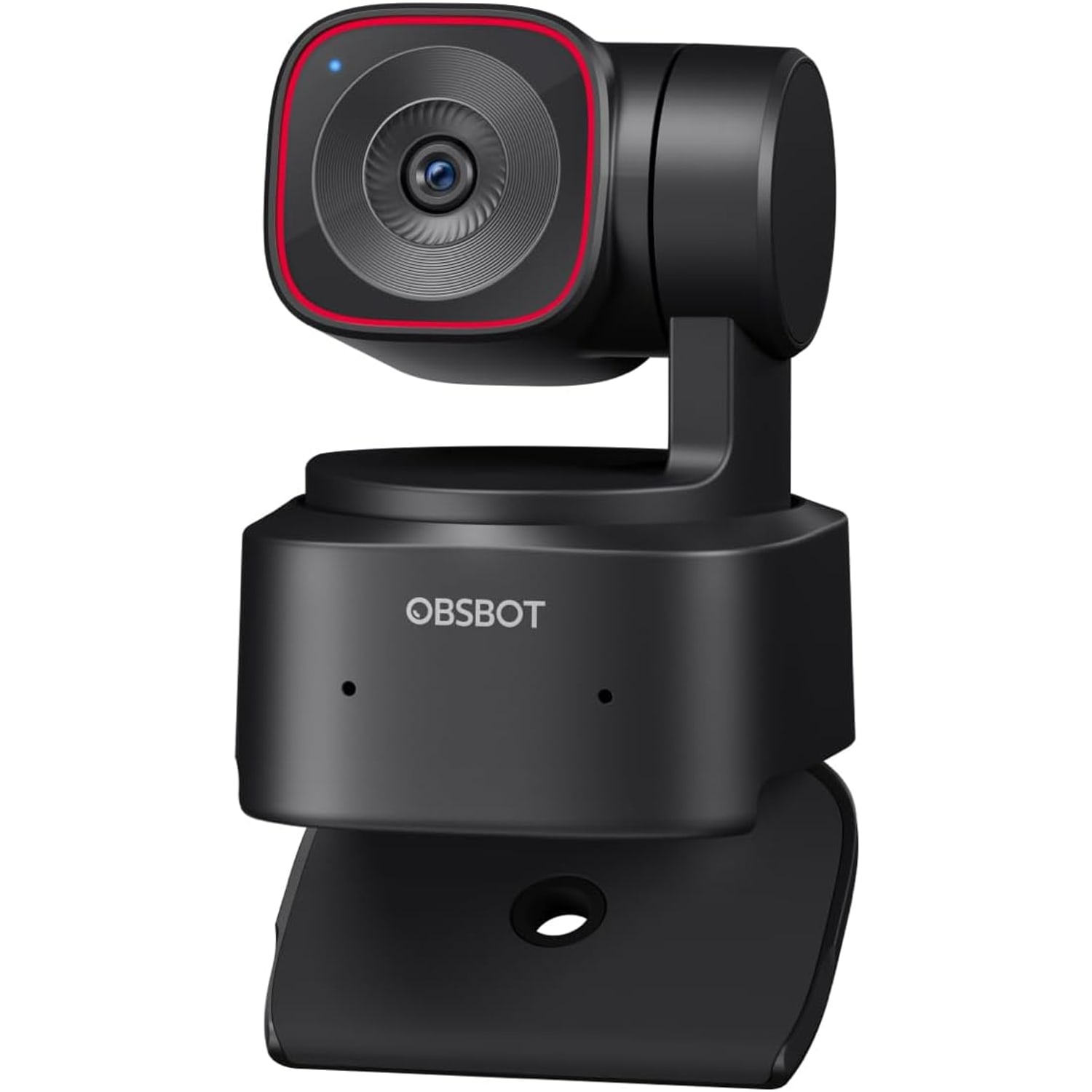
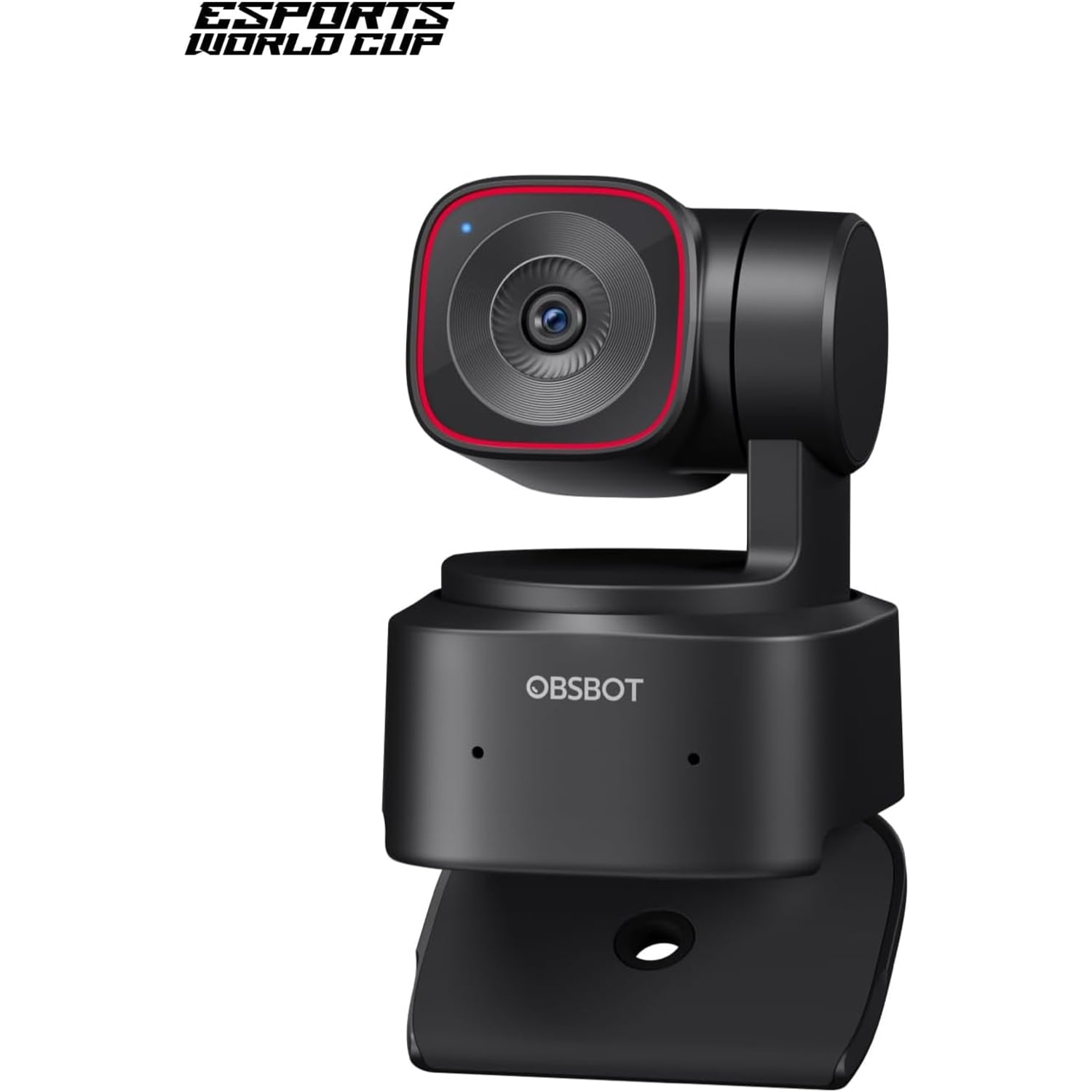
4K PTZ Webcam with AI Tracking and Gesture Control

$349.99 $419.99 Save $70
  • 2-Axis Gimbal
  • AI Tracking
  • 4K Or 60fps
  • Saved Presets

Price: $349.99 $419.99

  • Free tracked delivery across Singapore on orders $150+, otherwise a flat $20
  • Pay by card or PayPal, handled by the payment provider
  • 14 days to change your mind, plus your statutory rights
Product specifications
Video Resolution4K at 30 fps, 1080p at 60 fps
Sensor1/2 inch CMOS
Sensor Resolution (As Listed)48 MP
Still Resolution8 MP
Maximum Aperturef/1.8
Maximum Focal Length26 mm
Zoom4x
Focus TypeAutofocus
Gimbal2-axis, 300 degrees horizontal, 180 degrees vertical
AI Tracking ModesFull body, upper body, close-up, with auto zoom
Shooting ModesHorizontal, portrait, upside down
PresetsMultiple positions with parameters and tracking mode
Gesture ControlYes, lock tracking target and control zoom
HDRYes
MicrophonesBuilt in
Exposure ControlAutomatic
ConnectivityUSB (USB-C)
IntegrationSDK, OSC, Stream Deck, global hotkeys
Compatible DevicesPersonal computer, laptop, desktop
Video Capture FormatMJPEG
Still Image FormatJPEG
FlashNone
Water ResistanceNot water resistant
ColourBlack or white
Item Dimensions (D x W x H)4.6 x 6.4 x 4.8 cm
Item Weight250 g
In The BoxWebcam, USB-C to USB-A 3.0 adapter, USB-C to USB-C cable, user guide, warranty card
BrandOBSBOT
Model NumberTINY 2 Lite
Weight250 g
Shipping & returns

Tracked delivery anywhere in Singapore. It is free on orders of $150 or more, and a flat $20 below that.

If it is not right for you, send it back within 14 days of delivery in resaleable condition and we refund the price you paid, including standard delivery. That is a voluntary policy we offer on top of your legal rights. You cover the cost of returning it unless the item is faulty.

If it arrives faulty, damaged or not as described, we put it right at no cost to you, return postage included, and your protection under the Consumer Protection (Fair Trading) Act 2003 is unaffected.

Shipping details · Refunds and returns

2-Axis GimbalRotates 300 degrees horizontally and 180 degrees vertically to keep you in shot.
AI TrackingFull body, upper body and close-up modes with auto zoom.
4K Or 60fpsRecords 4K at 30 frames per second or 1080p at 60.
Saved PresetsStore positions, settings and a tracking mode for each scene.

A 4K PTZ webcam that turns to follow you, so you can teach, present and stream on your feet.

A 2-axis gimbal with 300 degrees of horizontal and 180 degrees of vertical rotation, AI tracking in three framing modes, saved presets, gesture control and 4K video from a 1/2 inch CMOS sensor.

This 4K PTZ webcam sits on a 2-axis gimbal that rotates 300 degrees horizontally and 180 degrees vertically.

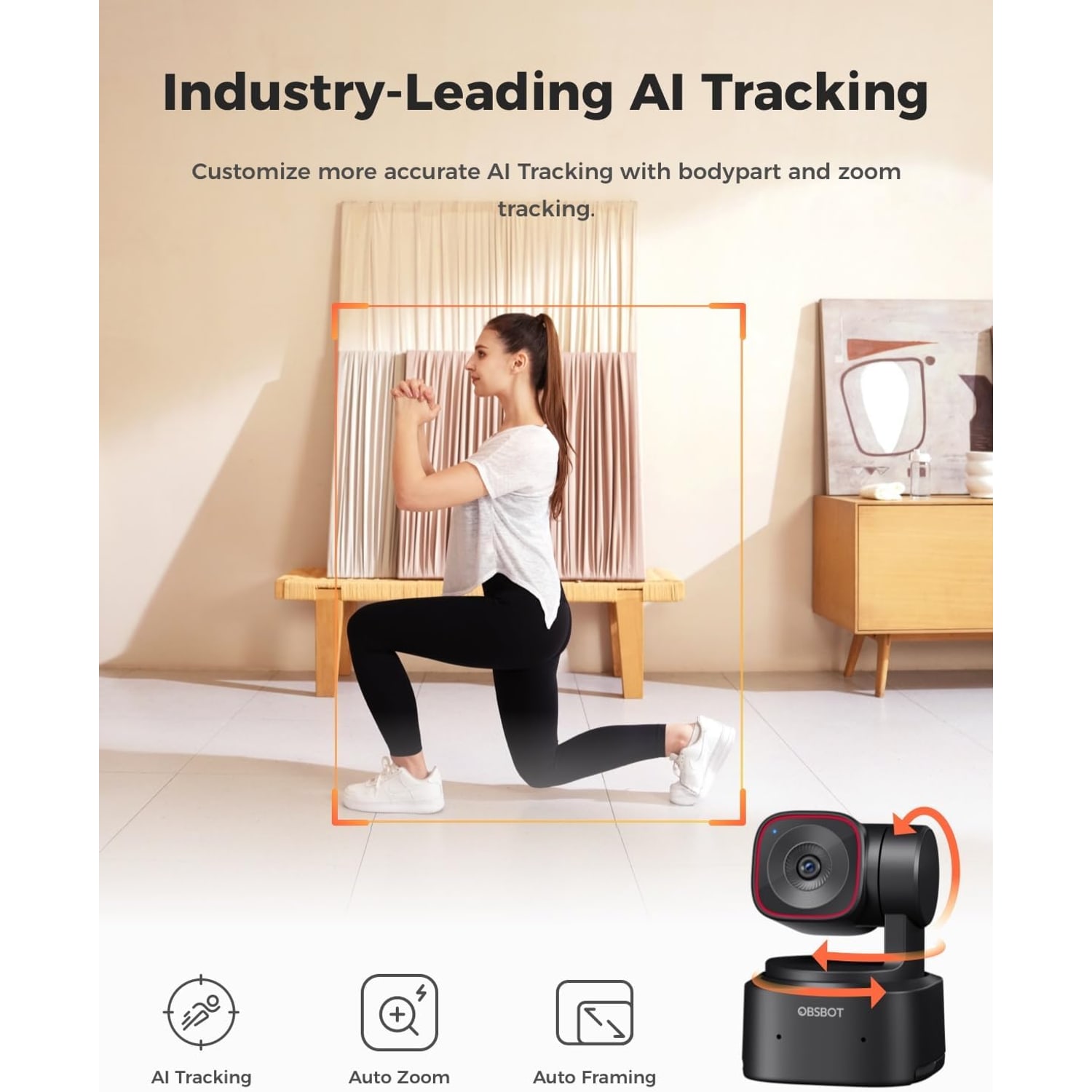
AI tracking follows you with auto zoom in full body, upper body or close-up mode, which suits teaching and presenting on your feet.

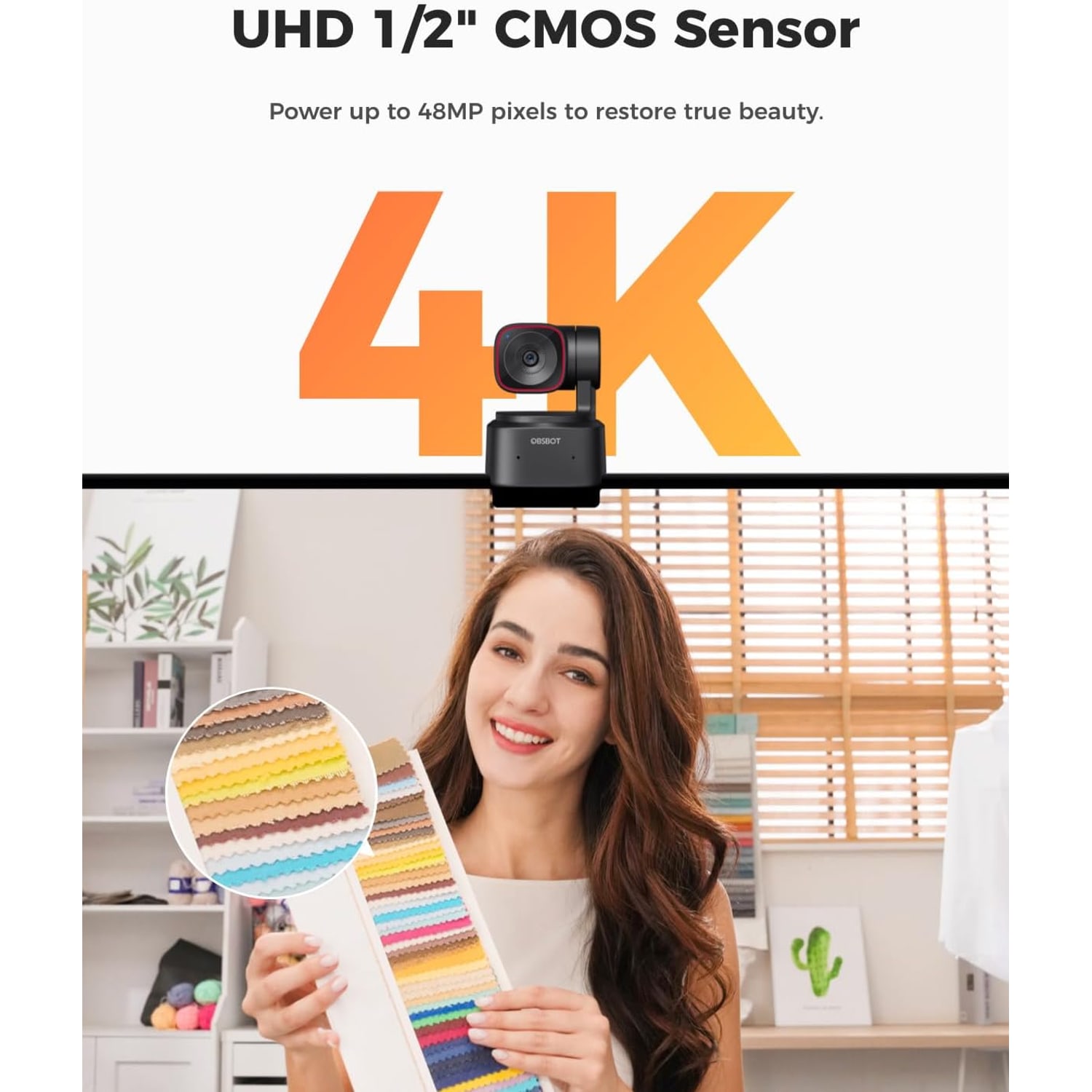
Video is 4K at 30 frames per second or 1080p at 60, from a 1/2 inch CMOS sensor behind an f/1.8 lens.

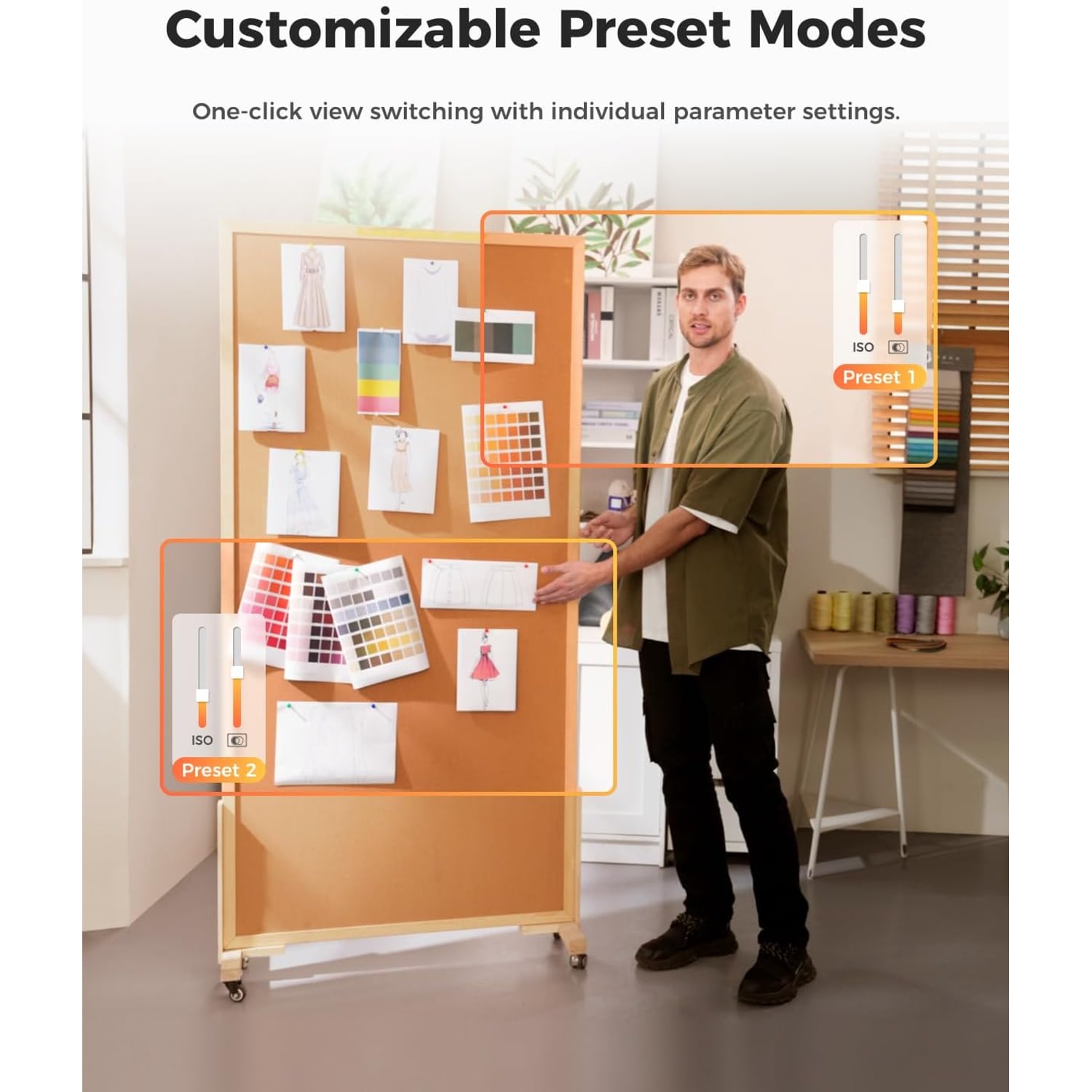
Presets store several camera positions, each with its own settings and tracking mode, so you can change scene quickly.

The box includes a USB-C to USB-C cable and a USB-C to USB-A 3.0 adapter, and the video stream works without downloading an app.

4K PTZ Webcam with AI Tracking and Gesture Control

A normal webcam stares at one spot. That is fine if you sit still. It is no use if you teach at a board, demonstrate at a counter or lead a workout in the living room. This 4K PTZ webcam is built for people who move. The camera head sits on a 2-axis gimbal that rotates 300 degrees horizontally and 180 degrees vertically, and it turns to keep you in the picture.

4K PTZ Webcam with AI Tracking and Gesture Control

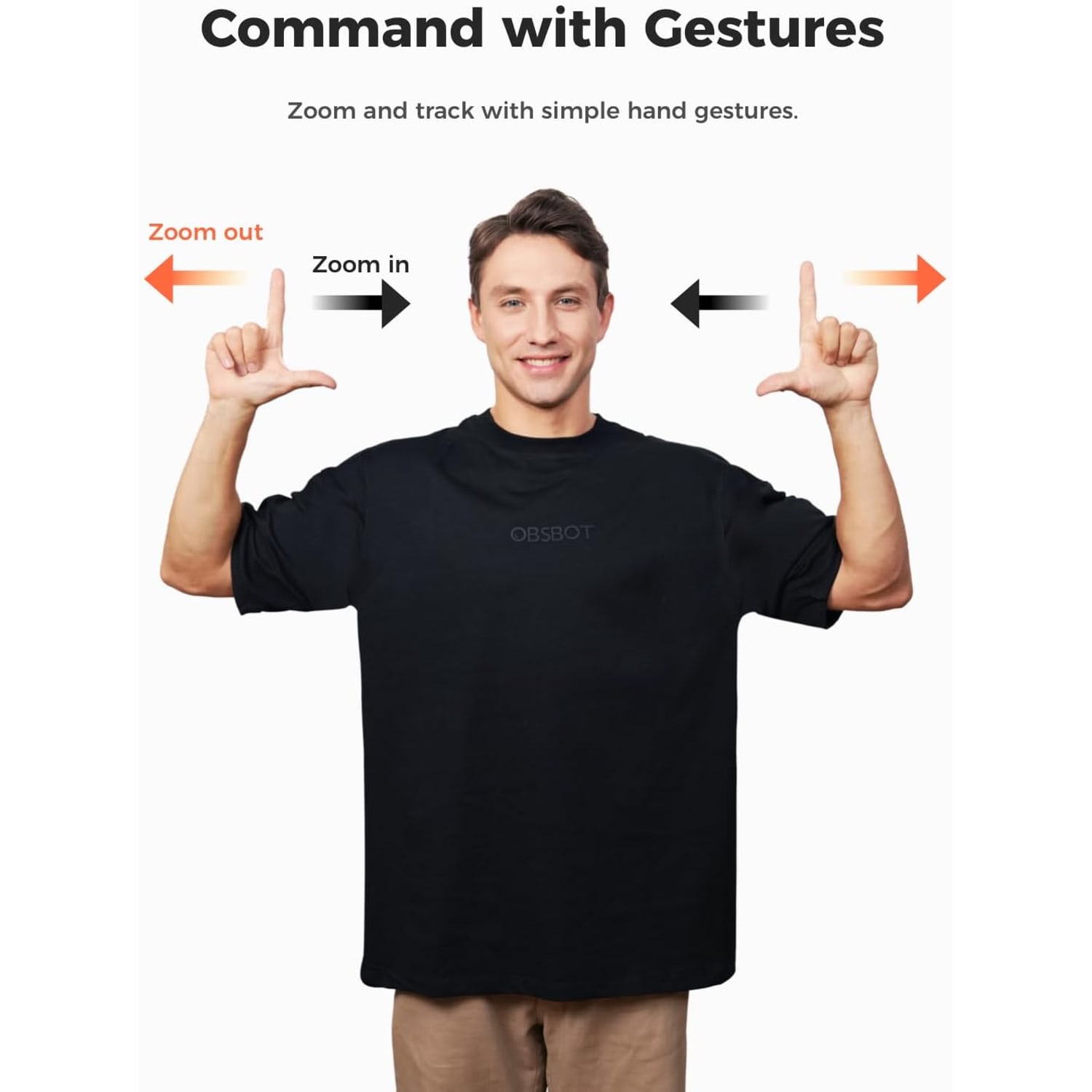
AI tracking decides where to point. You choose full body, upper body or close-up, and the camera follows with auto zoom to hold that framing. A hand gesture locks the camera onto you as the tracking target, and a second gesture controls the zoom.

4K PTZ Webcam with AI Tracking and Gesture Control

Presets are the feature teachers and trainers tend to lean on. You save several positions, each with its own settings and tracking mode, then switch between them. One preset can cover the desk, another the board and a third the whole room.

4K PTZ Webcam with AI Tracking and Gesture Control

The picture comes from a 1/2 inch CMOS sensor behind an f/1.8 lens. You can record 4K at 30 frames per second or 1080p at 60, and HDR is on the feature list. The camera also shoots in horizontal, portrait and upside-down modes, and adjusts the picture to suit how it is placed.

4K PTZ Webcam with AI Tracking and Gesture Control

It connects by USB-C. A USB-C to USB-C cable and a USB-C to USB-A 3.0 adapter are in the box, so it reaches both newer and older ports. The maker says the video stream works without an app, and the camera also supports SDK, OSC, Stream Deck and global hotkeys for people who build their own control setup.

Not sure yet? That is fine.

A camera has to suit the job you bought it for, and you cannot always judge that from a photograph. If it is not right for you, send it back within 14 days of delivery in resaleable condition and we refund the price you paid, including standard delivery. That is a voluntary policy we offer on top of your legal rights.

If it turns up faulty, damaged or not as described, that is on us. We pay the return postage, with your protection under the Consumer Protection (Fair Trading) Act 2003 unaffected. Read the full detail on our refunds and returns page, or ask us anything before you order.

Frequently Asked Questions

What does PTZ mean on a webcam?

PTZ stands for pan, tilt and zoom. On this camera, pan and tilt are done by a 2-axis gimbal that physically turns the camera head. Zoom is listed at 4x.

How far can the camera turn?

The gimbal rotates 300 degrees horizontally and 180 degrees vertically. That is enough to follow you from one side of a room to the other, and to tilt between a seated person and a standing one.

How does the AI tracking webcam follow me?

The camera recognises a person and turns the gimbal to keep them in the frame, adjusting the zoom as they move nearer or further away. You pick how tight the shot is. The choices are full body, upper body and close-up.

How is that different from a webcam that crops the picture to follow me?

A cropping webcam can only move a window around inside its fixed view. This one moves the lens itself, so it can follow you well beyond what a fixed camera sees.

What resolution and frame rate can I record?

It records 4K at 30 frames per second or 1080p at 60 frames per second. Choose 4K for the most detail and 1080p at 60 when smooth movement matters more, such as a fitness class. Stills are listed at 8 MP.

Will a video call use the full 4K?

Usually not. Meeting apps often send 1080p or less, whatever the camera can do. The full 4K is there for recordings and streams where you set the quality yourself.

What sensor and lens does it have?

It uses a 1/2 inch CMOS sensor, listed at 48 MP, with autofocus. The lens has a maximum aperture of f/1.8 and a maximum focal length listed as 26 mm. Exposure control is automatic.

Is the zoom optical or digital?

The maker's details list 4x zoom, and give that same figure under both digital and optical headings. We describe it simply as 4x zoom. If true optical zoom is essential for you, ask us before ordering.

What can I do with presets?

A preset stores a camera position along with settings and a tracking mode. You can save several and switch between them. A tutor might keep one for the desk, one for the whiteboard and one wide view of the room.

Which gestures does it understand?

One gesture fixes you as the tracking target, and another controls the zoom. The maker advises keeping your hand away from your face when you gesture, because covering your face can affect recognition.

Can I film vertical video or hang the camera upside down?

Yes. It supports horizontal, portrait and upside-down shooting modes. The maker says it adjusts the picture to landscape or portrait automatically according to how the camera is placed.

How does it mount on a monitor or stand?

The maker does not state the mount type or thread size. It measures 4.6 cm deep by 6.4 cm wide by 4.8 cm high, so it will sit on a flat shelf or desk. Contact us before ordering if you need a specific mounting method.

Are microphones built in?

Microphones are on the maker's feature list. The maker does not state how many there are or what noise reduction they use. For a classroom or studio, a separate microphone worn on your collar will follow your voice as you move.

Does it support HDR?

HDR is listed among the highlights. It is meant to balance scenes with bright and dark areas together, such as a presenter standing near a sunlit window.

Does it have voice control or a whiteboard mode?

No. The maker says this version is aimed at teaching and conference use and leaves out voice control and the whiteboard mode found on its sister model. It adds preset parameter adjustment in their place.

Do I need to install an app to use it?

No. The maker says you can access the video stream without downloading an app. Your meeting or streaming software will list it as a camera.

What are the SDK, OSC, Stream Deck and hotkey features for?

They let you control the camera from other tools. Streamers can assign camera actions to Stream Deck buttons or keyboard shortcuts, and developers can use the SDK or OSC to build their own controls. You can ignore all of it and still use the camera normally.

How does it connect, and what cables are supplied?

It connects by USB-C. The box includes a USB-C to USB-C cable and a USB-C to USB-A 3.0 adapter, so you can plug into either type of port. The maker does not state the cable length.

Which computers does it work with?

The compatible devices listed are personal computers, laptops and desktops. The maker does not state minimum operating system versions, and phones and tablets are not on the list.

How is it powered?

It takes its power from the computer's USB port through the supplied cable. No batteries or mains adapter are listed. Because the gimbal has motors, plug it straight into the computer if a small hub gives trouble.

What are its size and weight?

It measures 4.6 cm deep, 6.4 cm wide and 4.8 cm high, and weighs 250 g. That is heavier than a clip-on webcam, so check that a thin laptop lid can carry it or stand it on a shelf.

What colour will I receive?

The maker lists the colour as black or white. Contact us before ordering if you need a particular one, and we will confirm which is being sent.

Is there a privacy cover or a privacy mode?

The maker does not state that a privacy cover or privacy mode is included. Unplugging the USB cable is the sure way to switch it off between sessions.

Is it a good choice for teachers and trainers?

The maker says this version is focused on teaching and conference scenes. Tracking keeps you in shot as you walk to the board, and presets let you jump between views. It suits tutors, lecturers, trainers and fitness instructors.

Will it work as a streaming camera for PC?

Yes. It gives you 4K at 30 or 1080p at 60, a portrait mode for vertical platforms and hotkey or Stream Deck control. The maker notes that some streaming functions of its sister model were left out of this version.

Is the gimbal a stabiliser?

The maker's details list stabilisation as dynamic, without explaining what that covers. The gimbal is there to aim the camera. Stand it on a steady surface for a steady picture.

Is it water resistant, and how do I look after it?

It is not water resistant, so keep it indoors and dry. Wipe the lens with a dry microfibre cloth. Do not force the camera head round by hand, and carry it in a padded pouch.

What is in the box, and is there a warranty?

The box holds the webcam, a USB-C to USB-A 3.0 adapter, a USB-C to USB-C cable, a user guide and a warranty card. The maker does not state the length of the warranty.

When will it arrive, and what does delivery cost?

Most orders arrive within 7 to 12 working days of the order date. Our products are sent from overseas warehouses, so allow for that if you need it by a set date. Delivery is to Singapore addresses only, free on orders of $150 or more and a flat $20 under that, and you get tracking by email once the parcel is on its way.

What if it is not right for my room?

You can return it within 14 days of delivery in resaleable condition. Contact us first with your order number. Tell us how you teach or stream and we can suggest a camera that fits the space better.

How To Choose A 4K PTZ Webcam With AI Tracking

6 min read Camera Company

The trouble with a camera that cannot move

Most webcams are designed for someone sitting in a chair. Clip one to the monitor, sit down, and it does its job. Stand up and the picture cuts you off at the neck. Walk to the whiteboard and you are gone.

Plenty of people do not work sitting down. Tutors write on boards. Trainers pace. Cooking, craft and fitness instructors move around a room. Worship leaders, product demonstrators and people running hybrid meetings all need a camera that covers more than one chair.

There are two old answers. One is a wide lens that shows the whole room, which leaves you small and far away. The other is a friend who holds the camera. A PTZ webcam is the third answer. The camera turns to follow you by itself.

How this one moves

PTZ stands for pan, tilt and zoom. On this model the camera head sits on a 2-axis gimbal. It rotates 300 degrees horizontally and 180 degrees vertically.

In plain terms, it can swing most of the way round and tilt from low to high. In a typical tuition corner or meeting room, that covers every place you are likely to stand. Because the lens itself turns, the camera is not limited to one fixed view of the room.

The whole unit measures 4.6 cm deep, 6.4 cm wide and 4.8 cm high, and weighs 250 g. It is small for a camera with motors in it, though heavier than a simple clip-on webcam.

AI tracking and the three framing modes

A moving camera is only useful if it knows where to look. This one uses AI tracking with auto zoom. You choose how tight the shot should be.

Full body keeps you in frame from head to toe. That is the mode for fitness, dance and anything where footwork matters. Upper body suits teaching and presenting, where hands and gestures carry meaning. Close-up holds on your face for a talk or an interview.

As you step closer or further away, the camera adjusts the zoom to keep the chosen framing. You carry on with your lesson.

Tracking of this kind works on what the camera can see, so give it a fair chance. Light your face. Avoid standing in front of a bright window. If several people are in the room, lock the camera onto yourself with the gesture described below.

Presets for people who change scene

The maker says this version improves the preset function. A preset saves a camera position together with its settings and a tracking mode, and you can store several.

Think of a maths tutor in a study room. Preset one is a close view at the desk for the greeting. Preset two points at the whiteboard with tracking off, so the working stays in view while the tutor steps aside. Preset three is a wide shot with full body tracking for a demonstration. Moving between them takes a moment.

For streamers, the camera also supports SDK, OSC, Stream Deck and global hotkeys. That means a preset can sit on a button or a keyboard shortcut. If those terms mean nothing to you, that is fine. The camera works without any of them.

Gesture control

Two gestures are built in. One fixes you as the tracking target, which matters when other people are in the shot. The other controls the zoom.

The maker gives one piece of advice. Do not cover your face with your hand while you gesture, because it can affect face recognition. Hold your hand out to the side, pause for a second and let the camera respond.

Picture quality

The camera uses a 1/2 inch CMOS sensor behind a lens with a maximum aperture of f/1.8. It focuses automatically, sets exposure automatically and lists HDR among its features. Zoom is listed at 4x. The maker's details put that figure under both digital and optical headings, so we simply call it 4x zoom.

You have two recording choices. 4K at 30 frames per second gives the most detail. 1080p at 60 frames per second gives smoother motion. For a lecture, 4K is the natural pick. For a workout or a fast demonstration, 1080p at 60 will look better.

Remember that meeting apps often send 1080p or less, even from a 4K camera. If your work is mostly live calls, the tracking will matter more to your audience than the resolution. The 4K pays off in recordings and streams, where you control the output.

Landscape, portrait and upside down

The camera supports horizontal, portrait and upside-down shooting modes. The maker says it adjusts the picture to landscape or portrait automatically, depending on how the camera is placed, without losing image quality.

Portrait matters for vertical video platforms. Upside-down mode lets you fix the camera under a shelf or high on a wall bracket and still get an upright picture. The maker does not state what mount or thread the camera has, so ask us before planning a ceiling or wall setup.

Connecting it

It connects by USB-C and takes its power from the computer's USB port. The box includes a USB-C to USB-C cable and a USB-C to USB-A 3.0 adapter. That covers a new laptop and an older desktop tower alike. A user guide and a warranty card are also in the box, though the maker does not state the warranty term.

The maker says the video stream is available without downloading an app. Plug it in and pick it in your meeting or streaming software. The compatible devices listed are personal computers, laptops and desktops. Operating system versions are not stated.

Microphones are on the feature list, without detail on number or type. For anyone who walks around while speaking, a clip-on microphone is worth having. A camera can follow you across the room, but a microphone on the camera stays where it is.

A first-day routine

Spend ten minutes with the camera before your first real session. Stand it where it will live and plug it in. Walk to each spot you use, such as the desk, the board and the far side of the room, and watch the preview to see how the tracking keeps up.

Then save a preset for each spot and try each framing mode once. Practise the two gestures until they work every time. Last, record a minute of yourself speaking while you walk, and play it back. You will hear at once whether the built-in microphones are enough or whether a clip-on microphone is needed.

What this version leaves out

The maker is open about one thing. Compared with its sister model, this version drops voice control and whiteboard mode, along with some streaming functions. In return it adds adjustable preset parameters and is aimed at teaching and conference use.

Some other points are simply not stated. They include the field of view, the mount type, the cable length and any privacy cover. The colour is listed as black or white, so check with us if the colour matters. Recording other people is covered by Singapore law, including the PDPA.

Who should buy it

Buy it if you present standing up, teach at a board, run classes with movement or host hybrid meetings where the speaker changes. It suits tuition centres, training rooms, home studios and small offices.

Do not buy it if you sit still at a desk for every call. A fixed webcam will do the same job for less money. Think twice as well if your laptop lid is very thin, since 250 g is a lot to hang on it. A shelf or a small stand behind the screen is a safer place.

Placement and care

Give the camera a stable, level surface with a clear view of the room. Leave space around it so the head can turn freely. Never twist the head by hand or stop it while it is moving.

The camera is not water resistant. Keep it indoors, away from drinks and from windows left open in a downpour. Wipe the lens with a dry microfibre cloth, and skip alcohol wipes. In humid weather, store it in a drawer or pouch when it is not in use so dust and haze do not settle on the glass. For travel, use a padded pouch so nothing presses on the gimbal.

The short version

This is an AI tracking webcam for people who move. A 2-axis gimbal turns the lens through 300 degrees horizontally and 180 degrees vertically. Tracking holds you in full body, upper body or close-up framing, and presets let you jump between scenes. It records 4K at 30 frames per second or 1080p at 60, and plugs into USB-C or USB-A with the parts in the box.

Ask us about mounting and colour if they matter. Most orders arrive in 7 to 12 working days by tracked courier, and you have 14 days from delivery to return it in resaleable condition.

Browse the shop

Do you move around when you present?

Tell us about your room and how you teach or stream, and we will help you decide whether a tracking webcam is worth it for you.

Ask us a question

Page summary

A USB PTZ webcam, model TINY 2 Lite, with a 2-axis gimbal that rotates 300 degrees horizontally and 180 degrees vertically. AI tracking offers full body, upper body and close-up modes with auto zoom, and gestures lock the tracking target and control zoom. It records 4K at 30 fps or 1080p at 60 fps from a 1/2 inch CMOS sensor with an f/1.8 maximum aperture, autofocus, HDR and 4x zoom. Presets store multiple positions with parameters and tracking modes. It shoots in horizontal, portrait and upside-down modes, has built-in microphones and supports SDK, OSC, Stream Deck and global hotkeys. The video stream works without an app. The box holds the webcam, a USB-C to USB-C cable, a USB-C to USB-A 3.0 adapter, a user guide and a warranty card. It measures 4.6 x 6.4 x 4.8 cm, weighs 250 g and is not water resistant. The maker says this version has no voice control or whiteboard mode. Mount type, field of view and warranty term are not stated.