Camera Company
Company
Shop By Category
T&Cs
Shop Online
  • The maker's specifications on every page
  • Free tracked delivery across Singapore over $150
  • 14-day returns

1080p Webcam with Privacy Cover | USB webcam with microphone | Webcam for video calls

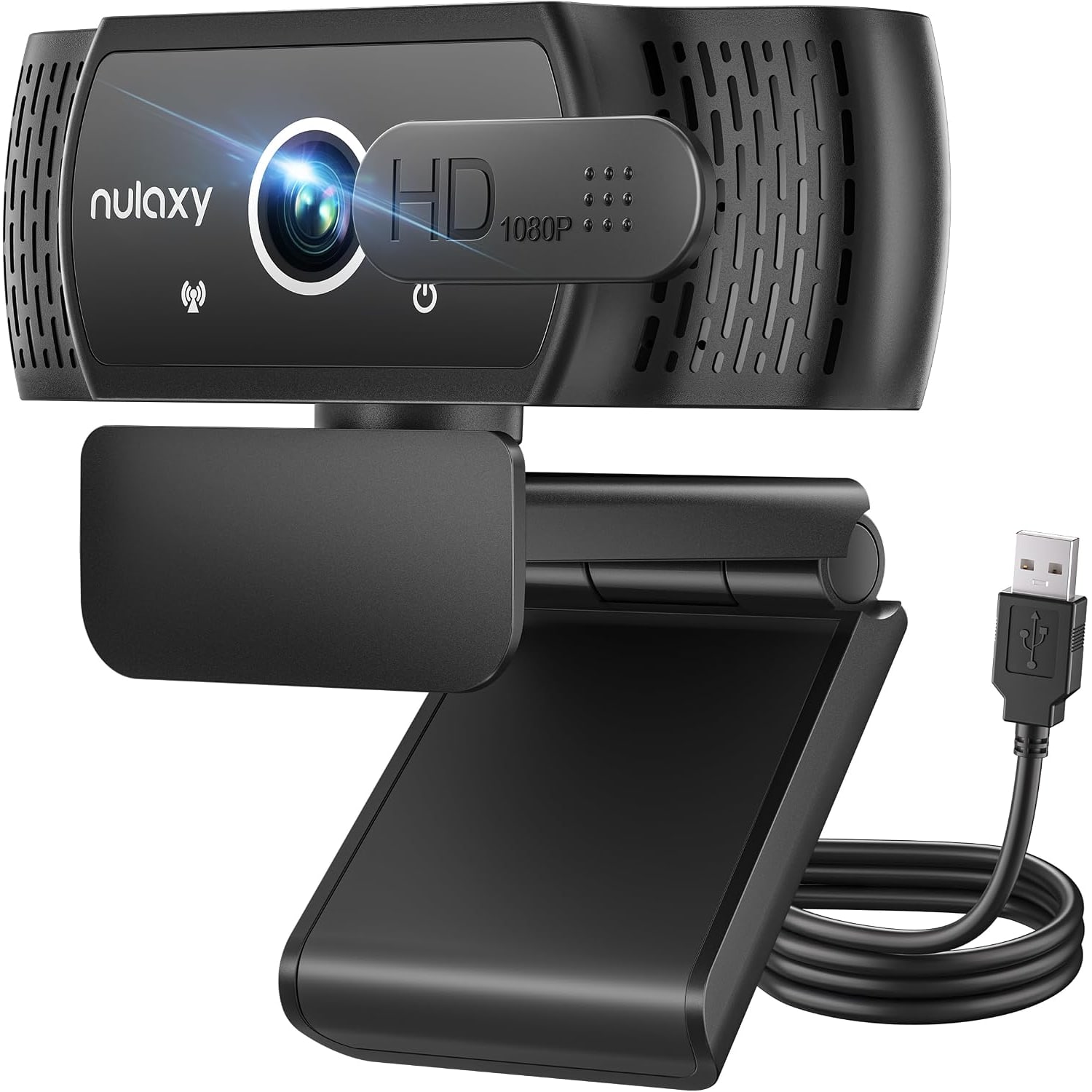
1080p USB Webcam with Privacy Cover and Stereo Microphone

$76.99 $91.99 Save $15
  • Full HD 1080p
  • Sliding Privacy Cover
  • Stereo Microphone
  • Plug And Play

Price: $76.99 $91.99

  • Free tracked delivery across Singapore on orders $150+, otherwise a flat $20
  • Pay by card or PayPal, handled by the payment provider
  • 14 days to change your mind, plus your statutory rights
Product specifications
Video Resolution1080p Full HD, also 720p and 480p
Frame Rate30 frames per second
Sensor2.1 MP CMOS
Video ProcessingH.264
Maximum Aperturef/2
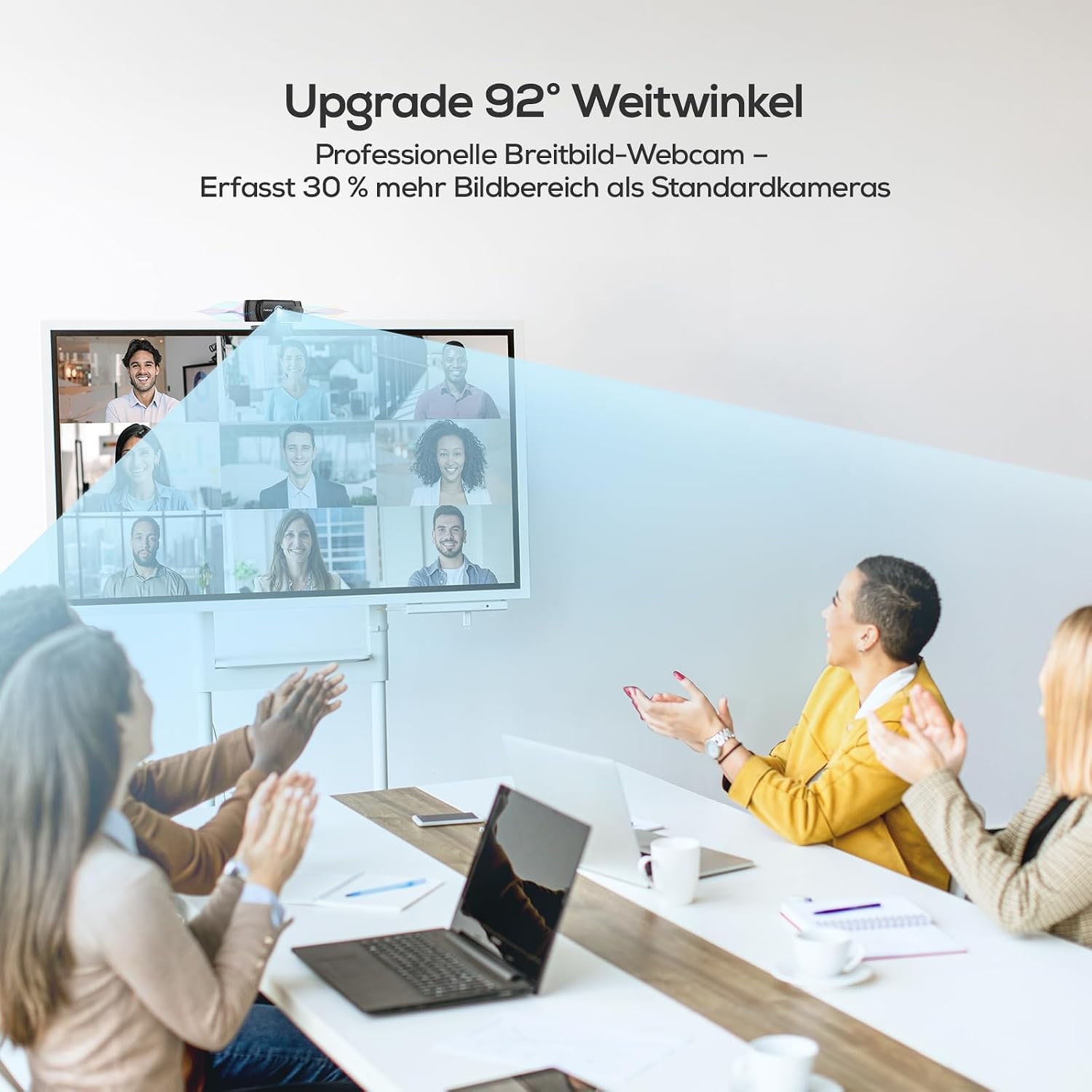
Field Of ViewListed as 92 degrees in one place and 77 degrees in another
Low-Light CorrectionAutomatic
Exposure ControlAutomatic
MicrophoneBuilt-in stereo, omnidirectional, echo cancelling
Privacy CoverSliding cover, included
Rotation360 degrees
Tilt60 degrees
MountAdjustable clip with non-slip silicone pad and tripod hole
ConnectionUSB 2.0, plug and play
PowerFrom the computer's USB port, under 0.5 W
Cable LengthListed as 1.8 m in one place and 1.4 m in another
Operating SystemsWindows 7, 8, 10 and above, Mac OS 10.6, Linux 2.6.24, Android 5.1
Compatible DevicesLaptop, personal computer
Working Temperature-10 to 40 degrees Celsius
Water ResistanceNot water resistant
ColourBlack
Model NumberC900
In The BoxWebcam, privacy cover, USB cable, user manual
Shipping & returns

Tracked delivery anywhere in Singapore. It is free on orders of $150 or more, and a flat $20 below that.

If it is not right for you, send it back within 14 days of delivery in resaleable condition and we refund the price you paid, including standard delivery. That is a voluntary policy we offer on top of your legal rights. You cover the cost of returning it unless the item is faulty.

If it arrives faulty, damaged or not as described, we put it right at no cost to you, return postage included, and your protection under the Consumer Protection (Fair Trading) Act 2003 is unaffected.

Shipping details · Refunds and returns

Full HD 1080pRecords at 30 frames per second with H.264 video processing.
Sliding Privacy CoverSlide it across the lens when you are off camera.
Stereo MicrophoneBuilt-in omnidirectional microphone with echo cancelling.
Plug And PlayRuns from one USB port with no drivers to install.

A 1080p webcam with privacy cover that plugs into a USB port and has you looking and sounding clear on the next call.

Full HD video at 30 frames per second, a built-in stereo microphone, low-light correction and a head that turns all the way round on an adjustable clip.

This 1080p webcam with privacy cover records Full HD video at 30 frames per second on a 2.1 MP CMOS sensor.

It is plug and play over USB, takes its power from the computer's USB port and needs no drivers.

A built-in omnidirectional stereo microphone with echo cancelling picks up your voice, so a headset is optional.

The privacy cover slides over the lens when you are not on a call, and low-light correction adjusts the picture in a dim room.

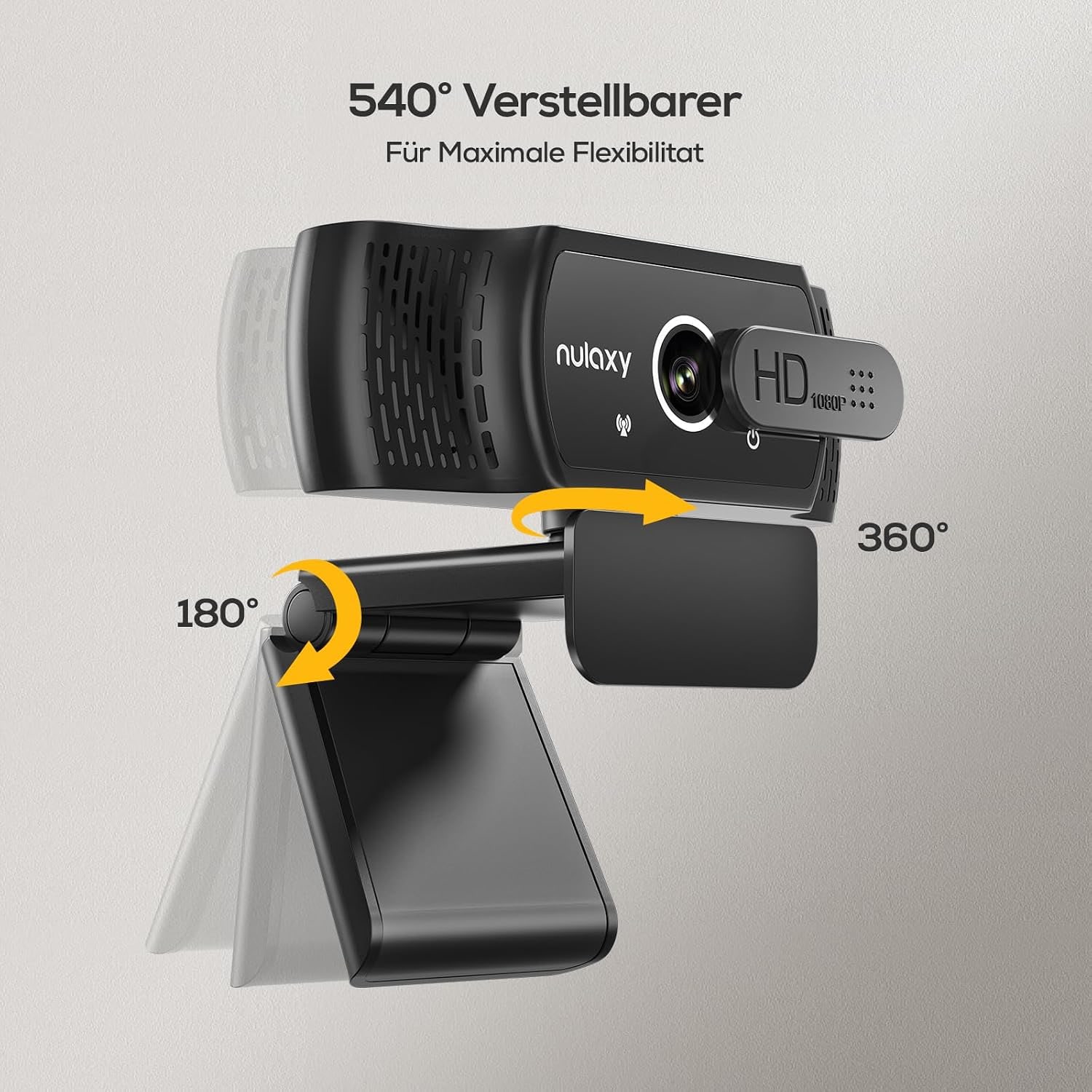
The head rotates 360 degrees and tilts 60 degrees on an adjustable clip with a non-slip silicone pad, and a standard tripod hole sits under the clip.

1080p USB Webcam with Privacy Cover and Stereo Microphone

The camera in a laptop lid is an afterthought. It is tiny, it sits too low, and it turns a normal room into a grey, grainy backdrop. This 1080p webcam with privacy cover is a simple replacement. It records Full HD video at 30 frames per second on a 2.1 MP CMOS sensor and uses H.264 video processing, which is the standard way calling and streaming apps handle video.

1080p USB Webcam with Privacy Cover and Stereo Microphone

There is nothing to install. Plug the USB cable into your computer and it appears as a camera and a microphone. It draws its power from the same USB port, under 0.5 W according to the maker, so there is no power brick and no battery to charge.

Sound comes from a built-in stereo microphone. The maker describes it as omnidirectional and high sensitivity, with echo cancelling. In plain terms, it hears you from across the desk and is designed to cut the hollow echo you get in a bare room. For everyday calls that means you can leave the headset in the drawer.

The privacy cover is a physical slider. Push it across and the lens is blocked, whatever the software is doing. Low-light correction is also built in. The camera adjusts the light balance on its own when the room is dim, which helps in a study corner lit by one ceiling lamp.

The head turns through 360 degrees and tilts 60 degrees, so you can aim it at yourself, at a whiteboard or at someone sitting beside you. The clip adjusts to grip a laptop lid or a monitor and has a silicone pad to stop it sliding or marking the screen. Underneath is a standard tripod hole, though a tripod is not included.

Not sure yet? That is fine.

A camera has to suit the job you bought it for, and you cannot always judge that from a photograph. If it is not right for you, send it back within 14 days of delivery in resaleable condition and we refund the price you paid, including standard delivery. That is a voluntary policy we offer on top of your legal rights.

If it turns up faulty, damaged or not as described, that is on us. We pay the return postage, with your protection under the Consumer Protection (Fair Trading) Act 2003 unaffected. Read the full detail on our refunds and returns page, or ask us anything before you order.

Frequently Asked Questions

What is this webcam, in a sentence or two?

It is a black Full HD camera that clips to the top of a screen and plugs into a USB port. It gives your computer a sharper picture and a stereo microphone for calls, classes and recordings. A cover slides over the lens when you are done.

What picture quality does it give?

It records at 1080p Full HD and 30 frames per second on a 2.1 MP CMOS sensor. It can also run at 720p or 480p if your connection is slow. The maker says it uses H.264 video processing.

Is there any software to install?

No. The maker describes it as plug and play with no drivers needed. You plug it in, give the computer a moment to recognise it, and choose it as the camera in your calling app.

Does it need its own power supply?

No. It is powered from the computer's USB port through the same cable that carries the video. The maker gives the power draw as under 0.5 W, which any working USB port can supply.

What kind of USB port does it use?

The interface is USB 2.0. The maker does not state the shape of the plug. If your laptop has only the small oval USB-C ports, have an adapter or hub ready in case you need one.

Which operating systems does the maker list?

The maker lists Windows 7, 8, 10 and above, Mac OS 10.6, Linux 2.6.24 and Android 5.1. Laptops and desktop computers are named as compatible devices. That covers the great majority of home and office machines.

Which calling and streaming apps does it support?

The maker names Skype, OBS, Twitch, YouTube, FaceTime, XSplit and WhatsApp, among others. Zoom, Teams and Google Meet are not named by the maker. A plug and play USB camera is normally offered by any app that lets you pick your camera, so test it in your usual app when it arrives.

How good is the microphone?

It is a built-in stereo microphone that the maker describes as omnidirectional and high sensitivity, with echo cancelling. Omnidirectional means it picks up sound from all around, so you do not have to lean in. It will also pick up a noisy room, so close the door if the television is on.

Can I leave my headset off during calls?

For most everyday calls, yes, since the webcam has its own microphone. You will still hear the other person through your computer speakers. In a shared room, earphones for listening and the webcam microphone for speaking is a comfortable mix.

What does the sliding cover actually do?

It is a small sliding shutter. You push it across the lens to block the view and push it back before the next call. The maker lists the privacy cover among the box contents.

Does the cover switch off the microphone as well?

No, a lens cover only blocks the picture. The maker does not describe a microphone mute switch on the webcam. Use the mute button in your app, or unplug the USB cable, when you want the sound off.

What field of view does the lens have?

The maker gives two figures. One part of the description says 92 degrees and the specification table says 77 degrees. Either one frames a single person at a desk with some room to spare, but we cannot tell you which figure is correct.

Is the focus automatic or fixed?

The maker's details conflict on this. One line lists autofocus and another says there is none. Treat it as a fixed-focus webcam set up for a person sitting at normal desk distance, and you will not be disappointed.

Can I turn and tilt the camera?

Yes. The head rotates through a full 360 degrees and tilts through 60 degrees. You can point it at yourself, swing it to a colleague beside you or angle it down at a notebook.

Will the clip fit my screen?

The clip is adjustable and is made to sit on a laptop lid or a monitor. It has a non-slip silicone pad that steadies it and stops it scratching the screen. The maker does not state a maximum screen thickness.

Is there a tripod thread on the webcam?

Yes. There is a standard tripod mounting hole on the bottom of the clip, and the maker says it fits most camera tripods. A tripod is not included.

Will the cable reach a computer under my desk?

The maker quotes two lengths, 1.8 m in one place and 1.4 m in another. Plan your desk around 1.4 m to be on the cautious side. Ask us if the exact length matters for your setup.

What does low-light correction do in a dark study?

It has automatic low-light correction, which adjusts the light balance when the room is dark. That helps, but it has limits. A lamp in front of you, behind the screen, does more than any camera setting.

Is it suitable for streaming?

It suits a first streaming setup. The maker names OBS, Twitch, YouTube and XSplit, and 1080p at 30 frames per second is a standard format for those. Fast-moving content looks smoother at higher frame rates than this camera offers.

Does it work with a games console?

The maker names Xbox among the supported platforms. Console support for USB cameras varies by console model and by app. Try it early, while you are still inside the return period.

Can I plug it into an Android tablet or phone?

Android 5.1 is on the maker's list of systems. You would need an adapter to fit the tablet's port and an app that accepts an external camera. Results vary between devices.

Will two people fit in the picture?

Two people sitting shoulder to shoulder should fit, whichever of the maker's two view figures is right. Sit a little further back to give yourselves room. A whole meeting table needs a wider conference camera.

Can I use it through a USB hub or dock?

Usually, yes. The webcam draws under 0.5 W, so power is rarely the issue. If the picture freezes on a crowded hub, move the webcam to a port on the computer itself.

Is it a sensible pick for online tuition or classes?

Yes. A student gets a clear picture and a microphone from one cable, with nothing to configure. The tilting head can be pointed down at written work when the tutor wants to see it.

What arrives in the package with the webcam?

The maker lists the webcam, the privacy cover, a USB cable and a user manual. No tripod is included. No software disc is needed.

Are the size and weight of the webcam stated?

The maker does not state the dimensions or the weight. It is a clip-on webcam in black. If you need a measurement to check a fit, ask us.

Can I leave it in a hot room?

The maker gives a working temperature of -10 to 40 degrees Celsius. A normal room is fine. Do not leave it on a windowsill in direct afternoon sun, where surfaces get much hotter than the air.

How should I wipe the lens without damaging it?

Use a dry microfibre cloth on the lens. The webcam is not water resistant, so keep sprays, wet wipes and drinks away from it. Closing the cover between calls keeps most dust off.

How soon will it reach me, and is delivery free?

Delivery is by tracked courier to any Singapore address. Allow 7 to 12 working days from the order date, as the goods travel from overseas warehouses. Orders of $150 or more are delivered free, and smaller orders pay a flat $20.

What can I do if the webcam and my computer do not get along?

You can return it within 14 days of delivery if it is in resaleable condition. Please contact us first. If you tell us your computer model and operating system before ordering, we can help you check compatibility.

How to Choose a 1080p Webcam with Privacy Cover for Calls, Classes and Work

6 min read Camera Company

The camera you already have is the problem

Almost every laptop has a camera in the lid, and almost every one of them is poor. The lens is the size of a pinhead. It sits below eye level, so the person you are talking to looks up your nose. In anything less than bright daylight the picture goes soft and noisy.

Many desktop computers have no camera at all. If you work on a monitor with the laptop closed, or you built your own PC, you have nothing to join a call with.

A separate webcam fixes both situations for not much money. The question is which features are worth paying attention to. This guide goes through them, using this 1080p webcam with privacy cover as the example.

What 1080p at 30 frames per second gives you

Resolution is the number on the box. This webcam records at 1080p, also called Full HD, on a 2.1 MP CMOS sensor. It can drop to 720p or 480p when needed.

In practice, 1080p is the sweet spot for calls. Most calling apps compress video heavily, and many cap the picture at 1080p or below, so a 4K webcam is often wasted. What you do notice, going from a laptop camera to a proper 1080p one, is that text on a held-up page becomes readable and faces stop looking smeared.

The frame rate is 30 frames per second. That is the normal rate for conversation and it looks natural. The maker also says the camera uses H.264 video processing, which is the format calling and streaming software expects.

Plug it in and go

Some webcams come with a control app, an account to create and a firmware update on day one. This is not one of those.

The maker describes it as plug and play, with no drivers. You connect the USB cable, the computer recognises a new camera and microphone, and you select them in your app. That is the whole setup.

It also takes its power from the computer's USB port. The maker gives the draw as under 0.5 W. There is no battery inside and nothing to plug into the wall.

The interface is USB 2.0. The maker does not state the plug shape, so if your laptop has only USB-C ports, keep an adapter or a hub handy.

The microphone matters as much as the lens

People will sit through a slightly soft picture. They will not sit through bad sound. If your voice cuts out or echoes, the call is hard work for everyone.

This webcam has a built-in stereo microphone. The maker describes it as omnidirectional, which means it listens in all directions, and says it has high sensitivity and echo cancelling.

Omnidirectional pickup is convenient, because you can lean back or turn to a second screen and still be heard. The trade-off is that it hears the room as well. In a flat with the aircon running and a television next door, close the door and the window before an important call. Soft furnishings help too. A room with curtains and a rug sounds better than a bare one.

Framing, rotation and tilt

How much of the room the camera sees depends on its field of view. Here the maker gives two different figures: 92 degrees in one place and 77 degrees in another. We cannot confirm which is right. Both are in the normal range for a desk webcam, and both will frame one person comfortably. If you need a very wide view for a group, choose a camera sold for conference rooms.

What is clear is how the head moves. It rotates through 360 degrees and tilts through 60 degrees. That flexibility is more useful than it sounds. You can turn the camera to show a visitor sitting next to you, tip it down toward a sketch on the desk, or spin it away entirely when you step out.

Try to set the lens at eye level or just above. On a monitor that usually happens by itself. On a laptop, raise the whole machine on a stand or a couple of thick books.

A cover you can see

Every laptop has a small light that is meant to show when the camera is on. Many people still stick a piece of tape over the lens, because a light is easy to miss.

A physical cover is the tidy version of that tape. This webcam's privacy cover slides across the lens. When it is shut, the lens is blocked and you can see that it is blocked from across the room. Slide it open again and you are back on camera.

Remember that a lens cover does nothing for sound. Mute in the app when you want the microphone off.

If you record calls or classes, keep in mind that recording other people is covered by Singapore law, including the PDPA.

Light does more than the camera

The webcam has automatic low-light correction. When the room is dim, it adjusts the light balance so the picture stays usable. That is helpful in a study corner at night.

Still, no small sensor can invent light. The single most effective upgrade to any webcam picture is a lamp placed in front of you, behind or beside the screen. A window in front of you works the same way during the day. Avoid sitting with a bright window behind you, because the camera will expose for the window and leave your face in shadow.

Clip, tripod and cable

The clip is adjustable and is designed for both laptop lids and monitors. It has a non-slip silicone pad, which keeps the webcam steady and stops it scuffing the screen.

On the underside of the clip is a standard tripod hole. The maker says it fits most camera tripods. No tripod is included, but a small desktop one lets you put the camera beside the screen or on a shelf.

Cable length is another detail where the maker quotes two numbers, 1.8 m and 1.4 m. Plan for the shorter one. That still reaches from the top of a monitor to a computer under the desk in most setups.

What it works with

The listed systems are Windows 7, 8, 10 and above, Mac OS 10.6, Linux 2.6.24 and Android 5.1. Laptops and personal computers are the named devices.

For apps, the maker names Skype, OBS, Twitch, YouTube, FaceTime, XSplit and WhatsApp, among others. A plug and play USB webcam normally appears in any program that lets you choose a camera. Test it in the apps you rely on as soon as it arrives.

Five minutes to set up

Clip the webcam to the top of your screen and press the clip down until the silicone pad grips. Plug the cable into a USB port. Open the app you use for calls, go to its video settings and choose the new camera. Do the same in the audio settings for the microphone.

Now look at yourself in the preview. Turn the head until you sit in the middle of the frame, and tilt it so that your eyes are about a third of the way down the picture. Slide the cover across and back once, so you know how it feels. You are ready.

Details the maker leaves unclear

It is better to know these before you buy. The focus type is listed two ways, as autofocus in one line and as no autofocus in another, so assume it is fixed focus. The field of view and the cable length each have two figures. The weight and dimensions are not stated at all.

None of these change what the webcam is: a simple Full HD camera with a microphone and a lens cover. If one of them is critical for you, ask us and we will try to find out.

Who it suits

This webcam suits someone working from home on a laptop, a student in online classes or tuition, and anyone with a desktop PC that has no camera. It is also a reasonable start for streaming.

It is not the camera for a boardroom, for fast-action streaming at high frame rates, or for anyone who needs dependable autofocus on small objects held close to the lens.

Looking after it

The webcam is not water resistant, so keep drinks at a distance. Wipe the lens with a dry microfibre cloth. Close the cover between calls to keep dust off. The maker gives a working temperature of -10 to 40 degrees Celsius, so a normal room is fine, but keep it out of direct sun on a windowsill.

The short version

This is a plug and play 1080p webcam with privacy cover. It records Full HD at 30 frames per second, has a built-in stereo microphone with echo cancelling, corrects for low light and runs from a single USB port. The head rotates 360 degrees and tilts 60 degrees on an adjustable clip, and there is a tripod hole underneath. Put a lamp in front of you, set the lens at eye level, and slide the cover shut when the call ends.

Browse the shop

Will it work with your computer?

Tell us your computer, its ports and the apps you use, and we will help you check before you order.

Ask us a question

Page summary

This is a black USB webcam, model C900, that records 1080p Full HD video at 30 frames per second on a 2.1 MP CMOS sensor with H.264 video processing. It is plug and play over USB 2.0, needs no drivers and is powered from the computer's USB port at under 0.5 W. It has a built-in omnidirectional stereo microphone with echo cancelling, a sliding privacy cover and automatic low-light correction. The head rotates 360 degrees and tilts 60 degrees on an adjustable clip with a silicone pad and a tripod hole. Listed systems are Windows 7, 8, 10 and above, Mac OS 10.6, Linux 2.6.24 and Android 5.1. The maker gives the field of view as both 92 and 77 degrees and the cable as both 1.8 m and 1.4 m. It is not water resistant. The maker does not state the weight or dimensions.