Camera Company
Company
Shop By Category
T&Cs
Shop Online
  • The maker's specifications on every page
  • Free tracked delivery across Singapore over $150
  • 14-day returns

1080p Webcam with Microphone | USB webcam with privacy cover | Adjustable field of view webcam

1080p Webcam with Zoom Control and Privacy Cover

$92.99 $111.99 Save $19
  • Full HD 1080p
  • Privacy Cover
  • Built-In Microphone
  • Plug And Play

Price: $92.99 $111.99

  • Free tracked delivery across Singapore on orders $150+, otherwise a flat $20
  • Pay by card or PayPal, handled by the payment provider
  • 14 days to change your mind, plus your statutory rights
Product specifications
BrandNexiGo
ModelN60
Video Resolution1080p (1920 x 1080)
Frame Rate30 fps
Still Resolution2.07 MP
Sensor TypeCMOS
Photo Sensor Size1/3-inch
Lens TypeWide angle, fixed focus
Viewing Angle110 degrees
Optical Zoom2x
Digital Zoom4x
Image StabilisationDigital
Aspect Ratio16:9
Exposure ControlAutomatic
White BalanceAuto
Image FormatJPEG
Video Capture FormatASF
Supported Audio FormatsMP3, WAV, AAC
ConnectivityUSB 2.0
Operating SystemsWindows, macOS, Linux, Android, Chrome OS
Special Features1080p, adjustable field of view, low light correction, privacy cover
Form FactorCompact
ColourBlack
Item Dimensions (D x W x H)6.5 x 8 x 5.5 cm
Batteries IncludedNo
Water ResistanceNot water resistant
Unit Count1
Shipping & returns

Tracked delivery anywhere in Singapore. It is free on orders of $150 or more, and a flat $20 below that.

If it is not right for you, send it back within 14 days of delivery in resaleable condition and we refund the price you paid, including standard delivery. That is a voluntary policy we offer on top of your legal rights. You cover the cost of returning it unless the item is faulty.

If it arrives faulty, damaged or not as described, we put it right at no cost to you, return postage included, and your protection under the Consumer Protection (Fair Trading) Act 2003 is unaffected.

Shipping details · Refunds and returns

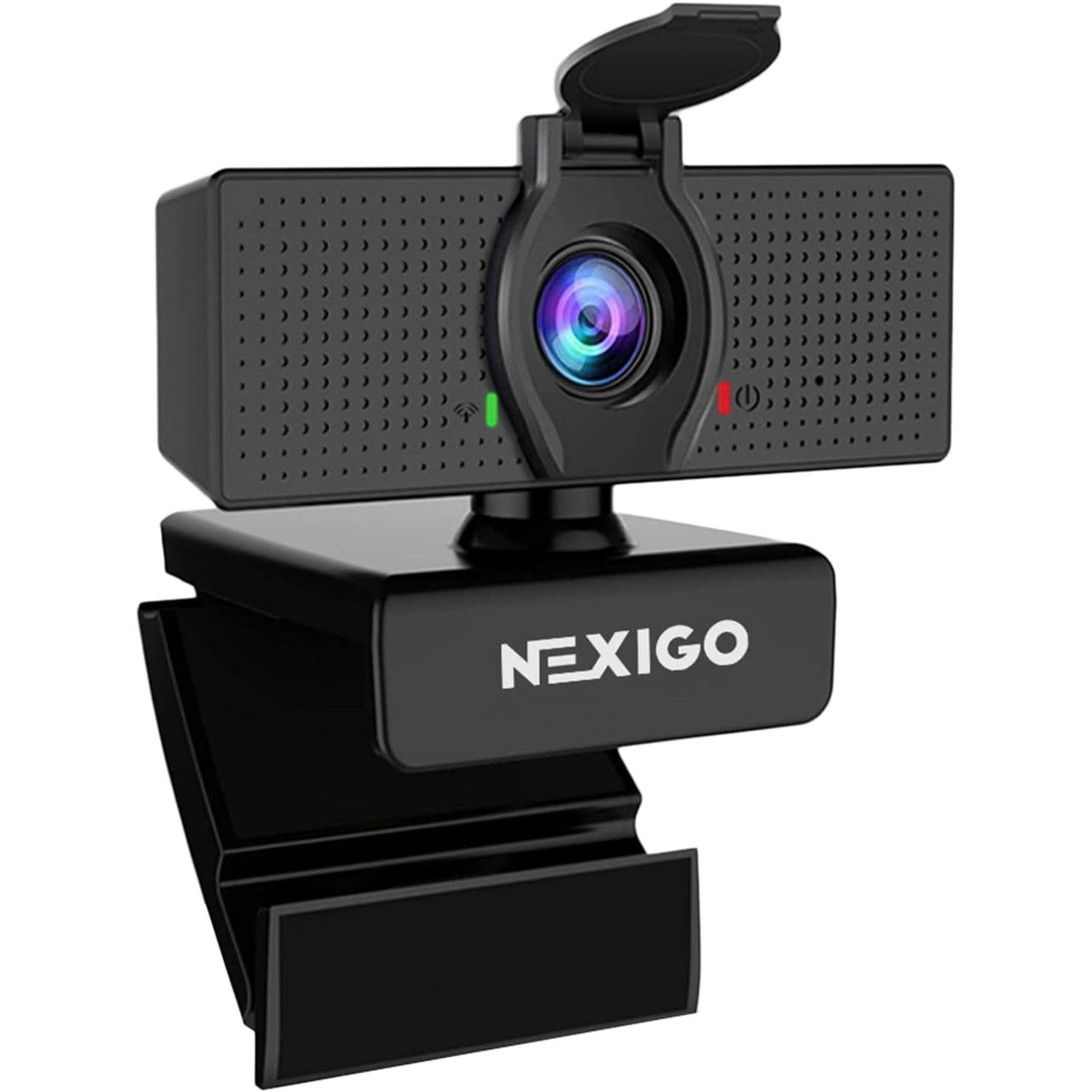
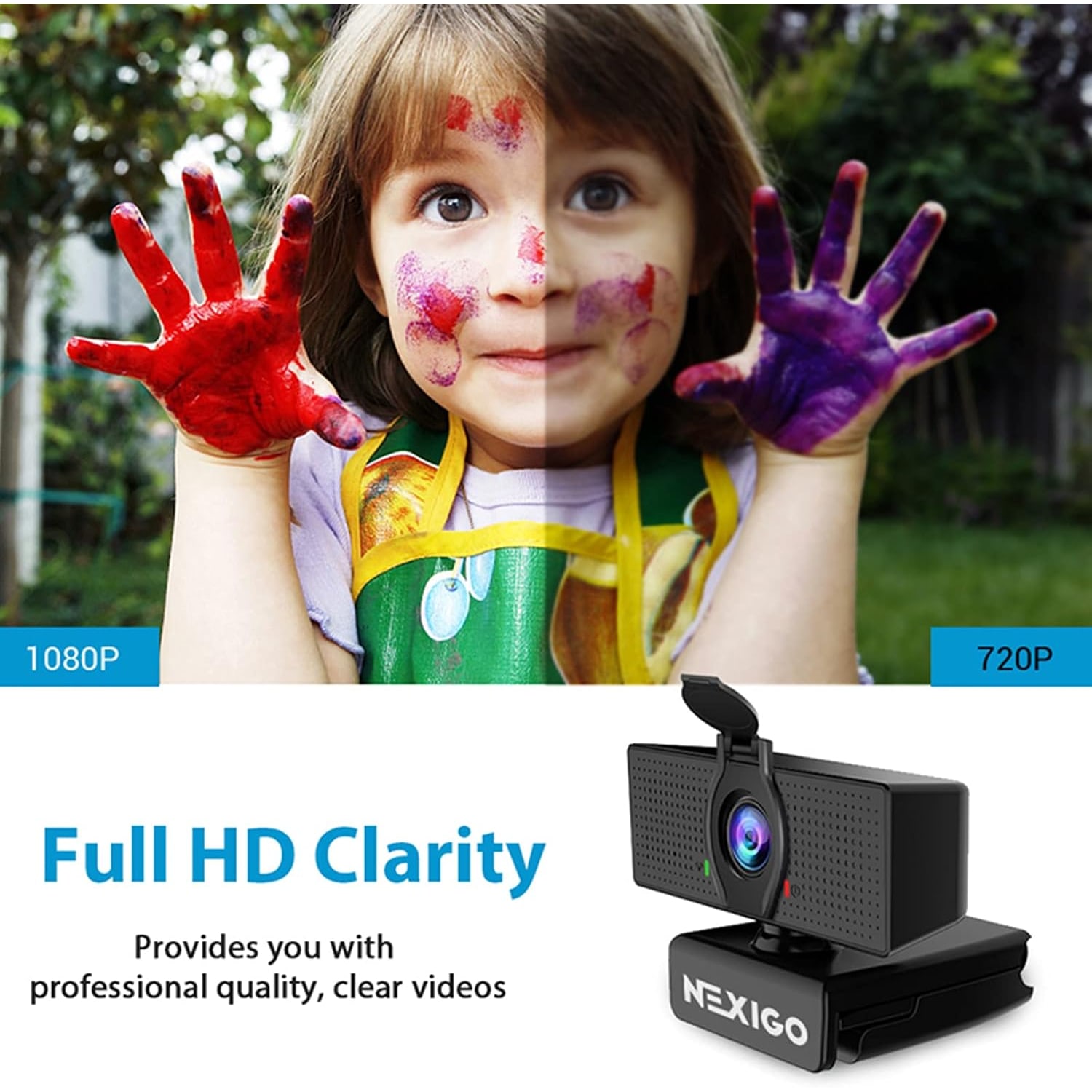
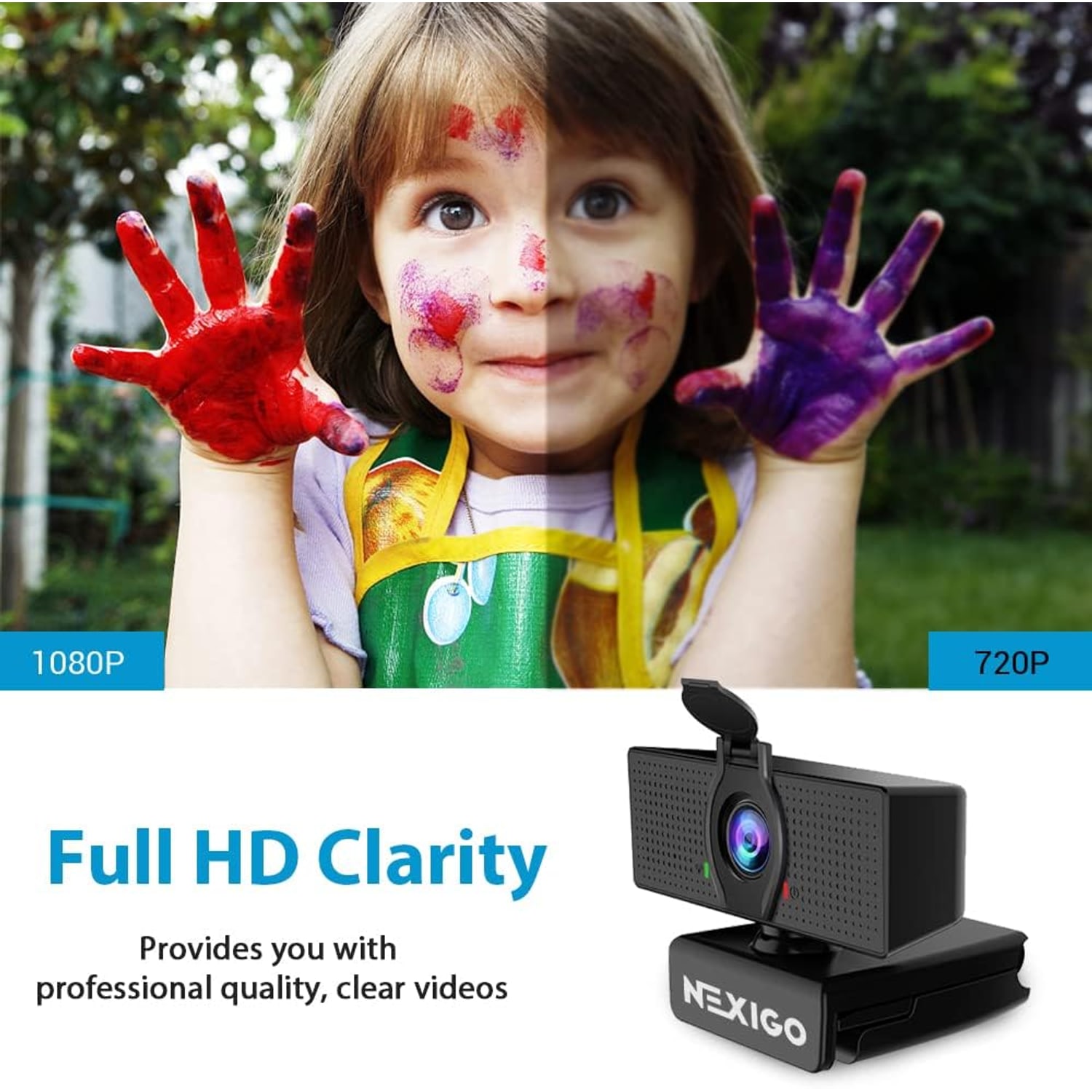
Full HD 1080pRecords and streams at 1920x1080 at 30fps through a 2 MP CMOS sensor.
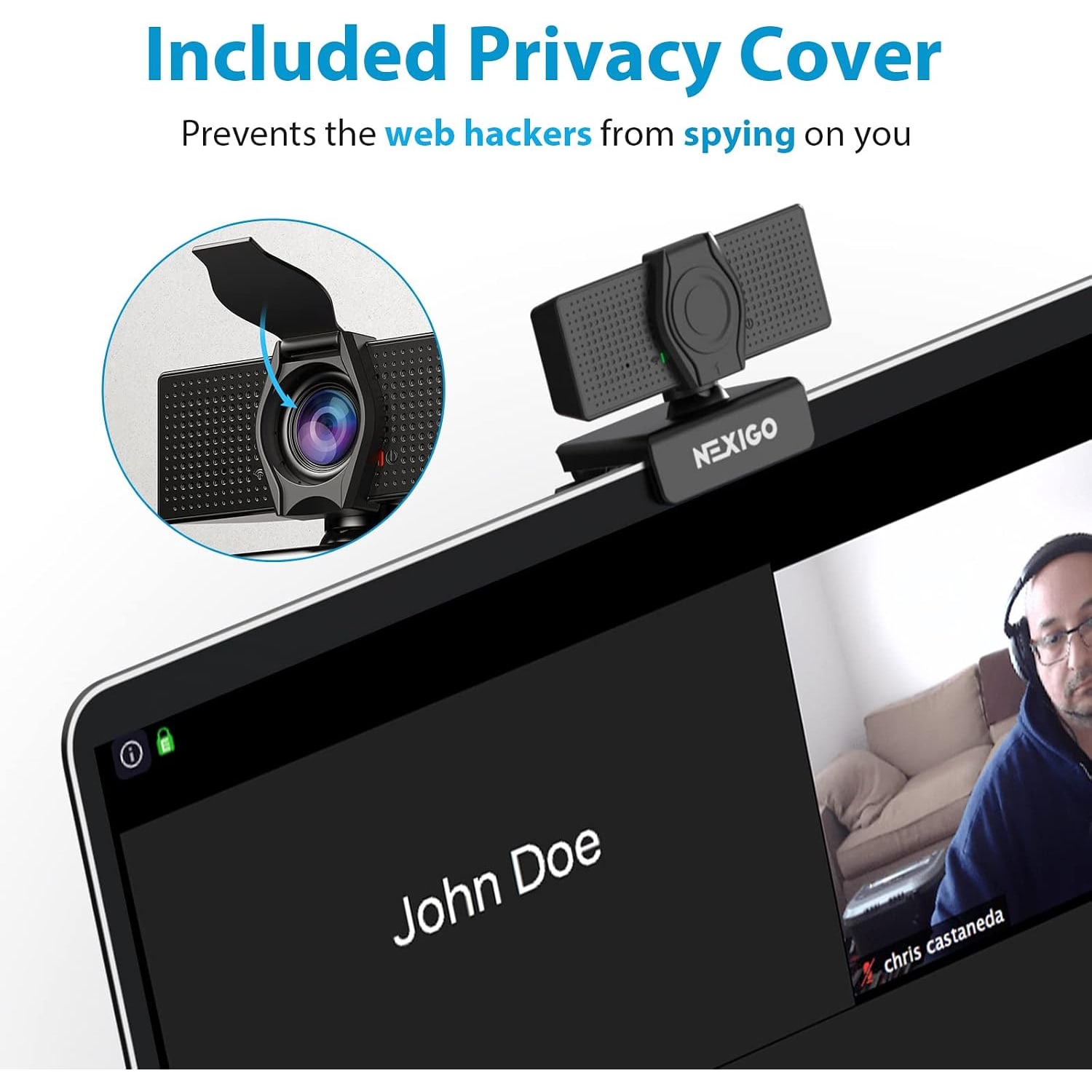
Privacy CoverSlide the cover across the lens when you are done and keep dust off the glass.
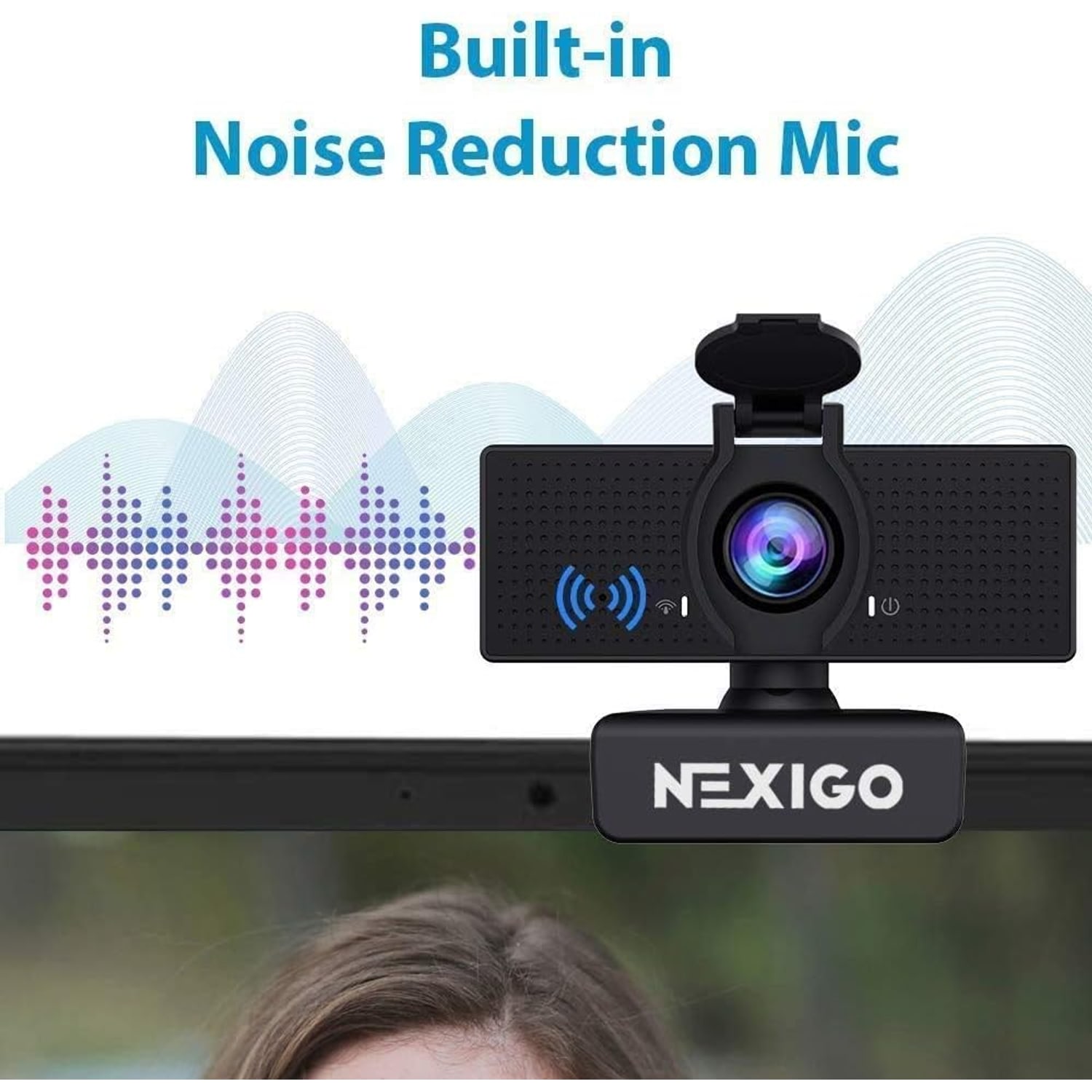
Built-In MicrophoneNoise-cancelling mic picks up your voice without a separate headset.
Plug And PlayOne USB 2.0 lead, no driver disc, works with Windows, macOS, Linux, Chrome OS and Android.

Look sharp in every meeting with a 1080p webcam with microphone that fits any monitor, laptop or tripod in minutes.

Full HD video at 30fps, a built-in noise-cancelling microphone, a sliding privacy cover and an adjustable field of view up to 110 degrees, all over a single USB connection.

A 1080p webcam with microphone that records and streams Full HD video at 1920x1080 and 30 frames per second.

The wide angle lens covers up to 110 degrees, so a desk, a whiteboard or two people in frame all fit comfortably.

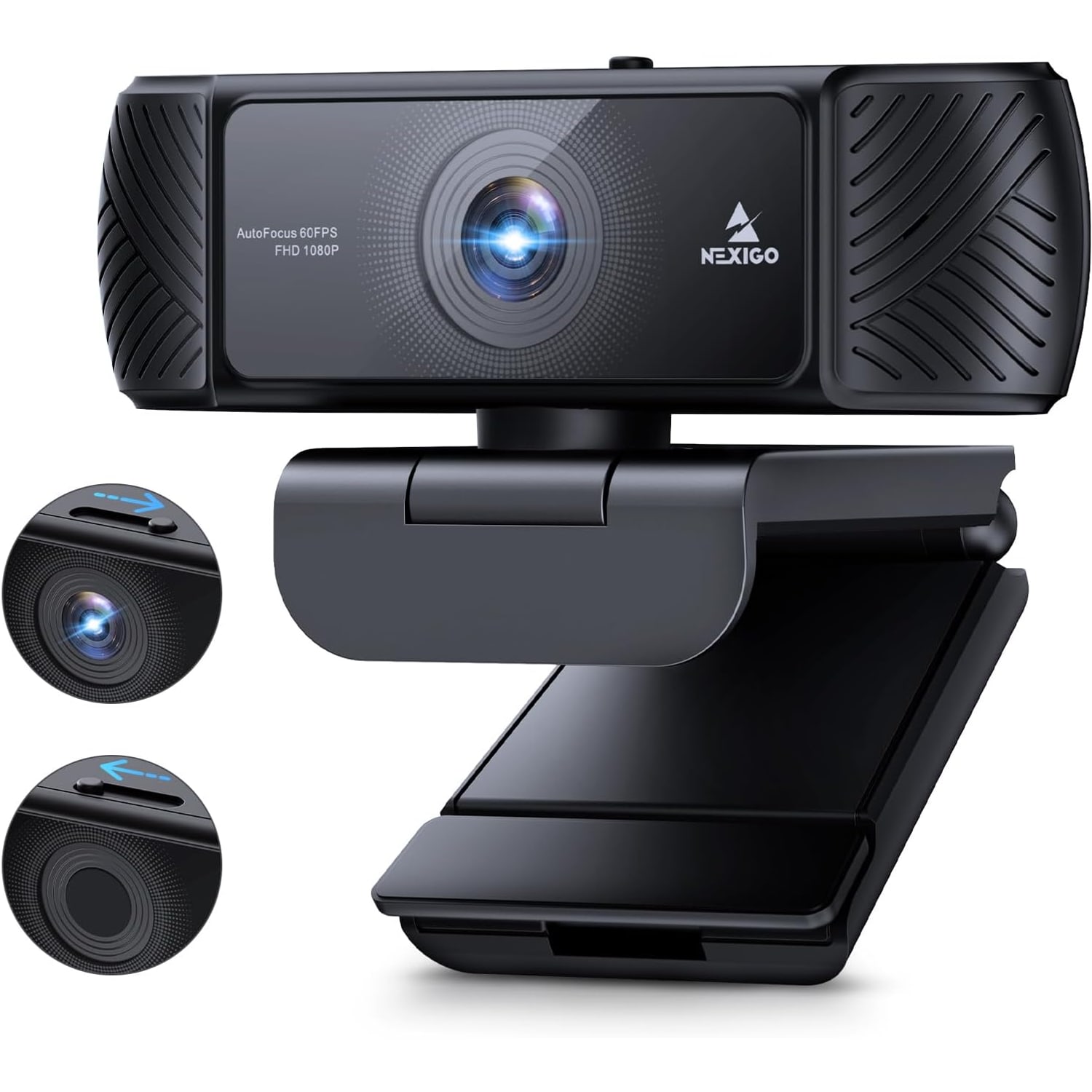
A sliding privacy cover closes over the lens in a second, which also keeps dust and fingerprints off the glass.

The built-in noise-cancelling microphone reduces background sound so your voice carries without an extra headset.

It connects over USB 2.0 and works across Windows, macOS, Linux, Chrome OS and Android with no extra drivers to install.

1080p Webcam with Zoom Control and Privacy Cover

Most laptop cameras were an afterthought. They sit behind a tiny pinhole, they struggle the moment the room light drops, and they point at your ceiling if the screen is tilted back even slightly. This 1080p webcam with microphone replaces that with a proper 2 MP CMOS sensor behind a wide angle glass lens, capturing 1920 x 1080 video at 30 frames per second. On a call, that difference shows up as a face people can actually read rather than a soft, grainy rectangle.

1080p Webcam with Zoom Control and Privacy Cover

The lens covers up to 110 degrees, which is generous for a camera this size. That matters when you are not alone in frame or when you want your desk, a sketchpad or a whiteboard in shot. If the full width shows more of the room than you want, the field of view can be narrowed using the digital zoom in the maker's software, so you can crop in on just your head and shoulders. There is 2x optical zoom and 4x digital zoom available on the camera.

1080p Webcam with Zoom Control and Privacy Cover

Privacy is handled mechanically, which is the only kind that is easy to trust. A cover slides across the glass when you are finished, so the lens is physically blocked rather than relying on an indicator light. It doubles as a dust shield, which is worth more than it sounds in a humid climate where a desk camera sits exposed for months between deep cleans.

1080p Webcam with Zoom Control and Privacy Cover

Audio comes from a built-in noise-cancelling microphone, so you can join a meeting without digging out a headset. It is tuned to lift your voice and push back steady background sound such as a fan or aircon hum. For most calls, classes and casual recordings that is enough, and it keeps the desk free of extra cables.

1080p Webcam with Zoom Control and Privacy Cover

Setup is deliberately simple. The camera connects over USB 2.0, is recognised as a standard webcam by Windows, macOS, Linux, Chrome OS and Android, and needs no driver disc or account. The mounting clip folds to grip a monitor, a laptop lid or a flat surface, and there is a tripod thread underneath if you prefer to position it independently of the screen.

Not sure yet? That is fine.

A camera has to suit the job you bought it for, and you cannot always judge that from a photograph. If it is not right for you, send it back within 14 days of delivery in resaleable condition and we refund the price you paid, including standard delivery. That is a voluntary policy we offer on top of your legal rights.

If it turns up faulty, damaged or not as described, that is on us. We pay the return postage, with your protection under the Consumer Protection (Fair Trading) Act 2003 unaffected. Read the full detail on our refunds and returns page, or ask us anything before you order.

Frequently Asked Questions

What is this product?

It is a compact USB webcam that clips to a monitor or laptop and sends Full HD video to your computer. It records and streams at 1920 x 1080 at 30 frames per second, and it has a microphone built in. A sliding cover closes over the lens when you are not using it.

How does it connect to my computer?

It uses a single USB 2.0 connection. You plug it into a free USB port and the computer recognises it as a standard webcam. There is no driver disc, no app sign-in and no mains adapter to find.

Do I need to install any software?

No, it is plug and play on Windows, macOS, Linux, Chrome OS and Android. The maker also offers software if you want to adjust the field of view with digital zoom, but you can use the camera fully without it. Most people are on a call within a minute of plugging it in.

What video resolution does it record?

It captures 1080p, which is 1920 x 1080 pixels, at 30 frames per second. Still images come out at 2.07 MP in JPEG. The aspect ratio is 16:9, which matches most meeting windows and video platforms.

How wide is the field of view?

The wide angle lens covers up to 110 degrees. That is enough for two people side by side at a desk, or for showing your work surface as well as your face. If that feels too wide, you can narrow it using the digital zoom in the maker's software.

Does it zoom?

Yes. The specification lists 2x optical zoom and 4x digital zoom. The digital zoom is the usual way people tighten the frame on their head and shoulders when the full 110 degree view shows more of the room than they want.

Is there a microphone built in?

Yes, there is a built-in noise-cancelling microphone, so you do not need a separate headset for everyday calls. It is tuned to reduce steady background sound such as an aircon unit or a desk fan. For most meetings and online classes it is all the audio you need.

Can I use my own headset instead?

Yes. Your computer treats the camera's microphone as one audio input among several, so you can pick a headset or desk mic in your meeting app's audio settings and still use this camera for video. Many people do exactly that for longer recording sessions.

What is the privacy cover for?

It is a small cover that slides across the lens so the camera physically cannot see anything. You use it between calls for peace of mind, and it keeps dust and fingerprints off the glass at the same time. It takes about a second to open or close.

Does the privacy cover mute the microphone too?

No, the cover only blocks the lens. If you want audio off as well, mute from your meeting software or your computer's sound settings. It is worth getting into the habit of doing both.

What operating systems does it work with?

It is listed as working with Windows, macOS, Linux, Android and Chrome OS. Because it follows the standard USB webcam class, most modern versions of those systems recognise it without extra setup. Check that your device has a spare USB port that supports data, not charging only.

Will it work with Zoom, Teams, Google Meet and similar apps?

Yes. Any app that lets you choose a camera and microphone will list it as an option. Open the video settings in your app, select this camera, and you should see the preview change immediately.

Can I use it with a games console or a smart TV?

It is designed for devices with USB connectivity and software support for webcam features. Consoles and televisions vary widely in what they accept, so check your device's own documentation first. A computer, tablet or Android device is the safe bet.

How do I mount it?

A folding clip grips the top edge of a monitor or a laptop lid and holds the camera steady. The same clip flattens out so the camera can sit on a desk or shelf. There is also a tripod thread underneath if you prefer a stand.

Can I put it on a tripod?

Yes, the mount accepts a standard tripod thread, so a small desk tripod or a full-size one both work. That is handy if you want the camera at eye level rather than looking down from the top of a screen. A tripod is not included.

Does it work in a dim room?

It lists low light correction as a feature, and the sensor uses automatic exposure, so it will try to brighten a darker scene. Any small camera still does its best work with light on your face. A desk lamp bounced off a wall usually improves the picture more than any setting does.

Does it focus automatically?

No, this is a fixed-focus lens. That means there is nothing to hunt or buzz mid-call, and anything at a normal desk distance stays sharp. If you hold something very close to the lens to show it, pull back a little until it clears up.

Is there image stabilisation?

The specification lists digital image stabilisation. On a clipped or tripod-mounted camera there is very little movement to correct anyway, so it mostly helps when a laptop lid is nudged. For steady results, make sure the clip is seated firmly.

What are the dimensions?

The body measures 6.5 cm deep by 8 cm wide by 5.5 cm high. That is small enough to slip into a laptop bag pocket. The weight is not specified by the maker.

What colour is it?

Black. It is a plain matte finish that disappears against most monitor bezels. There are no other colour options listed.

Is it waterproof?

No, it is not water resistant and it is built for indoor use. Keep it away from open windows during heavy rain and away from kitchen steam. Treat it like any other desk electronics.

Does it need batteries or a power adapter?

No batteries and no separate power supply. All the power it needs comes down the USB cable from your computer. That keeps the cabling to one lead.

Can I take still photos with it?

Yes, it captures stills at 2.07 MP in JPEG format using automatic exposure and auto white balance. That is fine for a profile picture, a quick document snap or a class register photo. It is not a replacement for a phone camera on detailed work.

Is it good for streaming or recording?

It is a reasonable choice for a plug and play webcam for streaming at 1080p and 30fps, and it slots straight into common broadcasting software as a video source. Video capture format is listed as ASF, and supported audio formats are MP3, WAV and AAC. Serious creators often pair it with a separate microphone.

How do I clean the lens?

Use a dry microfibre cloth and light pressure, the same way you would clean spectacles. Avoid alcohol wipes, solvents and household sprays, which can haze the coating. Keeping the privacy cover closed between sessions means you rarely need to clean it at all.

How do I look my best on camera with it?

Put your main light source in front of you rather than behind, set the camera at roughly eye level, and leave a little space above your head in frame. If the 110 degree view shows too much of the room, tighten it with the digital zoom. A tidy background does more work than any setting.

How long does delivery take?

We deliver to addresses across Singapore with a tracked courier. Most orders arrive within 7 to 12 working days of the order date, because our cameras and accessories are sent from overseas warehouses. Delivery is free on orders of $150 or more and a flat $20 under that.

What are the delivery costs?

Delivery is free on orders of $150 or more and $20 below that. Prices on this page are in Singapore dollars.

Would this make a good gift?

It is a practical gift for a student starting online classes, someone setting up a home office, or a relative who wants to see faces clearly on a video call. It needs no account, no subscription and no technical setup. The small box also makes it easy to post or hand over.

What if it is not right for me?

You can return it within 14 days of delivery in resaleable condition with the original packaging. Get in touch first and we will walk you through it. If something is not behaving as described, tell us what you are seeing and which computer you are using, since many issues come down to a USB port or an app's camera setting rather than the camera itself.

How to Choose a 1080p Webcam for Calls, Classes and Streaming

6 min read Camera Company

The problem with the camera you already have

Most laptops ship with a camera that was designed to tick a box. It sits behind a pinhole above the screen, it has a sensor smaller than a grain of rice, and it has one job: prove that a human is there. The moment the ceiling light is behind you, or the blinds are half drawn against the afternoon sun, your face turns into a soft grey shape with eyes somewhere in it.

There is a second problem that nobody mentions. A laptop camera points wherever the screen points. Tilt the lid back so your wrists are comfortable, and now everyone is looking at your ceiling fan. Prop the laptop on a stand to fix your neck, and the camera is staring down at the top of your head.

A separate USB webcam solves both at once. It has a bigger lens and a bigger sensor, so it gathers more light. And it moves independently of your screen, so you can put it where a camera actually belongs, roughly at eye level, pointing straight at you.

What the numbers on the box actually mean

Resolution. 1080p means 1920 by 1080 pixels. That is Full HD, and it is still the sweet spot for video calls. Higher resolutions exist, but most meeting apps compress your video down anyway, and your connection speed matters far more than the extra pixels. A clean, well-lit 1080p image beats a dark 4K one every time.

Frame rate. 30 frames per second is the standard for talking-head video. It is smooth enough that your gestures look natural and your lip movement matches your voice. Higher frame rates mainly help with fast motion, which is not what happens in a meeting.

Sensor. This camera uses a 2 MP CMOS sensor at 1/3-inch. The physical size of the sensor matters more than the megapixel count, because a larger sensor collects more light per pixel. A 1/3-inch sensor is a decent size for a webcam in this class.

Field of view. This one trips people up. A 110 degree lens is wide. That is great if you want two people in frame or want to show your desk, and it is too much if you are alone in a small room and would rather not broadcast the laundry rack behind you. The fix is the digital zoom, which crops the frame tighter. Buying a wide camera and zooming in gives you options. Buying a narrow camera and wishing it were wider does not.

Fixed focus. There is no autofocus here, and that is not a flaw. Fixed focus means nothing hunts back and forth when you lean forward, and nothing goes soft when someone walks behind you. At normal desk distance, you stay sharp. It is one less thing to go wrong.

Who this suits

If you are on calls most days from a home desk and your current setup is a laptop camera, this is a clear upgrade. Same if you are teaching or studying online, where being readable for two hours straight matters more than looking cinematic.

It suits shared spaces too. In a small office or a meeting room at the end of a corridor, a wide angle webcam clipped to a monitor can cover a couple of people without anyone shuffling chairs. The 110 degree view does the work that a narrower camera cannot.

Streamers and recorders at the entry level will get on fine with it. A plug and play webcam at 1080p and 30fps drops straight into common broadcasting software as a video source. If you later want studio-grade results, the usual next step is a separate microphone rather than a different camera, because audio is almost always the weaker half of a home setup.

Who it is less suited to: anyone who needs a camera outdoors or anywhere damp. It is not water resistant and it is built for indoor use. In a tropical climate that means keeping it away from open windows in a storm and out of kitchen steam.

Lighting beats specifications

Here is the thing nobody selling cameras wants to lead with. The single biggest improvement you can make to your on-screen appearance costs nothing. Turn around.

If the brightest thing in the room is behind you, the camera exposes for that bright thing and leaves your face dark. Put the window or the lamp in front of you instead, and the same camera suddenly looks twice as good. In a flat with one big window, this usually means moving the desk, not the camera.

Failing that, a desk lamp bounced off a pale wall in front of you gives soft, even light with no harsh shadows. Avoid pointing a lamp directly at your face, which flattens everything and makes people squint. This camera does list low light correction and automatic exposure, so it will try to help, but no sensor invents light that is not there.

Mounting and placement

The folding clip is designed to sit on the top edge of a monitor or a laptop lid. Make sure it seats properly, with the rear leg resting flat against the back of the screen. A clip that is only half on will slowly tip forward over a long call.

Height is worth a minute of fiddling. The camera should be at or just above eye level, so you are looking slightly up rather than down. If your monitor is low, a couple of books under its stand sorts out both your neck and your camera angle.

If you want the camera somewhere the screen cannot go, there is a tripod thread underneath. A small desk tripod gives you freedom to put it beside the monitor, closer in, or off to one side for a more natural angle. Tripods are not included.

Leave yourself a little headroom in frame, with your eyes around a third of the way down the picture. Then set the frame width you want. If 110 degrees shows too much, tighten it with the digital zoom until it is just you and a bit of background.

The privacy cover, and why mechanical is better

Software indicators are fine. A cover is better. When the plastic slides across the lens, the camera physically cannot see the room, and you do not have to think about which apps have permission to do what.

It also keeps the glass clean. A camera that lives on a monitor in a humid flat collects dust, and dust on a lens shows up as haze that no setting removes. Closing the cover at the end of the day is a small habit that keeps the picture crisp for years.

One thing to remember: the cover blocks video only. Mute your microphone separately if you want to be sure nothing is being picked up.

A note on recording other people

If you are recording a meeting, a class or anything with other people in it, say so before you start. In Singapore, recording other people is covered by local law, including the PDPA. The practical version is simple. Tell people, get their agreement, and do not share a recording more widely than the people in it expect.

Keeping it working

Care is light. Wipe the lens with a dry microfibre cloth when it needs it, using gentle pressure. Skip alcohol wipes and household cleaning sprays, which can cloud a lens coating permanently.

Unplug by the connector, not by pulling the cable. USB leads fail at the join more than anywhere else. Store it indoors away from direct sun and damp, and close the privacy cover between uses.

If the camera ever stops being recognised, the first two things to try are a different USB port and a restart. Some ports on laptops and hubs are charging-only or share bandwidth with other devices, and swapping ports fixes more problems than any software setting.

The short version

You are buying a bigger lens, a bigger sensor and freedom to put the camera where it should be. Full HD at 30fps, a 110 degree wide view that you can crop in with digital zoom, a built-in microphone so you do not need a headset for every call, and a cover that physically shuts the lens.

It plugs into one USB port, needs no drivers and works across Windows, macOS, Linux, Chrome OS and Android. Add decent light in front of you and set it near eye level, and you will look better on screen than most people in the meeting.

Browse the shop

Not sure if it suits your desk?

Tell us what you use for meetings and how your screen is set up, and we will tell you honestly whether this camera is the right fit.

Ask us a question

Page summary

The NexiGo N60 is a compact USB webcam that records and streams Full HD video at 1920 x 1080 and 30 frames per second using a 2 MP, 1/3-inch CMOS sensor behind a fixed-focus wide angle lens with a 110 degree viewing angle. It offers 2x optical and 4x digital zoom, digital image stabilisation, automatic exposure and auto white balance, a 16:9 aspect ratio and 2.07 MP stills in JPEG. A built-in noise-cancelling microphone handles audio, and a sliding privacy cover physically blocks the lens. It connects over USB 2.0 with no extra drivers and works with Windows, macOS, Linux, Chrome OS and Android. The body measures 6.5 x 8 x 5.5 cm in black. Weight, material and country of origin are not specified by the maker.