Camera Company
Company
Shop By Category
T&Cs
Shop Online
  • The maker's specifications on every page
  • Free tracked delivery across Singapore over $150
  • 14-day returns

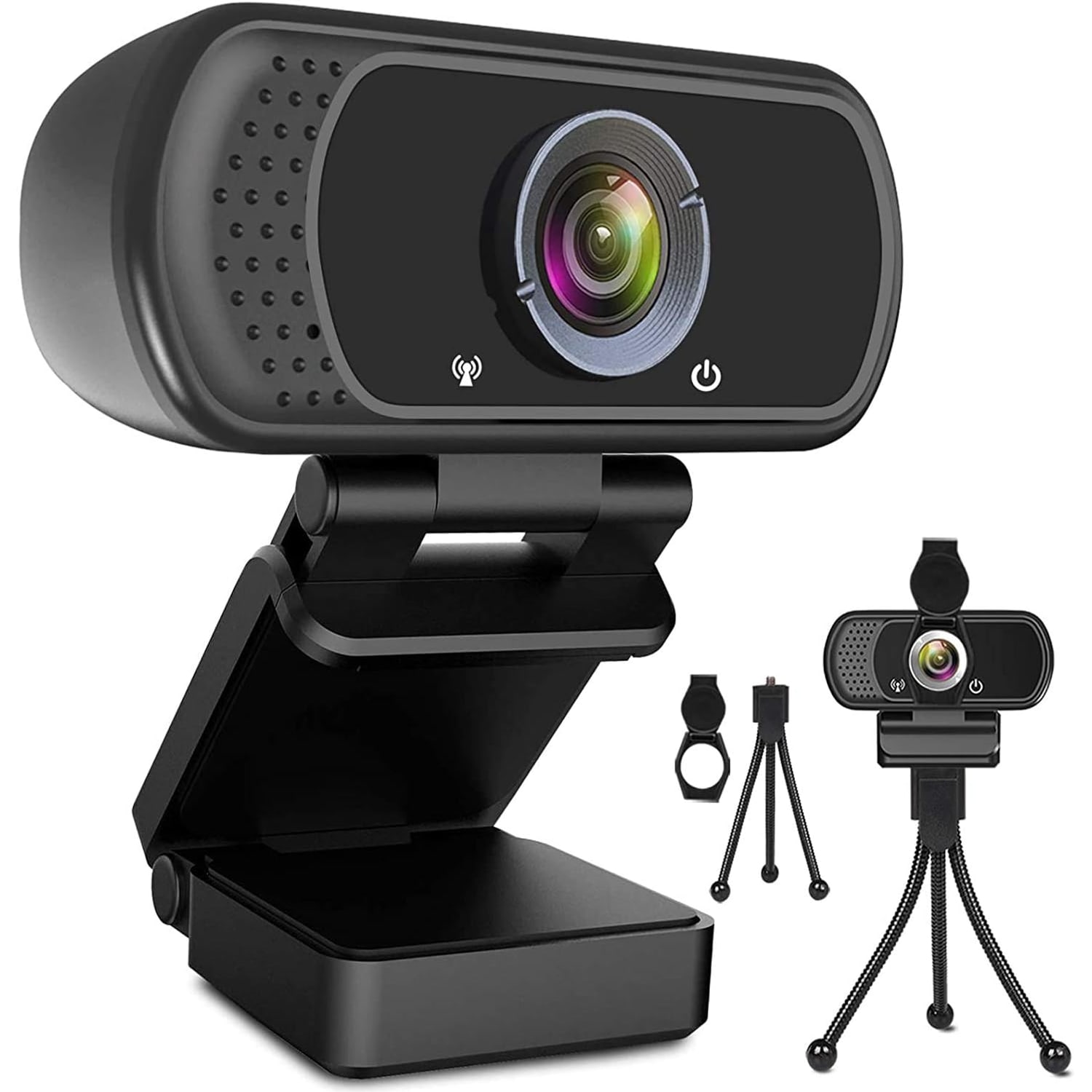
1080p Webcam with Tripod Stand | HD webcam with microphone | USB web camera

1080p Webcam with Tripod Stand and Privacy Cover

$68.99 $82.99 Save $14
  • Full HD 1080p
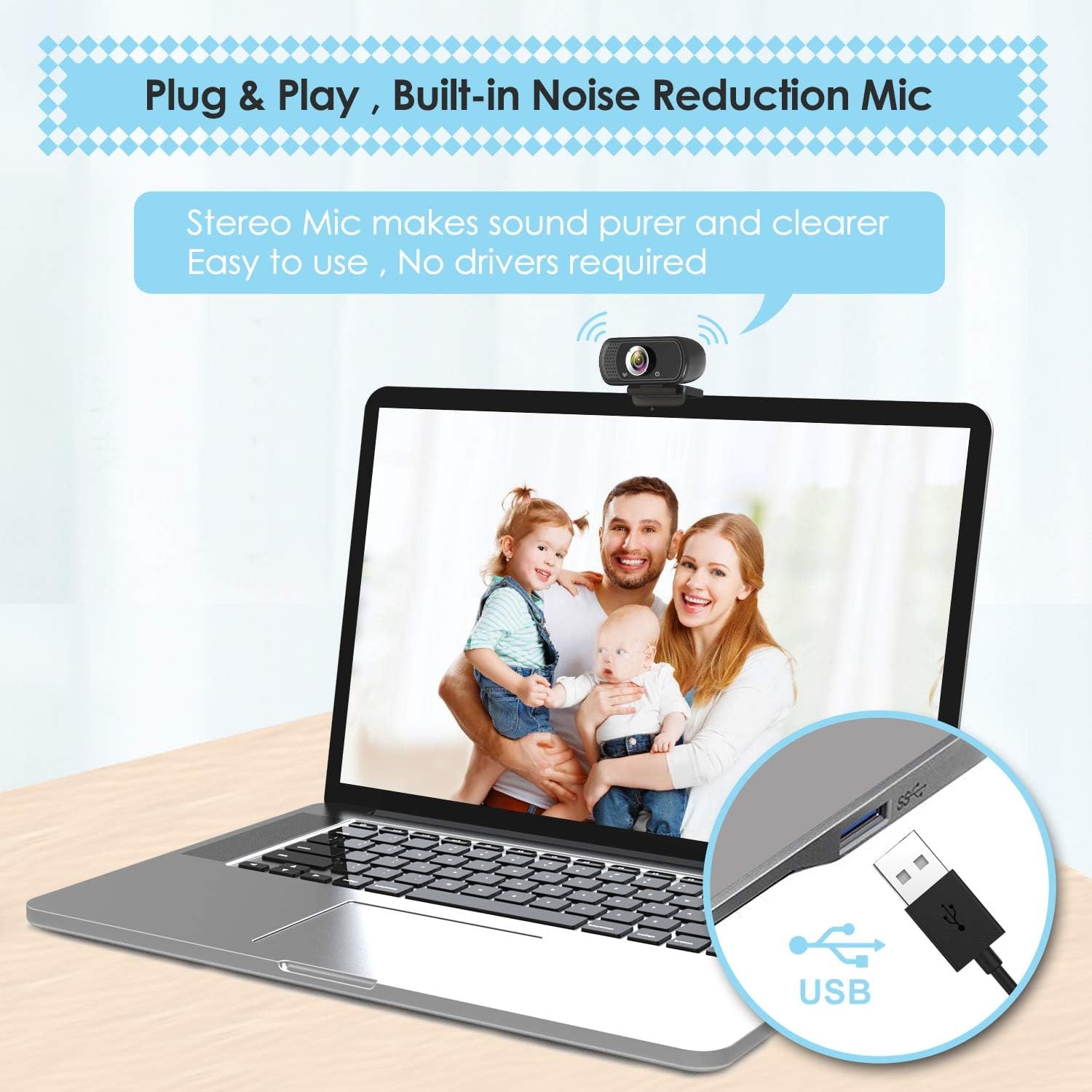
  • Built-In Stereo Mic
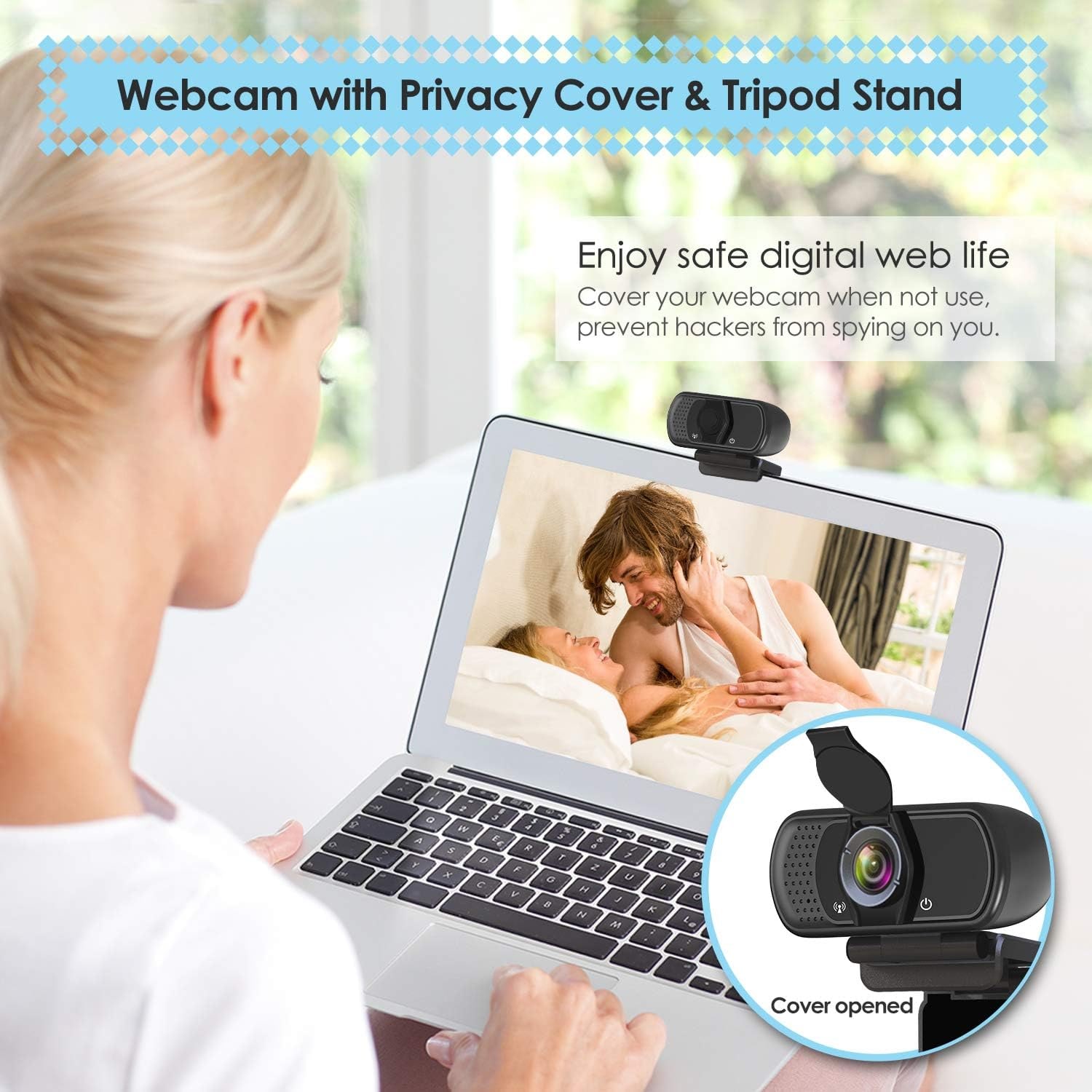
  • Privacy Cover
  • Plug And Play USB

Price: $68.99 $82.99

  • Free tracked delivery across Singapore on orders $150+, otherwise a flat $20
  • Pay by card or PayPal, handled by the payment provider
  • 14 days to change your mind, plus your statutory rights
Product specifications
Video Resolution1080p (1920 x 1080 pixels)
Image Capture Speed30 fps
Viewing Angle110 degrees
Sensor TypeCMOS
Lens TypePrime, fixed focus
ZoomDigital
Image StabilisationDigital
Special FeatureLow light performance
ConnectivityUSB
MicrophoneBuilt-in digital stereo
Supported Audio FormatsPCM, AAC
Video Capture FormatMP4
Supported Image FormatJPEG
Image Aspect Ratio16:9
White BalanceAutomatic
Exposure ControlAutomatic
Shooting ModeAutomatic
Operating SystemsWindows 2000, XP, 7, 8, 10, macOS, Chrome OS, Android, Smart TV
Compatible DevicesLaptop, desktop, computer, Mac, PC, LCD monitor, smart TV, Android
Form FactorCompact rectangular
Item Dimensions (D x W x H)9.7 x 7.9 x 6.4 cm
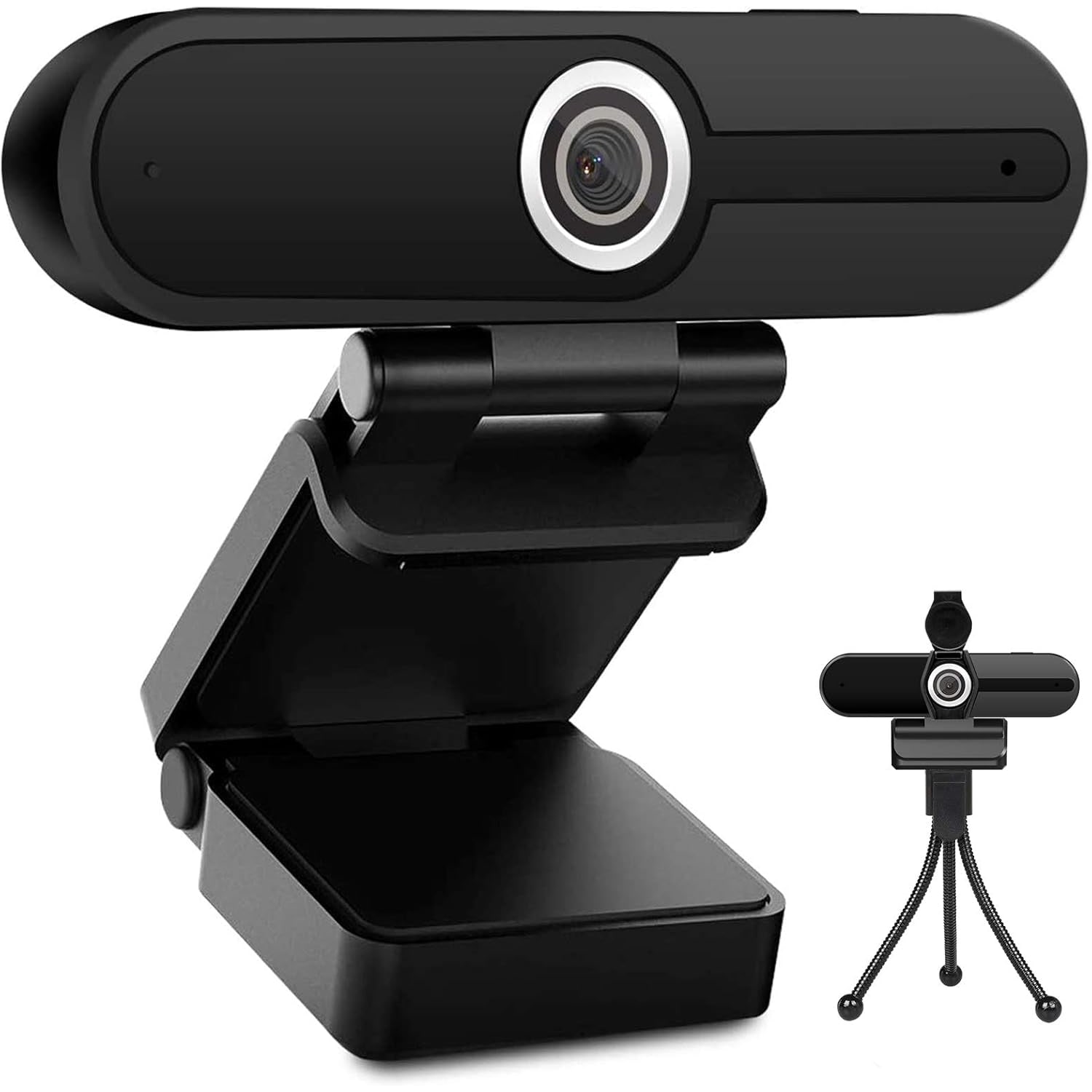
In The BoxWebcam, privacy cover, tripod stand, user manual
Batteries RequiredNo
Water ResistanceNot water resistant
Unit Count1
BrandToLuLu
Model NumberWebcam
Style Name1080P Webcam with Cover & Tripod
Shipping & returns

Tracked delivery anywhere in Singapore. It is free on orders of $150 or more, and a flat $20 below that.

If it is not right for you, send it back within 14 days of delivery in resaleable condition and we refund the price you paid, including standard delivery. That is a voluntary policy we offer on top of your legal rights. You cover the cost of returning it unless the item is faulty.

If it arrives faulty, damaged or not as described, we put it right at no cost to you, return postage included, and your protection under the Consumer Protection (Fair Trading) Act 2003 is unaffected.

Shipping details · Refunds and returns

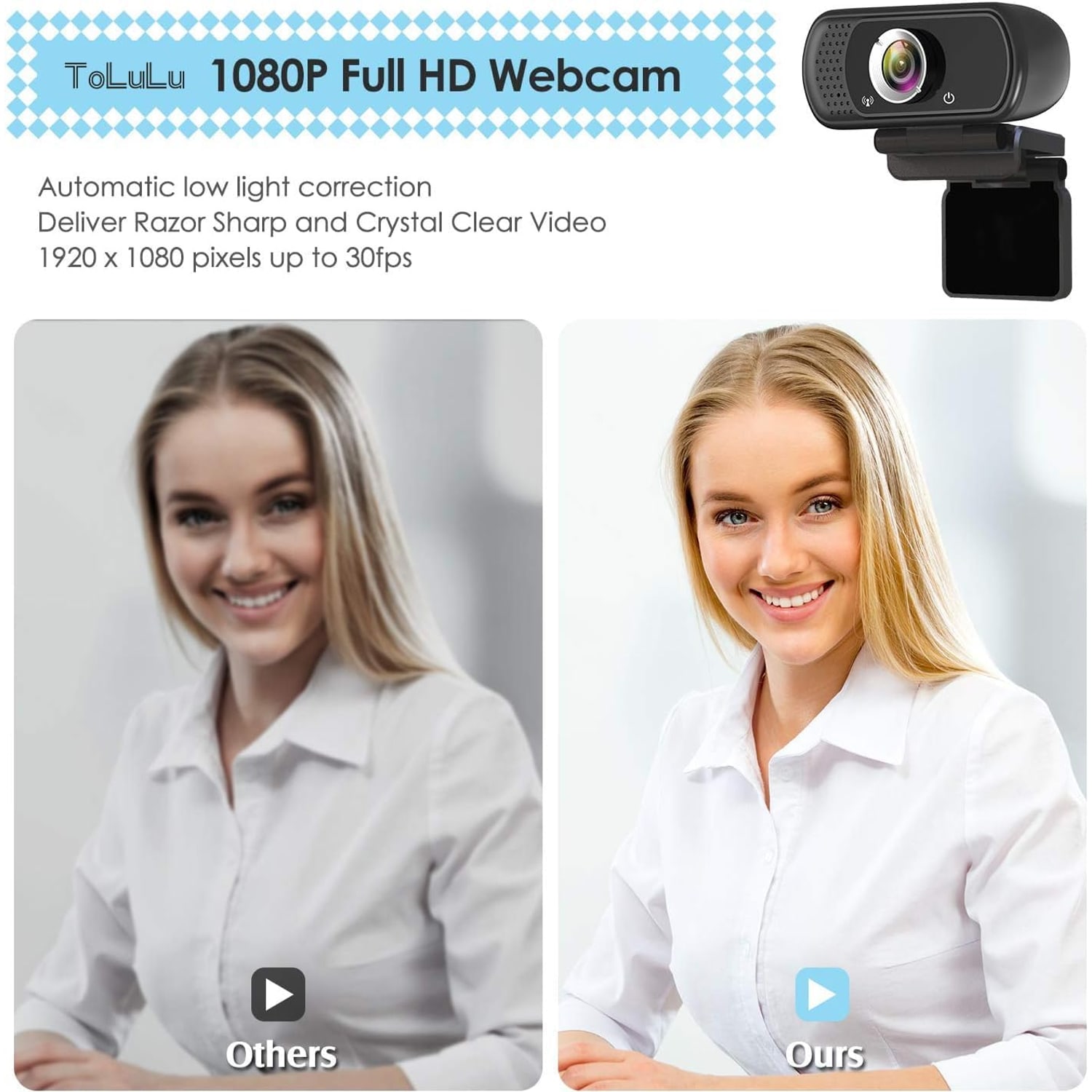
Full HD 1080pRecords and streams at 1920 x 1080 pixels and 30 fps for a clean, steady picture.
Built-In Stereo MicDigital stereo microphone with automatic noise reduction so your voice carries on calls.
Privacy CoverA sliding cover sits over the lens whenever the camera is not in use.
Plug And Play USBConnects over USB with no extra driver to install on Windows, macOS or Chrome OS.

Look sharp and sound clear on every call with a 1080p webcam with tripod stand that sets up in seconds.

Full HD video at 30 fps, a built-in stereo microphone with noise reduction, a 110 degree wide view, a sliding privacy cover and a tripod stand, all running on plug and play USB with no driver install.

This 1080p webcam with tripod stand records and streams at 1920 x 1080 pixels and 30 fps, so your face stays sharp instead of soft and blocky.

A built-in digital stereo microphone with automatic noise reduction means you can join a meeting without hunting for a separate headset.

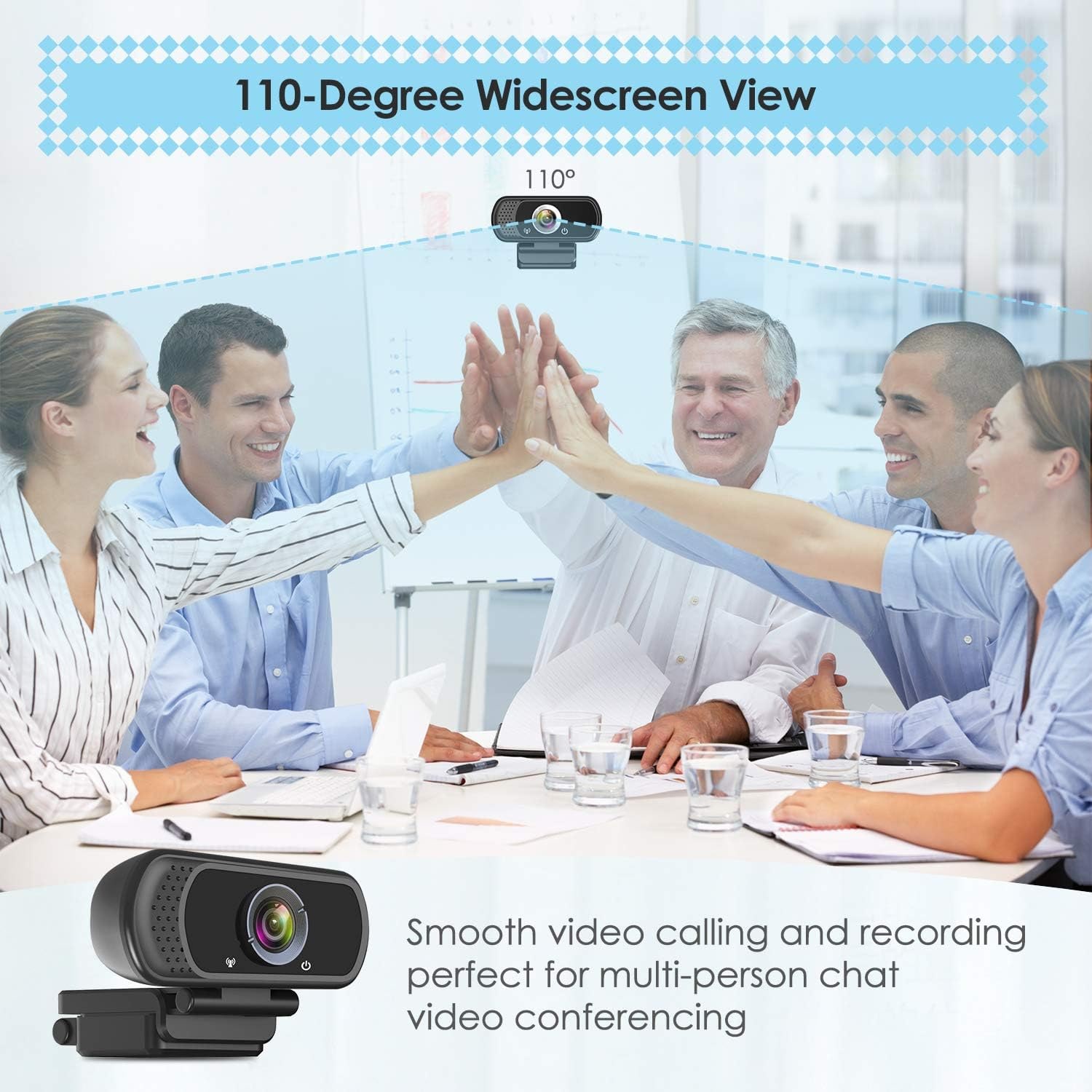
The 110 degree viewing angle fits more of the room in frame, which helps when two people share one desk or you want your whiteboard in shot.

A universal clip grips laptops, desktop monitors and LCD screens, and the included tripod stand lets you set the camera on a desk or shelf instead.

The sliding privacy cover closes the lens in a second, and the whole thing runs plug and play over USB with no driver download.

1080p Webcam with Tripod Stand and Privacy Cover

Most laptop cameras were an afterthought when the laptop was designed. The sensor is tiny, the lens sits behind a thin plastic window, and the picture goes grainy the moment the room lights drop. This USB web camera replaces that with a proper CMOS sensor shooting 1920 x 1080 pixels at 30 fps, which is the difference between a face people can read and a face people squint at.

1080p Webcam with Tripod Stand and Privacy Cover

The frame is wide. At 110 degrees you fit far more of the room in shot than a typical laptop camera manages, so two people can share one seat at the table, or you can sit back from the screen without your head filling the entire picture. Exposure, white balance and shooting mode all run automatically, so the camera keeps adjusting as the light in the room changes through the day.

1080p Webcam with Tripod Stand and Privacy Cover

Sound is handled on board. A digital stereo microphone with automatic noise reduction picks up your voice without you wearing anything, which matters if you take calls in a shared space and do not want a headset on your head for six hours. Audio comes through as PCM or AAC, and video records as MP4, so nothing exotic is needed on the software side.

1080p Webcam with Tripod Stand and Privacy Cover

Setup is the easy part. Plug the USB cable into a laptop, desktop, Mac or LCD monitor and the camera is recognised with no driver to download. The adjustable universal clip holds onto a screen bezel, and when a clip does not suit, the included tripod stand sets the camera on a desk, a shelf or a stack of books at whatever height works. Tilt it up, tilt it down, point it at a document.

1080p Webcam with Tripod Stand and Privacy Cover

When you are finished, slide the privacy cover across the lens. It is a simple piece of plastic and it is the most reassuring thing on the whole camera, because you can see with your own eyes that the glass is covered. The camera is not water resistant and takes no batteries, so keep it indoors and let the USB cable do the work.

Not sure yet? That is fine.

A camera has to suit the job you bought it for, and you cannot always judge that from a photograph. If it is not right for you, send it back within 14 days of delivery in resaleable condition and we refund the price you paid, including standard delivery. That is a voluntary policy we offer on top of your legal rights.

If it turns up faulty, damaged or not as described, that is on us. We pay the return postage, with your protection under the Consumer Protection (Fair Trading) Act 2003 unaffected. Read the full detail on our refunds and returns page, or ask us anything before you order.

Frequently Asked Questions

What exactly is this product?

It is a standalone USB web camera that plugs into a computer and replaces or upgrades the built-in laptop camera. It records and streams full HD video at 1920 x 1080 pixels and has its own microphone. The box also includes a privacy cover and a tripod stand.

How do I set it up?

Plug the USB cable into a free USB port on your computer and wait a few seconds for the system to recognise it. There is no driver disc or download needed, which is why it is listed as plug and play. Then pick the camera in your meeting or recording app settings.

Do I need to install any software?

No separate driver is required for the listed operating systems. Your computer handles the camera as a standard USB video device. You only use whatever app you already call or record with.

What video resolution does it record?

It captures at 1080p, which is 1920 x 1080 pixels, in a 16:9 widescreen ratio. Video is saved in MP4 format. Still images come out as JPEG.

How many frames per second does it shoot?

Image capture speed is listed at 30 fps. That is the standard rate for video calls and most online meeting platforms, and it keeps movement looking natural rather than jerky.

How wide is the field of view?

The viewing angle is 110 degrees, which is noticeably wider than a typical laptop camera. It fits more of the room behind and beside you into the frame. That helps when two people share one screen.

Can I narrow the frame if 110 degrees is too wide?

The camera has digital zoom, and most meeting apps also let you crop or frame your video on their end. Moving the camera closer to you is the simplest way to tighten the shot. A tighter position also keeps more of the room out of view.

Does it have a microphone built in?

Yes, there is a built-in digital stereo microphone with automatic noise reduction. For many people that removes the need for a headset entirely. Supported audio formats are listed as PCM and AAC.

Is the microphone good enough for meetings?

It is designed for normal desk distance speech in a quiet room, which covers most calls. If you work somewhere noisy or you record voice for publishing, a dedicated microphone will still do better. For everyday conferencing the built-in mic is the point of a good HD webcam with microphone.

Does it work in a dimly lit room?

Low light performance is listed as a special feature, and the camera adjusts exposure and white balance automatically. It still helps to have a light source in front of you rather than behind you. A desk lamp bounced off a wall usually improves the picture more than any setting.

Does it autofocus?

No, the lens is a prime, fixed-focus type. That means there is no hunting back and forth while you talk, which some people prefer. You simply sit at normal distance from the screen and stay in focus.

What operating systems does it support?

The listing covers Windows 2000, XP, 7, 8 and 10, as well as macOS, Chrome OS, Android and smart TVs. That range makes it one of the easier options if you are after the best USB web camera for laptop and desktop use in the same household. Always check your own app supports an external camera.

Will it work with my meeting app?

It appears as a standard USB camera and microphone, so any app that lets you choose a video source should see it. You select it from the video and audio dropdowns in that app's settings. Among people looking for the best webcam for Zoom meetings, that simple device-picker step is usually all there is to it.

Can I use it with a desktop computer and a separate monitor?

Yes. The adjustable universal clip is made to sit on laptops, desktops, computers, Macs, PCs and LCD monitors. If the clip does not suit your screen shape, use the included tripod stand instead.

How does the clip attach?

It is an adjustable universal clip that grips the top edge of a screen and folds to match the angle. You tilt the camera after it is seated to get your face centred. It is a hands-on adjustment rather than a motorised one.

What is the tripod stand for?

It lets you place the camera on a desk, shelf or side table instead of clipping it to a screen. That is handy for pointing the camera at a document, a keyboard or a second person. Many buyers hunting for the best webcam with privacy cover and stand want exactly this flexibility.

What are the dimensions?

Item dimensions are 9.7 cm deep by 7.9 cm wide by 6.4 cm high. It is a compact rectangular unit that sits comfortably on a monitor bezel. Product weight is not specified by the maker.

Does it need batteries or a power adapter?

No batteries are required and none are included. Power comes through the USB connection from your computer. Nothing is said about a mains plug being supplied, so plan on using a computer USB port.

How does the privacy cover work?

It is a physical cover that sits over the lens when the camera is not in use. You move it aside before a call and back afterwards. Because it is physical, you can confirm at a glance that the lens is blocked.

Can I use it for live streaming?

Yes, 1080p at 30 fps is a common streaming format and the camera is positioned for streaming, webinars and recording as well as calls. Check your streaming software's capture settings to match the resolution. Plenty of people shopping for the best webcam for live streaming start at exactly this spec.

Is it suitable for online teaching?

It suits online teaching well because the wide angle lets you include a whiteboard or desk area, and the tripod can be repositioned to show work on paper. The built-in microphone means you can move about a little without wearing a headset. That combination is why it often comes up as the best webcam for online teaching on a budget.

Can I use it to record video rather than just call?

Yes. Any recording app that accepts a USB camera can capture from it, and video is produced in MP4 format. Image capture produces JPEG stills.

Is it water resistant?

No. The water resistance level is listed as not water resistant, so keep it indoors and away from drinks, sinks and open windows during rain. It is an indoor desk product only.

How do I clean the lens?

Use a dry microfibre cloth and wipe gently in small circles. Avoid tissue, paper towel and any spray cleaner, as these can scratch or seep into the body. Keeping the privacy cover closed between uses stops most dust landing on the glass in the first place.

Does it have image stabilisation?

The specification lists image stabilisation as digital, while the separate has-image-stabilisation field is marked no. In practice a clipped or tripod-mounted camera sits still anyway, so stabilisation matters far less than it does on a handheld device.

What colour is it?

Colour is not specified by the maker. The product photographs on the page are the best guide to appearance. Material and country of origin are also not specified.

Does it come with a warranty?

No warranty terms are stated for this item in the maker's details. If the camera arrives faulty or does not work as described, contact us and we will sort it out under the returns process.

How long will delivery take?

Delivery is by tracked courier to any Singapore address. Allow 7 to 12 working days from the order date, as the goods travel from overseas warehouses. Orders of $150 or more are delivered free, and smaller orders pay a flat $20.

Does this make a good gift?

It makes a practical gift for a student, a remote worker, a new freelancer or anyone stuck using a tired laptop camera. It is small enough to wrap easily and simple enough that the recipient can be up and running the same day. There is no account to create and no subscription to sign up for.

What if it is not right for me?

You can return it within 14 days of delivery in resaleable condition with the packaging and included accessories. Get in touch first and we will walk you through the steps. If something is not working the way you expected, message us before returning, as the fix is often a setting in the app rather than a fault with the camera.

How to Choose a 1080p Webcam with Tripod Stand

6 min read Camera Company

The problem with the camera you already have

Open a video call on a laptop and look at yourself for a second. The picture is probably soft, a bit grey, and tilted up at your chin because the camera lives in a lid that also has to sit at a typing angle. That is not your fault. Laptop cameras are squeezed into a few millimetres of bezel, next to a hinge and a cooling vent, and they get whatever sensor fits.

A separate USB web camera solves that in the simplest way possible. It has room for a real lens and a real sensor, and it is not stuck in the lid, so you can put it where your face actually is. For most people the jump from a built-in laptop camera to a 1080p webcam with tripod stand is the single biggest improvement they can make to how they look online, and it costs less than a decent office chair cushion.

What 1080p actually buys you

1080p means 1920 pixels across by 1080 down. At 30 frames per second that is enough detail for someone to read your expression on a full-screen window, which is the whole point of turning a camera on in the first place.

Two things matter as much as the number. First, the sensor. This camera uses a CMOS sensor with a prime, fixed-focus lens, so there is no focus motor whirring in and out while you talk. You sit at normal desk distance and stay sharp. Second, the automatic settings. Exposure, white balance and shooting mode all run on auto, so when the afternoon light shifts or you flick a lamp on, the picture corrects itself rather than leaving you glowing or shadowed.

Low light handling is listed as a feature here, and it does help. It is not magic though. Any camera, at any price, does better with light in front of you than behind you. If you sit with a bright window at your back, the camera will expose for the window and you will become a silhouette. Turn ninety degrees so the window is beside you and the same camera suddenly looks twice as good.

The 110 degree view, and when it helps

A 110 degree field of view is wide. Compare that with a typical laptop camera, which sees a narrow slice of your face and little else.

Wide is useful when:

  • Two people need to share one screen for a call.
  • You want a whiteboard, a product, or paperwork in frame beside you.
  • You are showing something with your hands and need room to move.

Wide is less useful when your room is cluttered, because the camera will include the clutter. The fix is distance. Pull the camera closer to your face and the frame tightens naturally. The digital zoom gives you a bit more control, and most meeting apps let you crop your own tile as well.

Sound, and whether you still need a headset

The camera has a built-in digital stereo microphone with automatic noise reduction. For a normal call from a quiet desk, that is genuinely enough, and it is a relief not to wear anything on your head for a long meeting.

Where a separate microphone still wins is in two situations. If you share a room with other people talking, a close microphone next to your mouth will always sound cleaner than one a metre away on your monitor. And if you record audio you intend to publish, like a course or a podcast, a dedicated mic is worth it. For everyday conferencing, calls with family, online classes and internal meetings, the built-in option is the point of buying an HD webcam with microphone rather than a bare camera.

Supported formats are PCM and AAC, which are the normal ones, so nothing special is needed on the software side.

Mounting, and why the tripod matters more than people expect

Most webcams come with a clip. This one does too, an adjustable universal clip that folds to match the angle of a screen edge and grips laptops, desktop monitors and LCD panels.

The tripod stand is the part people underrate. A clip ties the camera to the top of a screen, which is fine for talking heads and useless for anything else. With a tripod you can:

  • Set the camera on the desk and point it down at a document or a sketch.
  • Raise it on a shelf for a flattering, slightly-above eye level angle.
  • Move it across the room to include a second person without unclipping anything.
  • Keep it on a bookcase permanently so your main screen stays uncluttered.

Camera height is worth a word on its own. A camera below your eye line looks up your nose and makes everyone look tired. A camera a touch above eye level is kinder and more natural. If clipping to your laptop lid puts the lens too low, the tripod on a couple of books fixes it in ten seconds.

Privacy, the plain version

There is a physical privacy cover in the box. Slide it across and the lens is blocked. That is it. No setting, no software, no trust required. You can look at the camera from across the room and know what state it is in.

Physical covers are popular for a reason. Software indicators are useful, but a piece of plastic over glass is something you can verify without understanding anything about how your computer works. Close it at the end of the day and it becomes a habit. For anyone shopping for the best webcam with privacy cover, the thing to check is simply that the cover moves easily and stays where you put it.

Where recording other people is involved, that is covered by local law, including the PDPA in Singapore. Common sense applies: tell people when they are on camera.

Compatibility and setup

The listed support covers Windows 2000 through to 10, macOS, Chrome OS, Android and smart TVs, and the compatible devices list includes laptops, desktops, Macs, PCs and LCD monitors. Connection is USB and plug and play, meaning no driver to download.

Setup in practice looks like this. Plug it in. Wait a few seconds. Open your meeting or recording app, go to its settings, and pick the new camera from the video list and the new microphone from the audio list. That last step trips up more people than anything else, because apps often keep using the built-in camera until you tell them otherwise.

If nothing appears, try a different USB port, preferably one directly on the computer rather than through a hub or a dock. Powered hubs are usually fine, unpowered ones sometimes are not.

Looking after it

There is very little to maintain. Wipe the lens with a dry microfibre cloth when it looks dusty, never with tissue or paper towel. Keep sprays and liquids away from the body and the USB connector. The camera is not water resistant, so it belongs on a desk indoors and nowhere near an open window during heavy rain.

The cable deserves a little care too. Coil it loosely rather than wrapping it tight around the camera, and avoid sharp bends right at the plug, which is where cables usually fail first. No batteries are needed, so there is nothing to replace or charge.

The short version

If your laptop camera makes you look worse than you do in person, this fixes it for a modest outlay. You get full HD at 30 fps, a 110 degree view, automatic exposure and white balance, a built-in stereo microphone, a privacy cover and a tripod stand, all on a USB connection that works without driver installs.

It suits remote workers, students, online tutors, people running webinars and anyone who streams casually. It is not a studio camera and it does not pretend to be one, with its fixed focus lens and automatic-only controls. For the everyday job of being seen and heard clearly, it does exactly what it needs to do, and the tripod means you can keep finding new uses for it long after the first call.

Browse the shop

Still deciding?

Tell us what you use your computer for and we will say whether this camera fits the job.

Ask us a question

Page summary

The ToLuLu 1080p Webcam with Tripod Stand is a compact USB web camera for video calls, recording, conferencing, streaming and online teaching. It captures 1920 x 1080 pixel video at 30 fps through a CMOS sensor and a prime, fixed-focus lens with a 110 degree viewing angle, digital zoom, digital stabilisation and automatic exposure, white balance and shooting mode. A built-in digital stereo microphone handles audio in PCM or AAC, with video saved as MP4 and stills as JPEG at a 16:9 ratio. Connection is plug and play over USB, with support listed for Windows 2000 through 10, macOS, Chrome OS, Android and smart TVs. The box includes a privacy cover, a tripod stand and a user manual. Item dimensions are 9.7 x 7.9 x 6.4 cm. It is not water resistant and needs no batteries. Colour, material, country of origin and product weight are not specified by the maker.